Best AI Tools to Use: A Complete Comparison
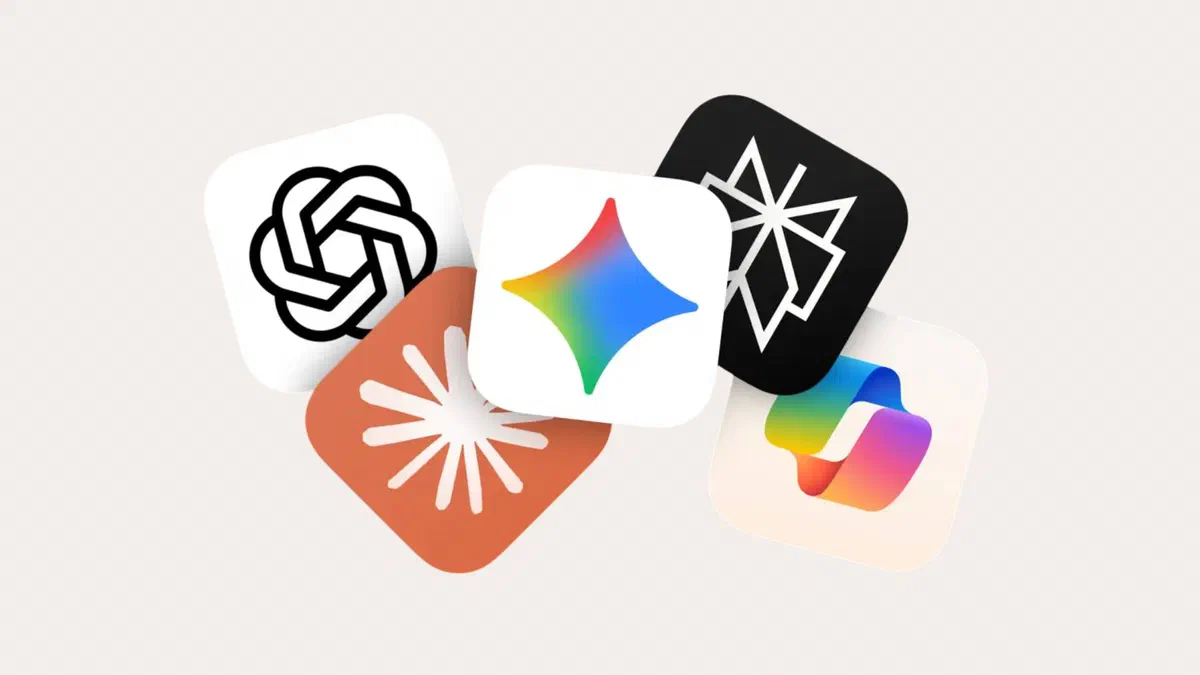
ChatGPT, Claude, Gemini, Copilot, and Perplexity compared: their strengths, subscription costs, and whether the free versions are enough for you.
On this page
The assistants are more similar than advertising suggests: they answer questions, write text, summarize documents, and help with coding. The differences lie in the details (how much information they can keep in mind, how reliable they are when citing sources, and where they are integrated), and that is how you choose.
First I will compare the main players, then move on to tools for businesses and developers, and finally wrap up with precautions that apply to everyone.
The main contenders #
Prices are based on Italy as of May 2026 and change frequently: check the service’s official page before subscribing.
| Service | Developer | Free Plan | Basic Subscription |
|---|---|---|---|
| ChatGPT | OpenAI | Yes, with usage limits | Go 8 €, Plus 23 € per month |
| Gemini | Yes | AI Plus 7.99 €, AI Pro 21.99 € per month | |
| Claude | Anthropic | Yes, with usage limits | Pro 18 € per month |
| Copilot | Microsoft | Yes | Microsoft 365 Premium 22 € per month |
| Perplexity | Perplexity AI | Yes | Pro 16 € per month |
ChatGPT #
It is the most well-known and has the largest ecosystem: images, file analysis, custom assistants (GPTs), voice mode, desktop and mobile apps. With the free plan, you can use it a little bit every day; higher plans raise the limits and unlock the latest models and video generation.
It works well as an all-rounder if you don’t have specific needs and want a single service for everything.
Gemini #
Its strength is integration with Google services: Docs, Gmail, Drive. If you spend your day in them, having the assistant right there on the same screen changes how you use it more than the answers themselves. It also generates images using the model everyone calls Nano Banana.
AI Plus is the cheapest paid plan and is enough for many; higher plans add more document storage, video generation, and 2 TB of Google storage.
Claude #
It stands out in analyzing long documents and structured writing: you can upload entire manuals or collections of documents and reason through them without it losing the thread. It is also widely used for programming.
It is the choice for those who work more with text and code than with images: it does not generate images.
Microsoft Copilot #
It lives inside Windows and Microsoft 365 apps: it writes in Word, analyzes in Excel, and summarizes in Outlook. If you work in a company that already uses Microsoft, this is the easiest path because you don’t have to change tools.
Don’t confuse the plans: Copilot Pro is no longer sold separately and has merged into Microsoft 365 Premium, which combines Office apps with advanced AI features; Personal and Family plans include a version of it with limits. For businesses, there is Microsoft 365 Copilot, available separately.
Perplexity #
It is more of a search engine that you query with words: it answers by citing sources with links, so you can verify every claim. It is the right tool when you are looking for up-to-date information and want to know where it comes from. It also has its own browser, Comet.
For long-form writing or creative work, others perform better.

How to choose #
- You need to write and edit text, or work on long documents: Claude or ChatGPT.
- You live in Gmail, Docs, and Drive: Gemini.
- You work in Word, Excel, and Outlook all day: Copilot.
- You are looking for information and need sources: Perplexity.
- You want to generate images as well as text: ChatGPT or Gemini on paid plans.
- You want to spend zero: try the free versions of two different services for one week on the same real-world tasks. That is the only comparison that matters.
Running a model on your own computer #
There is also a way without subscriptions and without sending data to an external service: running a language model on your computer using programs like LM Studio or Ollama and open models like Llama, Mistral, Qwen, Gemma, or gpt-oss.
There are two main advantages: your documents never leave your computer and you don’t pay anything every month. The disadvantages also carry weight: you need a graphics card with plenty of memory or a recent Mac with lots of RAM; models running on a home computer are less capable than those from commercial services, and setting them up requires more patience.

This makes sense if you work with sensitive data (client documents, medical records, material under NDA) or if you want to understand exactly how they work.
For businesses and developers #
This page used to talk about tools for businesses, but in the meantime, the landscape has changed completely. Today, these are the main paths.
Business plans for assistants. ChatGPT Business and Enterprise, Claude Team and Enterprise, Gemini within Google Workspace and Microsoft 365 Copilot. Compared to personal plans, they exclude using your data for training, offer centralized user management, and include Data Processing Agreements suitable for GDPR.
APIs and cloud platforms. If you want to build something of your own, you can use the APIs from OpenAI, Anthropic, or Google (AI Studio and Vertex AI), or the services of major clouds: Amazon Bedrock on AWS and Microsoft Foundry (formerly Azure AI Foundry), which provide access to multiple models with the guarantees of a corporate contract. The old classic Azure Machine Learning Studio, which this page used to mention, was retired in 2024; Azure Machine Learning remains for those training their own models. You pay as you go, based on processed tokens.
Data tools. For model analysis and training, Jupyter remains free and open source and you can find it, in various forms, inside VS Code, Google Colab, and cloud platforms.
Voice and meetings. For text-to-speech, there are services like Murf and ElevenLabs, which offer natural Italian voices; for meetings, transcription and summaries are now integrated into Teams, Google Meet, and Zoom. Chorus, which used to analyze sales calls, is now part of ZoomInfo.
In a business setting, also keep the European AI Act in mind: from February 2, 2025, anyone using artificial intelligence systems must ensure that the personnel using them have received adequate training, and certain uses (for example, in recruitment) carry stricter obligations.
Precautions that apply to everyone #
Always verify your data. These tools say wrong things with the same confident tone as the right ones. Names, dates, figures, regulatory references, and quotes must be verified at the source, every single time.
Watch what you upload. Confidential company documents, personal data of others, and material under non-disclosure agreements should not be uploaded to an external service without reading the terms of use and, at work, without clearance from those in charge.
Check your data usage settings. Almost all services allow you to opt out of having your conversations used for model training, but this option is often hidden within the account settings.
Do not delegate decisions. An assistant is there to suggest options, summarize, rewrite, or act as a sounding board. The final decision on legal, medical, tax, or professional matters remains with you or a professional.

FAQ #
Which one is the absolute best? #
There is no single answer for everyone: results depend on the task and how you write your prompts, and rankings change every few months with new models. For long texts and document analysis, Claude and ChatGPT are the most robust; for research with sources, Perplexity; for integration with work tools, Gemini and Copilot. Trying two of them on the same real-world task will clarify things more than any ranking.
Is the free version too limited to be useful? #
For normal use, no. Limits concern how many requests you make within a certain timeframe, access to the latest models, and some extra features. If you use an assistant a few times a day, you will rarely encounter them.
Is my data used to train the models? #
It depends on the service and your account settings. In business plans, it is usually excluded; in personal plans, it is often enabled by default but can be turned off. Check this setting when you create your account, not after you have uploaded sensitive material.
Does it make sense to subscribe to more than one service? #
Rarely. Services overlap a lot and two subscriptions mean forty euros a month. It’s better to pay for one and use a second one for free for the tasks where the first is weaker.
Do these tools work well in Italian? #
Yes, all those mentioned write well in Italian. In long texts, English-style calques and standard AI phrasing may appear: always proofread for both style and content.
How much does it cost to integrate AI into a company? #
It depends on what you need. To increase productivity, business plans are enough, ranging from twenty to several dozen euros per user per month. If you build something of your own using APIs, you pay as you go, and for many small projects, we’re talking about a few or a few dozen euros a month. The real costs come with custom projects: development, integration with company data, and maintenance.