Best Video Editing Software for Every Level
Discover the best video editing software, from free options for beginners to professional programs. Find the ideal assembly program for you.
On this page
Whether you’re a well-established professional or a first-hand content creator, choosing the best video editing software is the first step to transform your footage into high quality projects and great visual impact.
In this guide we will analyze the main video editing programs currently on the market, discovering how technological innovation can simplify your workflow, enhancing your creativity with increasingly accessible and powerful tools.
Vimeo Create #

An excellent cloud service, Vimeo Create, allows you to quickly and intuitively generate content for social media directly from the web browser. This online video editor is designed for those who do not have advanced technical skills in mounting: it provides a wide range of predefined models where it is enough to drag their own clips. In case of missing original content, the platform offers free access to millions of videos, photos and music tracks with a commercial license.
The user interface has been designed to ensure maximum ease of use. While offering a set of essential and targeted features, it allows you to achieve highly optimized clips for social media rhythms, ensuring rapid export in the various formats required, such as square, horizontal and vertical for smartphones.
The use of Vimeo Create’s creative tools is free, however, to save high resolution projects and share them is required to subscribe to an official Vimeo Pro, Business or Premium plan.
Click here to visit the official website of Vimeo Create
Adobe Premiere Rush #

Thanks to the hardware advancement of tablets and smartphones, performing professional video editing in mobility has become a solid reality. In this sector, Adobe Premiere Rush imposes itself as one of the most performing applications on the market.
Available for iOS and Android ecosystems, this app condenses the power of Premiere Pro in a user-friendly interface, equipped with large icons and panels optimized for touchscreen. Despite the features being streamlined compared to the desktop version, the software includes all the key elements for a quality post-production, supporting the addition of clips on the timeline via drag-and-drop and management of audio levels.
This fluid interface greatly accelerates the workflow, demonstrating unbeatable for content creators who need to edit quickly for Instagram, TikTok, Facebook or YouTube. A huge advantage is total cloud integration with Premiere Pro: you can sketch a smartphone project and complete the grading color or advanced mixing from desktop computers.
Premiere Rush is accessible both as an integral part of Adobe Creative Cloud subscription and as a single app. A free “Starter” plan is also available that provides basic tools, unlimited exports to mobile devices and 2 GB of cloud storage.
Apple iMovie #

Apple iMovie is the perfect starting point for anyone who wants to explore the world of free video editing without having to invest in expensive licenses. Despite the zero cost, the program does not compromise, providing solid tools for both neophytes and intermediate creators.
The flagship of the software is the “Magic Movie” function, designed to automate assembly: with a few clicks, the system selects the best shots, applies dynamic transitions and synchronizes the rhythm of images with the sound column. This option is great for those who want to turn turn hours into an engaging clip without any manual effort.
To support learning less experienced users, iMovie integrates the “Storyboards”. This feature acts as a didactic guide offering preset layouts for popular formats, such as culinary tutorials or product reviews, indicating which types of frames turn and how to order them in the timeline.
The package also includes advanced options such as Cinema Mode, which allows dynamically altering the depth of the field of videos shot with the latest iPhone, as well as a solid library of film filters, titles and audio tracks.
On the other hand, professionals in the industry could accuse the lack of surgical color grading tools and limited options for multi-camera mounting. Besides, the exclusive membership of the Apple circuit makes it inaccessible to users working on Windows or Android platforms.
Filmora #

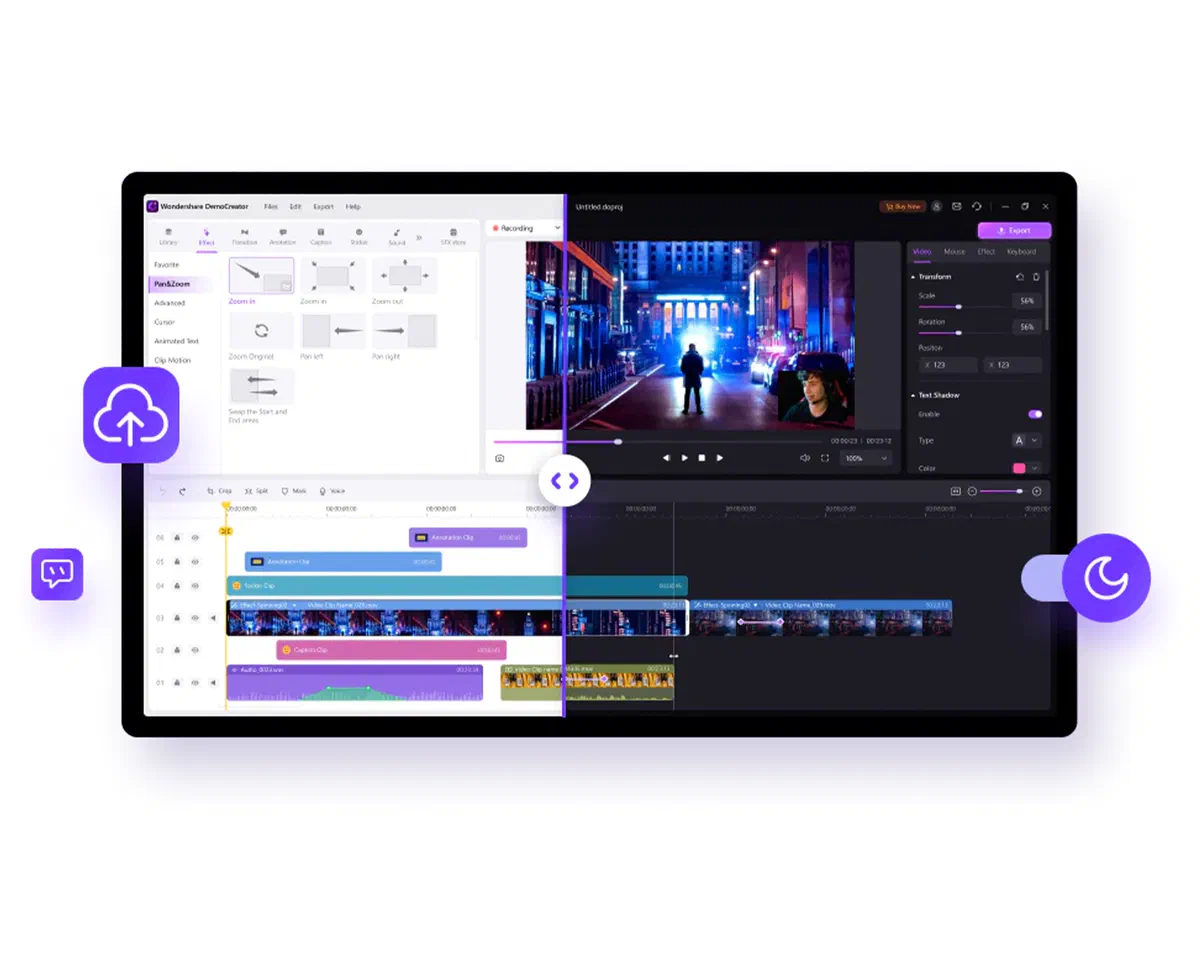
If you’re at first hand or produce video content with an occasional frequency, Wondershare Filmora represents the ideal compromise, ensuring an exceptional value for money for those looking for excellent results without facing steep learning curves.
Its graphical interface is universally appreciated for extreme usability. Compared to industry giants, it partially renounces micro-precision adjustments, making it less suitable for complex film post-production. However, if your main goal is to complete video editing quickly and cleanly, Filmora is one of the most competitive alternatives.
The software stands out for a wealth of animated titles, modern transitions and visual effects designed specifically for YouTuber and content creator. Natively it includes a library of sound effects and royalty-free music, flanked by practical tools for simultaneous recording of screen and webcam, essential for tutorial formats and gameplay.
With recent updates, Wondershare has introduced powerful features supported by Artificial Intelligence, such as smart cutout to discount subjects, 3D title generators and convenient tools for collaborative revision in the cloud.
A full free version is available to test the features, but the final export will apply a watermark (wire) on the videos. To remove it and take advantage of continuous asset updates, you can opt for flexible plans in annual subscription or to purchase a lifetime license.
DaVinci Resolve Studio #

In the panorama of film and television productions, DaVinci Resolve by Blackmagic Design is recognized as an unparalleled power instrument. Its standard version is unanimously considered the best free video editing program currently in circulation. For those requiring access to AI-based neural effects, advanced noise reduction and support for extreme resolutions, the transition to paid version, DaVinci Resolve Studio, becomes the ultimate jump.
The button heart of the software is its color grading and color correction features, real industry standards in Hollywood. The application is, however, a real suite “all in one”: it includes the Fairlight environment for precision audio mixing and the Fusion panel for the composition of complex visual special effects. This eliminates the need to export files between different programs, centralizing work in one environment.
Compared to classic linear editors, the “nodes” interface for effects and color will require a dedicated learning curve. However, once you assimilate the logic of the workflow, the attainable results are literally unlimited for ambitious creators.
Final Cut Pro #

Always considered the main competitor of Premiere Pro, Apple Final Cut Pro is the professional video editing software of reference for thousands of television studios, directors and freelance. Having been redesigned to fully exploit the architecture of Apple Silicon chips, it offers unparalleled real-time rendering and playback performance on Mac. For those who want a unified and mobile workflow, the application has recently landed on iPad. A very great value of the desktop version is the purchase model: one lifetime license, free from the annoying monthly fees (the subscription only lives on the iPad version).
The most famous and discussed innovation of the software is the “Magnetic Timeline”, which breaks with the classic logic of the overlapping tracks to offer a smooth approach. Clips, audio and titles are automatically hooked together, avoiding de-sync problems and making the rough-cut assembly phase extremely fast.
The application overflows with state-of-the-art features: from grouping media files, to excellent native support for editing HDR formats and 360-degree immersive videos, to highly specialized panels for color analysis and sound mixing.
Of course, it is a flagship software developed in Cupertino, it enjoys a perfect and continuous integration with the entire Apple digital ecosystem, allowing instant import from Photos or native music library.
The main deterrent? Total exclusivity. If you work on a Windows or Linux workstation, this editor is not accessible. In addition, the initial investment is considerable for an early-armed user, but is fortunately implemented by a very rich 90-day free trial, well above the average offered by the competition.
Adobe Premiere Pro #

Adobe Premiere Pro has been the leading axis of the global creative industry for decades. Its immense flexibility allows us to use it daily in many areas: from the processing of high quality vlogs for YouTube, to the installation of high-budget productions in the world of Hollywood. It is the preferred collaboration tool also within the teams formed by graphics, 3D animators and special effects specialists.
The heart of the user interface consists of its modular workspaces (dedicated to assembly, color correction, effects management and audio mixing). This intuitive compartment keeps the area clean, allowing the videomaker to focus exclusively on the current phase of the project. The complete mapping of keyboard shortcuts accelerates assembly times, while integration with sharing and review services makes group work simple and organized.
Premiere Pro is engineered to dominate the most demanding formats, managing smoothly filmed in 4K, 8K and native VR. Its multiple track system supports infinite levels of video and audio, while cutting tools offer a precision to the single frame for maniac mounts. Thanks to the Creative Cloud subscription ecosystem, the software is continuously powered by free update, introducing state-of-the-art features enhanced by artificial intelligence for color balance, automatic speech transcription and intelligent re-framing.
Together with Final Cut Pro is the most widely used solution by professionals. However, the advantage of total multiplatform compatibility (Windows and macOS) guarantees Adobe Premiere Pro the indisputable title of best professional video editing software globally.
FAQ about Editing Video Software #
What is the best video editing program for beginners? For those who move the first steps and have no prior technical skills, the most valid options are Apple iMovie (for Mac/iOS users) and Wondershare Filmora. Both offer visually intuitive interfaces, bookcases rich in predefined models and automated functions to easily manage transitions, text inputs and effortless audio.
Are there completely free professional video editors? #
Absolutely. The standard version of DaVinci Resolve by Blackmagic Design is considered the pillar of professional software at no cost. Allows you to perform a cinematographic level mounting and excels especially in color correction and sound mixing tools. Unlike many other free programs, it does not apply time restrictions or annoying watermarks to exported videos.
What is the main difference between Adobe Premiere Pro and Final Cut Pro? #
The biggest difference lies in the license model and hardware compatibility. Premiere Pro is a multiplatform product that is accessible to both Windows and Mac systems, and is based on a monthly/annual subscription (Adobe Creative Cloud). Final Cut Pro, on the contrary, is a closed ecosystem that works exclusively on Apple (macOS and iPadOS) operating systems and requires a unique payment to purchase the license on desktop computers, exempting the user from recurring costs.