Top 10 Alternatives to XAMPP for Windows, Linux and Mac
Discover the best alternatives to XAMPP for local web development. Complete comparison between WAMP, MAMP, Laragon and other web servers for Windows, Linux and macOS.
On this page
What are servers and how do they work? #
Whenever you surf the network to search for data, download files or upload personal content, it is essential that this information reside in a physical or virtual infrastructure to be processed and transmitted. This storage and processing space is known as a server. Depending on the request generated by the user’s browser, the server returns the appropriate resources. In the IT field, the two main machines for the operation of a site are the web server and the application server.
Any data provided or entered within an online platform is stored on a specific server. The latter, acting as a real central digital archive, guarantees the access and usability of real-time content to anyone who requests it through the network protocol.
The main types of web servers #
Server classification depends mainly on their operational function and network architecture. A server specializing in providing a specific type of data falls into a very precise category. For example, uploading an image on the Internet, this will be stored on a server dedicated to multimedia files; sending an email will involve a SMTP server instead. This shows that any digital interaction, from video uploading to chats or video calls, transits and is stored within servers optimized for that precise workload.
What is the XAMPP server? #
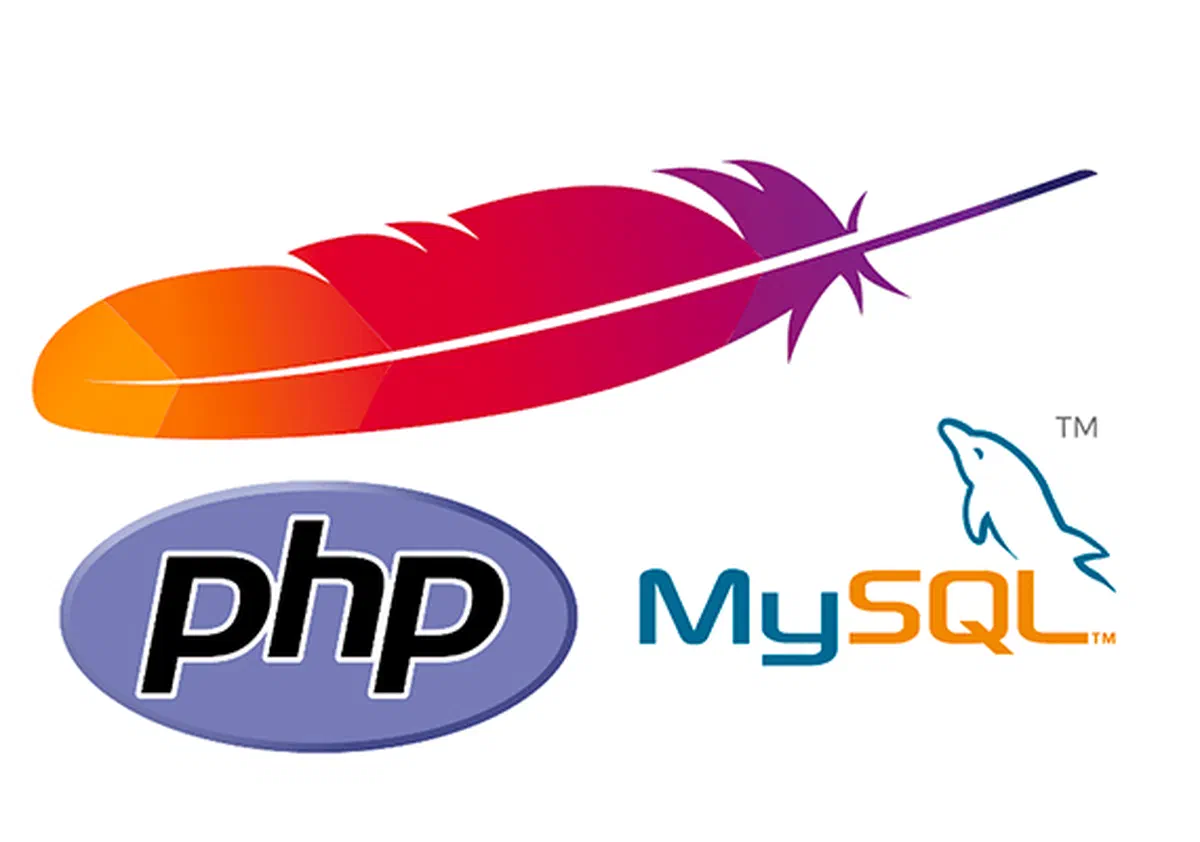
XAMPP is one of the most popular open source web development environments in the world. This platform allows you to run PHP, MySQL and Apache HTTP Server locally, creating a perfect ecosystem to test your websites before you put them in production. The acronym XAMPP stands for Cross-Platform (X), Apache (A), MySQL/MariaDB (M), PHP (P) and Perl (P). If you need to develop a dynamic portal using the official language PHP, the XAMPP server is a historic starting point for developers.
What does “Server Down” mean? #
Although the hosting infrastructure is designed to ensure an uptime of 99.9% (active 24 hours on 24, 7 days on 7), some portals can undergo sudden traffic spikes. In these overload scenarios, hardware resources fail to process the huge amount of simultaneous requests. This event commonly occurs during the telematic sending of institutional modules near the expiry: network congestion causes machine collapse, preventing the site from charging and generating the famous state of Server Down.
Another frequent cause of inactivity is linked to poor computational or physical machine storage capacity. The use of obsolete or non- scalable hardware makes it impossible to manage high user flows, causing critical slowdowns and the consequent disconnection of the nodes.
Now that we have cleared the basics of client-server architecture and load limits, we can explore the most advanced solutions for local development, analyzing the best alternatives to optimized XAMPP servers for Windows, Linux and macOS platforms.
Best alternatives to XAMPP for Windows, Linux and macOS: #
1. WAMP server, MAMP and LAMP #

WAMP (Windows, Apache, MySQL, PHP) #
The WAMP Server is a free open source environment natively developed for Microsoft Windows operating systems. The installation includes a single package of essential tools such as Apache, phpMyAdmin, PHP, MySQL and, in some variants, Perl or Python.
This application recreates an independent web server directly on the local Windows system. Using Apache for content delivery, MySQL for database storage and PHP for script processing, WAMP simplifies backend management thanks to native phpMyAdmin panel integration.
Web developers frequently use WAMP to design complex CMS. If the goal is to install, test and configure WordPress or PHP framework in Microsoft environment, WAMP is one of the most solid options in circulation.
While WAMP dominates the Windows environment, there are its dedicated counterparts for other operating systems: LAMP for the Linux and MAMP universe for Apple devices.
LAMP (Linux, Apache, MySQL, PHP) #
The LAMP stack is the original bone of web hosting. Built around the open source operating system Linux, it includes Apache, MySQL and PHP. The LAMP operating principle is similar to that of WAMP, ensuring company level server stability and very high performance in routing and managing server-side requests.
MAMP (Mac, Apache, MySQL, PHP) #
The MAMP server is the standard, free and open source infrastructure, tailored to macOS. In addition to ensuring total compatibility with the Apple ecosystem, MAMP includes Apache, MySQL and PHP in an extremely curated interface, avoiding conflicts with native Mac network services.
2. Easy #

Whether it’s leading-edge developers or experienced professionals, EasyPHP is an excellent tool for local deployment. This solution hosts web projects quickly bypassing tedious configurations. EasyPHP is the perfect simulator to test the validity of the code in an isolated pre-production environment.
Distributed as a self-configurating and secure package, its goal is to provide Apache, MySQL and phpMyAdmin in a Windows environment in the shortest possible time, allowing you to manipulate databases in all serenity.
EasyPHP installation #
To start a functioning PHP environment it is not enough to download the core from the official site; they serve an integrated architecture and correct directives in system files (such as the php.ini). Apache, originally designed in 1995, is considered the most reliable web server in the world, but requires precise tuning. Since PHP allows us to structure dynamic portals by questioning databases, any error in libraries would prevent code execution. EasyPHP solves this obstacle by enclosing all dependencies in a light program (about 8 MB) that auto-calibra during installation.
EasyPHP usage and configuration #
Once the setup is finished, it will be enough to define very few structural parameters, including:
- Selecting the interface language.
- Definition of the root directory (the basic folder) that will host the websites files.
- Setting security credentials for the MySQL database administrator.
3. AMPPS #

AMPPS is a complete solution developed by Softaculous for Windows, macOS and Linux. Create a solid local development environment (WAMP/MAMP/LAMP) by natively integrating advanced components such as MongoDB, Perl and Python in addition to the classic Apache and MySQL stack.
This platform guarantees total infrastructure autonomy, allowing you to manage complex web applications without having to rent an external hosting for staging phases.
The real strength of AMPPS is its modern and intuitive graphic interface, combined with the integrated installer script. Unlike XAMPP, it allows you to manage fictitious local domains and install with a single click over 390 applications and scripts (including WordPress, PrestaShop and various forums).
Here are some software categories that can be installed in one click:
- CMS and Blog: WordPress, Ghost, OpenBlog.
- MediaWiki, DokuWiki.
- Multimedia Galleries: Coppermine, phpAlbum.
- Management and Calendars: WebCalendar, Booked.
- Gaming: BlackNova Traders.
- Community and Forum: phpBB, SMF.
- E-commerce Platforms: PrestaShop, Magento.
- Database tools: phpMyAdmin, MySQL.
- Audio and Podcast: Podcast Generator, Ampache.
- Video Sharing: ClipBucket, VidiScript.
- Cloud and File Manager: ownCloud, Pydio.
AMPPS is the ideal choice for anyone wishing to test multiple CMS (Content Management System) by minimizing manual database installation times.
The environment includes standard features such as the local FTP server and phpMyAdmin for the smooth administration of MySQL queries.
In addition, it provides a convenient integrated backup system, crucial to restore the site after failed code experiments or plugin updates.
Why choose AMPPS? #
Thanks to the local domain administrator and Softaculous auto-installer, AMPPS largely exceeds the basic features offered by competitors. This wealth of tools makes it, under many points of view, a structurally superior alternative to WAMP and XAMPP for rapid prototyping.
4. MAMPLE #

As mentioned, MAMP stands for “Mac OS X, Apache, MySQL and PHP”. It represents the optimized porting of the LAMP package specifically calibrated for Mac architecture. It is widely used by web designers to create local test servers, avoiding the purchase of domains during the embryonic phase of development.
MAMP provides the perfect combination between MySQL (the famous relational DBMS) and PHP (the server-side scripting language). These two combined elements generate dynamic pages capable of recovering data in real time and manipulating complex queries in one instance. Thanks to this synergy, the programmer compiles and checks the layout on Mac before transferring files via FTP to the production server.
While open source modules taken individually would require manual compilation from terminal, the pre-packaged MAMP (or its advanced version, MAMP Pro) lowers the learning curve. It offers a clean and minimal GUI (Graphical User Interface) to turn on or off server demons in one click.
Main Advantages of MAMP: #
- Simple use and instant configuration.
- Scalable compatibility with various modern programming languages.
- Secure and effective management of database servers.
- Accessible system logs for fast debugging.
5. Abyss Web Server #

Abyss Web Server is an ultralight multiplatform platform. Despite its core core, it fully supports HTTP/1.1 standard for dynamic rendering through CGI scripts. Includes advanced features to generate custom 404 error pages and manage granular access controls via HTTP authentication.
The undisputed strength of Abyss is the low consumption of RAM and CPU, making it installable on old hardware or machines with extremely limited resources without sacrificing navigation fluidity.
The integrated web interface guides the user in an interactive setup, allowing the declaration of hosting parameters without the need to know the complex network commands from terminal.
On the security front, Abyss natively integrates anti-intrusion modules capable of refusing decryption attempts and starting the automatic ban of hostile IP addresses. It is particularly appreciated the “anti-leeching” system, which prevents external domains from consuming band by stealing the direct links of your images (hotlinking).
In terms of compatibility, the server digests SSI directives, SSL/TLS cryptographic certificates for secure HTTPS connections and is natively compliant with the Unicode standard (essential for proper indexing and international SEO). It operates smoothly in ASP.NET, Ruby on Rails, Perl and the unmistakable PHP.
6. Apache HTTP Server #

What is Apache HTTP Server? #
Apache is indisputably the pillar of the open source web, feeding almost half of the websites globally. Maintained by the Apache Software Foundation, its purpose is to intercept client requests and properly deliver digital assets (HTML, CSS, JS, media).
How does the Apache demon work? #
It is important to point out that Apache is not a hardware, but the application software that resides within the physical machine. Its task is to act as an urban alert, adjusting secure and timely communication between the database and browser (Chrome, Firefox, Safari). Thanks to its multiplatform nature, it operates both on Unix/Linux kernel and on Windows architectures.
When a user clicks on the “Who We Are”, the browser questions the server. Apache analyzes HTTP protocol, processes routing rules and sends the required packages. In all this, cryptographic protocols ensure the integrity of end-to-end traffic.
Native features and support in Apache #
- Advanced configuration of Virtual Hosts to manage multiple domains.
- GZIP and Deflate compression module to speed up loading times (crucial for Web Vitals).
- Redirections and customization of error pages (ErrorDocument).
- Integration of Proxy and Reverse Proxy services.
- native installation of SSL and TLS certificates.
- Authentication to multiple factors, directory protection and digital certificates for administrators.
Main Modules and Extensions #
- IPv6 redirection.
- CGI execution for Perl, Lua, Python and PHP.
- Local management of SEO and cache rules via .htaccess file.
- Parsing XML.
- Multi-Processing Modules (MPM) to manage asynchronous requests.
- Rewriting URLs for SEO optimization (mod rewrite).
- Tracking and persistence of user sessions.
- HTTP/2 speed protocol support.
- Documentary management WebDAV.
- Hardware load balance (Load Balancing).
- Support and bridge for FTP connections.
7. WPN-XM #

WPN-XM is a highly professional PHP development ecosystem, designed for Windows systems. It stands out from the mass for the use of the very light and performing NGINX server, instead of the traditional Apache.
What does the acronym WPИ-XM mean? #
- W – Windows (Basic Operating System).
- P – PHP (Motor for programming language).
- N – NGINX (Web high-performance servers for static resources).
- X – XDebug (Advanced extension for code analysis and debugging).
- M – MariaDB or MongoDB (Relational Database and NoSQL engines).
Strengths and features of WPN-XM #
- Repository and open-source development constantly updated on GitHub.
- Modular setup with 4 variants: Web Installer, Lite, Standard and Full.
- hyper-light web installer only 2 MB.
- 17 configurations packaged for offline setup.
- Automatic recovery of the latest libraries available on the market.
- Application Tray (in the application bar) to manage the start and quick stop of the NGINX and MariaDB demons.
- Graphic interface via smooth browser.
- Internal registry with over 50 additional components to scale the local infrastructure.
The integration of sever-side analytical tools such as XDebug and XHprof transforms WPN-XM into the ideal arsenal for programmers who need to analyze performance (profiling) and solve bottlenecks in the low-level code.
8. Laragon #

Laragon is imposing itself as the new modern standard for the realization of isolated development environments. Born initially as a basis for PHP framework (especially Laravel), it provides an extraordinary endowment for universal backend development by embracing Node.js, Python, Java, Go and Ruby.
Developed around the concept of “portal isolation”, Laragon encloses the operating system libraries without soiling the Windows registry. The entire root folder can be moved to an external hard drive or synced via Cloud (e.g. Dropbox) to bring the whole working environment anywhere.
Designed to maximize the developer’s productivity, it boasts an ultra-fast management of Apache + NGINX routing. The Lite version with NGINX weighs less than 30 MB and guarantees an almost instant start of the environment.
Despite the initial visual similarities with XAMPP or EasyPHP, the user experience of Laragon is greatly optimized:
- Start All: The simultaneous ignition of extensions, servers and databases.
- Web: Automatically opens the browser on the test localhost.
- Database: It immediately launches the HeidiSQL interface, replacing the heaviest phpMyAdmin for relational operations.
- Terminal: Launch an advanced command line emulator (Cmder), which is essential for using tools such as Composer or NPM.
- Root: Instantly explore the local root document for project file loading.
Comparison: Laragon vs XAMPP #
For PHP code novices, Laragon offers the fastest and most unobstructed approach. Expert programmers who have come from years of use of XAMPP, however, will discover in Laragon technological spikes that revolutionize the daily workflow.
While XAMPP only installs the classic stack (Apache, PHP, MariaDB), Laragon expands these capabilities by offering gene automatisms that on XAMPP would require manual changes to system files (e.g. hosts and httpd-vhosts.conf files).
The real competitive advantages of Laragon include:
- Auto-VirtualHosts: It automatically generates readable local domains such as
miosito.testto create the folder, manipulating the host file of Windows in the background. - Hot-Swapping versions: It allows you to switch from PHP 7.4 to PHP 8.2 (or edit Apache/MySQL versions) in two clicks, testing the backward compatibility of the code without interruption.
- Powered Terminal: Integration of Cmder, which provides a Linux-like terminal experience on Windows environment.
- Double Web Server: Allows the instant switch between the use of Apache or NGINX based on design needs.
- Quick App: A feature that generates and installs the basic architecture of Laravel or WordPress in less than 10 seconds via an integrated command line.
Laragon is recommended without reserve for developers who aim at maximum efficiency and cleanliness of the system: the combination of flexibility, speed and gratuity places it at the top of its category.
9. Uniform Server #

Uniform Server (often called UniServer) is an all-in-one portable solution that packs Apache, PHP, Perl, MySQL and phpMyAdmin in less than 10 MB. The uniqueness of UniServer lies in its stealth nature: being fully portable, bypasses the system logs of Windows ensuring a plug-and-play approach also through a simple USB key.
The modular architecture of Uniform Server Zero #
The ZeroXIII release adopts an extremely modular approach. The basic package is not weighted by unnecessary services: the user physically installs only the add-ons he strictly needs. The central controller of UniServer then manages to dynamically detect and initialize the added libraries.
Installation and management of modules #
Modularity allows you to download multiple versions of PHP, alternative relational engines like MariaDB and different database management tools. To integrate a module, simply download the executable file (.exe), extract the content and direct it to the UniServerZ folder (the root directory created during the first start).
Key Features of Uniform Server #
- Full support to the core of Apache2.
- Quick authentication and integrated scripts for backup via MySQLAutoBackup, Sypex Dumper or PhpMyBackupPro.
- Visual management of tables via phpMyAdmin.
- Quick execution of MySQL or MariaDB instances.
- Interpret Perl preconfigured.
- Possibility to perform the infrastructure as a persistent service of Windows through UniService.
- native FTP integration with FileZilla server in portable version.
- Full scalable support for alternation between different versions of PHP.
10. Zend Framework (Laminas) #

Launched in 2006 by the company Zend Technologies (co-creator of the basic interpreter of the PHP language known as Zend Engine), the project has evolved constantly. Currently dismissed as open source and recently traghettato under the name of Laminas Project, this ecosystem represents the apex for business web developers.
Having accumulated millions of downloads worldwide, its third generation guarantees very high standards for the realization of APIs and scalable architectures, imposing methodologies oriented to rigid and clean objects.
What exactly is Zend Framework? #
Unlike previously seen standalone applications, Zend is an object-oriented MVC framework, a programming environment on which to logically structure their applications. By integrating professional caring PHP packages, it facilitates the life of computer engineers by drastically reducing the repetitive code lines needed to come up with a project from scratch.
Using Composer for intelligent dependency management, natively implements testing technologies such as PHPUnit for unit-tests and continuous integration interfaces (Travis CI) ideal for code release on GitHub.
Supported by the flourishing PHP community and approved by technology giants such as Google, Microsoft and Adobe, Zend Framework stands out for stability, performance and sustainability.
The structural benefits offered by the Framework #
Downloading core libraries through Composer, you get access to over 60 Enterprise-ready components. Zend modules are designed with the concept of low coupling (loosely coupled): they can be used individually or integrated globally without generating bottlenecks or toxic dependencies. Among the ready-to-use features are:
- Complex systems for Authentication and User Level Management (ACL).
- Advanced localization books (i18n) and application translation.
- Engines dedicated to indexing internal research and SEO.
- Dynamic manipulation and safe sending of email systems.
- Hard application of MVC (Model-View-Controller) architecture pattern.
- Multi-level Caching Systems to lighten server queries.
- CRUD Routine (Create, Read, Update, Delete) to facilitate access to relational databases.
- Generation of CAPTCHA anti-spam for contact forms.
The great triumph of Zend lies in the robustness of the code: building today with the Zend libraries (or Laminas) means ensuring the project a durability and a future-proof maintenance.
FAQ: Frequently Asked Questions about Local Servers #
1. What is the best alternative to XAMPP for beginners? #
For those approaching local web development for the first time, Laragon and MAMP are considered the most accessible options ever. Laragon shines for its extreme speed, automatic configuration of local URLs (VirtualHosts) and minimal interface. MAMP is the standard choice and free from complications for the macOS user, allowing you to start the server with a single button.
2. Can I install WordPress on a local server other than XAMPP? #
Yes, the installation of CMS as WordPress is fully supported by all the alternatives mentioned in the article. Advanced environments such as AMPPS and Laragon even offer self-install functionality in one click, dynamically creating the MySQL database and configuring WordPress files in seconds, without having to move files manually to the root folder.
3. A local server like WAMP or Laragon consumes many computer resources? #
In general, local web servers are designed to run in the background without impacting heavily on modern machine performance. However, very light all-in-one software such as Abyss Web Server or Uniform Server Zero are specifically designed not to leave traces in the operating system and consume the least possible amount of RAM memory, which is also perfect for less performing computers.