Best Free HTML WYSIWYG Editors
Discover the best free HTML WYSIWYG editors. Complete guide to CKEditor, TinyMCE, Summernote and other tools to simplify your web design.
On this page
Creating beautiful and functional websites requires a perfect combination of creativity, solid technical skills and tools that maximize productivity. An absolutely indispensable tool for web development front-end is the editor HTML WYSIWYG (acronym for What You See Is What You Get). In this article we will explore in detail the best free HTML WYSIWYG editors available today on the market, ideal to optimize your workflow and improve the quality of your code.
What is a WYSIWYG editor? #
A WYSIWYG editor is a software or web interface designed to facilitate the creation and modification of web pages. Unlike traditional text editors, it offers a visual interface where the user can react to the content in real time, while the structural HTML code is generated in the background by the system completely automatically.
The WYSIWYG approach is an extremely friendly user interface (UI) for web design, since it does not require users to possess advanced knowledge of HTML, CSS or other programming languages. Instead of manually writing complex code lines, authors can structure websites visually, with the same simplicity with which a document is edited on a common text processor.
Within a visual HTML editor, users can format texts, integrate images and media, insert hyperlinks and define the page layout by relying on integrated tools. At each change, the editor instantly updates the corresponding HTML code. This paradigm allows web designers and copywriter to focus entirely on the architecture of information and the aesthetics of the website, lowering the obstacles related to the programming syntax.
Many WYSIWYG editors include a practical “switch” function to quickly switch from visual design mode (Design View) to source code display (Code View). This feature is particularly valuable for those who are moving the first steps in web development, as it clearly shows how graphic choices translate into semantic HTML tags.
The best editing software also offer high-level features such as syntax highlighting (syntax highlighting), self-completion, real-time validation based on W3C standard and error debugging. These tools accelerate the development process, ensuring the production of clean, fast and accessible web pages.
The importance of WYSIWYG editors in web development #
In the modern panorama of digital content creation, HTML WYSIWYG editors play a crucial role. Below, we analyze the key benefits that make these applications a pillar for developers, bloggers and web masters.
Simplification of Web Design #
The true force of a WYSIWYG editor lies in the fall of the entrance barriers. By providing an intuitive dashboard, they allow visual design of web elements. While you drag items or format paragraphs, the HTML markup is written in the background. This approach democratizes the creation of online content, making it accessible to those who do not have a technical background in computer engineering.
Previews in Real Time (Live Preview) #
One of the main benefits is instant visual feedback. By changing styles, colors or layout, the user sees exactly how the page will appear on the final browser (the so-called rendering). This eliminates dead loading times and prevents macroscopic graphic design errors, improving user experience (UX) since the drafting phases.
Improvement of productivity and efficiency #
Programming a complex landing page starting from scratch via pure text editor (such as Notepad) is a slow process and subject to bugs. WYSIWYG editors break down time-to-market by automating repetitive code writing. Thanks to predefined blocks, drag-and-drop systems and ready-to-use templates, the workflow is incredibly fast.
Integration of Advanced Features #
Modern editors are not limited to basic formatting. They offer SEO-friendly tools, code cleaning pasted by other sources, native support for Responsive Web Design and modules for web accessibility (WCAG). These integrations ensure that the final product meets the best search engine guidelines.
Active Learning and Experimentation #
In addition to operational efficiency, the WYSIWYG are extraordinary teaching tools for junior web developers. The constant passage between the user view and the HTML source allows a very fast learning by doing. Analyze how the editor manages a <div> tag or nests lists, helps to consolidate the best practices of semantic markup.
Best HTML WYSIWYG Editor on Market #
CKEditor #

CKEditor is a renowned WYSIWYG open-source editor, industry leader for over a decade. Thanks to a solid plugin architecture and a clean interface, it fits perfectly both the basic editing for blogs, and the integration within complex Enterprise architectures. Natively supports modern standards and is a first choice for CMS developers.
Main Features #
- Advanced Text Edit: Granular text formatting (grassetto, corsivo, apici, pedici), advanced header management, rapid creation of semantic quotes (blockquotes) and ordered/unordered lists.
- Integrated Media Management: Easy upload of images and videos, with automatic alignment functions and responsive resize for mobile devices.
- Construction of Complex Tables: Intuitive tools to insert and manipulate HTML tables, allowing adding rows/columns, joining cells and managing padding without touching the code.
- Editor Source (Source Mode): Raw HTML code display mode for a manual end-tuning, ideal for experienced developers.
- Autosave and Orthographic Correction: Auto save in the background to prevent data loss and built-in spell control engine to ensure high quality texts.
- Edit Collaboration (Premium): Possibility to work in real-time team on the same document, in Google Docs style, using the system of comments and reviews (included in paid plans).
Advantages #
- High Customization: Modular configuration that allows you to upload only the plugins strictly necessary, optimizing the weight of the script on the page.
- External Ecosystem: Wide library of official extensions, from WCAG accessibility controls, to support for mathematical formulas (LaTeX) and emoji.
- Impeccable documentation: Excellent technical support and detailed API guides, supported by a solid global community of developers.
The Against #
- Paywall for Collaborative Functions: Although the core version is free, real-time collaboration features require commercial license activation.
- Initial learning curve: The large amount of modules and API configuration options could be complex for early-arm programmers.
Visit the official website of CKEditor
TinyMen #

TinyMCE is a powerful open-source WYSIWYG editor, universally appreciated for its extreme flexibility. Famous for being the default text engine of WordPress before the advent of Gutenberg, it offers extendable APIs and premium plugins that make it a top-tier choice for modern web applications (SaaS and corporate CMS).
Main Features #
- Advanced typographical controls: Complete set of font management tools, paragraph layout and semantic title hierarchy.
- PowerPaste (Premium Pack): An intelligent algorithm designed to process copy-paste from Microsoft Word and Excel, automatically removing junk tags (inline styles hidden) and preserving immaculate HTML formatting.
- Security and Autosave: Advanced prevention of data loss with frequent asynchronous saving and automatic correction of typing errors.
- HTML Nativа Validation: Automatic cleaning of unclosed tags and real-time validation of source code syntax.
- Multimedia Manager: Fluid and controlled insertion of media files, with embedding options for YouTube and audio videos.
- Plugin Framework: Total sustainability thanks to dozens of open-source and premium plugins designed to broaden the tool usage cases.
Advantages #
- Versatility of Customization: Each button, drop-down menu or toolbar function can be enabled, disabled or reprogrammed via JavaScript.
- Historical Reliability: Supported by a vast community, TinyMCE has no structural bugs and has been tested on billions of user inputs.
- Solid API: It allows easy native integration in JavaScript frameworks such as React, Vue.js or Angular.
The Against #
- Setup Complex: The infinite freedom of customization requires you to study API documentation in depth to achieve a perfect and performing configuration.
- Freemium model: The most desired features at company level, such as the incredible PowerPaste module, are not included in the open-source release and present subscription costs.
Visit the official website of TinyMCE
Summerno #

Summernote is an ultralight open-source WYSIWYG editor based entirely on JavaScript and jQuery. Its main feature is native and deep integration with the Bootstrap framework, which makes it the ultimate tool for those who need a lean, fast and mobile-first solution.
Main Features #
- Set of Essential Tools: It offers all vital buttons to engage a web page (titles, font styles, alignments), without unnecessarily weighing the UI.
- Easy Media Integration: Intuitive drag-and-drop to upload and incorporate images, links and video frames.
- Switch Code View: Quick alternation between graphic mode and manual editing of tags for surgical structural changes.
- Bootstrap architecture: Being born for Bootstrap, natively inherited responsive grids and clean CSS styles that dynamically adapt to smartphones and tablets.
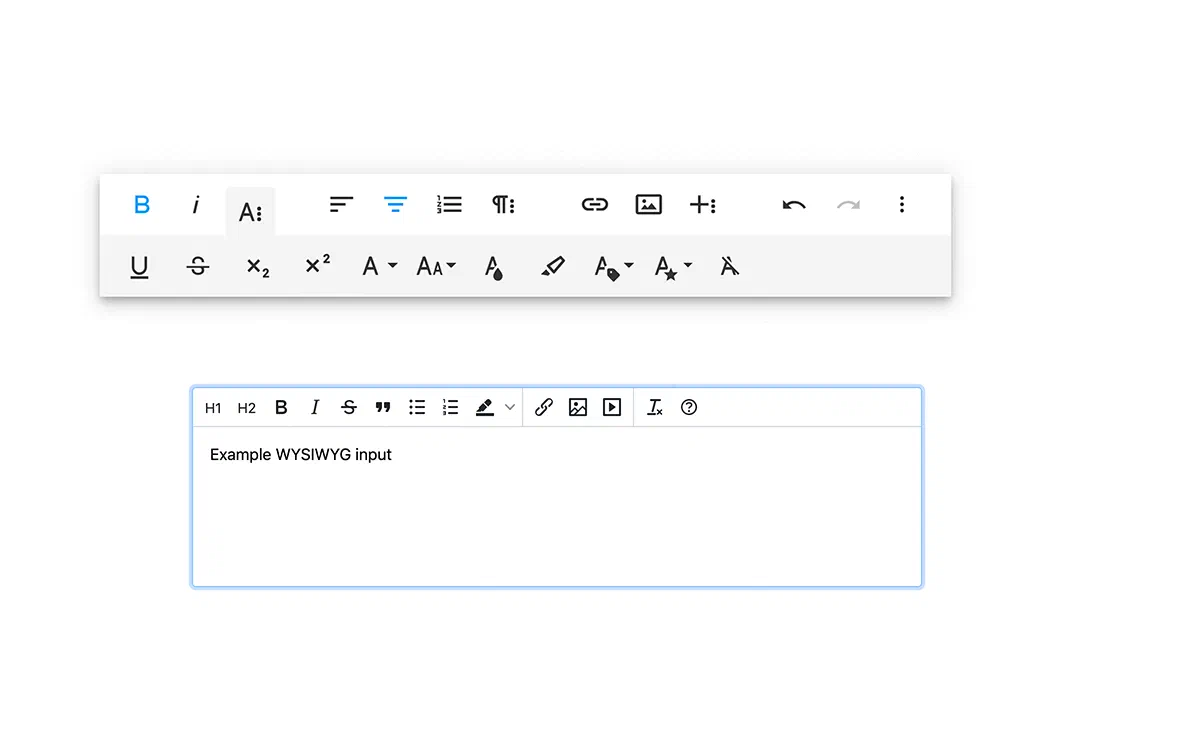
- “Air Mode” mode: A zen interface, without fixed toolbar. Formatting options appear through a pop-up tooltip only when the user highlights a portion of text.
Advantages #
- Immediacy of Use: Minimalist design that reduces user disorientation to zero. Perfect for data entry form frontend.
- Zero Impact on Performance: Summernote’s super-light core helps maintain high Core Web Vitals scores on Google PageSpeed.
- Perfect for Stack Bootstrap: If your site template is already based on Bootstrap, implementation literally requires only one string of code.
The Against #
- Basilar Features: Enterprise options are missing as advanced collaborative modules, complex tables and Word markup correction.
- Frequency of Minor Update: The release cycle of security patches and new features is much slower than CKEditor or TinyMCE.
Visit the official website of Summernote
Froala Editor #

Froala Editor combines an aesthetically beautiful interface and an incredibly performing technical engine, written in pure JavaScript Vanilla. It is very sought after by developers because of its millisecondary speed and extremely modern design. While offering paid plans, it remains a benchmark of excellence in the WYSIWYG panorama.
Main Features #
- Modern typographical set: Elegant user interface (UI) with quick access to deep text formatting, dynamic background colors and preconfigured paragraph styles.
- Support CSS Inline Native: Unique ability to inject style attributes (CSS inline) directly on DOM elements, providing developers with maximum freedom without opening external style sheets.
- Rich Media Handling: Hyper-optimized drag-and-drop for photos, quick creation of grid galleries, and advanced parsing API for YouTube and Vimeo videos.
- Input and UI Form modules: Functionality to build interactive elements (checkbox, radio button, contact form) entirely within the visual editor.
- Optimized Code Inspection: Clean code mode, properly identified, for instant markup verification.
Advantages #
- UX/UI Premium: Probably the most pleasant editor to use on the user side. Modern design favours a learning curve almost nothing for content creators.
- Speed performance: Fast start-up (under 40ms) ensuring that complex web portals do not suffer speed gains while loading back-office.
- Reactivity (Responsive natively): Perfectly fit its panels on every viewport (mobile devices, tablets, Retina desktop).
The Against #
- Paywall Very Rigid: Despite popularity, use in business production environments and access to critical add-ons (such as dynamic image resize) requires purchase of expensive commercial licenses.
Visit the official website of Froala Editor
Jodit #

Jodit is an excellent WYSIWYG editor, appreciated by the open-source community for its ideal balance between functionality completeness and pure speed. Built entirely in TypeScript without heavy dependencies like jQuery, Jodit stands for stability and implementation simplicity.
Main Features #
- Standard editing but Solid: It includes all the essential tools for the HTML layout, offering unwavering stability in creating lists and tables.
- Editor and Uploader Native Images: Jodit differs by offering a true integrated photo editing environment. In addition to uploading files, the user can crop (crop), resize and manipulate images before entering them into the text.
- Multi-User Edit: Synchronization functionality to allow editorial teams to co-editor the document without generating conflicts on rescues.
- Internationalization: Natively translated into many languages, ideal for digital agencies that develop platforms for a global market.
Advantages #
- Immediate Accessibility: Dashboard clear, linear and “clean”, suitable for every type of customer and not exposed to interaction confusion.
- Speed and No Dependencies: By not requiring third-party frameworks, you upload instantly without causing script conflicts in your application.
- Global Vote: Excellent multilanguage support out-of-the-box.
The Against #
- Payment Pro Modules: Many of the exclusive features (such as advanced files managers and certain APIs) are bound to the Jodit PRO version, so it requires a preliminary check of the list according to the project needs.
Visit the official website of Jodit
Frequently Asked Questions (FAQ) about WYSIWYG Editors #
What is the difference between a WYSIWYG editor and a normal text code editor? #
A text editor (such as VS Code, Notepad++ or Sublime Text) requires manual typing of HTML tags (e.g. **testo** for bold), requiring technical skills. A WYSIWYG editor, instead, provides a graphical interface similar to Microsoft Word: by clicking on the “Grassetto” button, the software visually format the word for the user, automatically writing the correct code in the background.
Are content created with a WYSIWYG editor optimized for SEO? #
Yes. The modern WYSIWYG editors analyzed in this guide are designed to produce a clean source code and semantically correct (without obsolete or duplicate tags). However, the true SEO effectiveness will depend on the strategic use that the author makes of the tools: correctly insert the H1, H2 and H3, fill out the attribute alt of the images and maintain a hierarchy of clear information remain user tasks.
What is the best WYSIWYG editor for WordPress users? #
WordPress currently uses the Gutenberg block editor natively. However, the classic WordPress editor (“Classic Editor”) was based on the TinyMCE engine, which still remains one of the most integrated, reliable and expandable tools for those who develop custom sites or CMS-based platforms in PHP or JavaScript.