IPS, VA, TN vs OLED: Which Monitor Panel is Best?
Discover how these four technologies compare in terms of blacks, colors, speed, and viewing angles to find the perfect monitor for gaming or video.

On this page
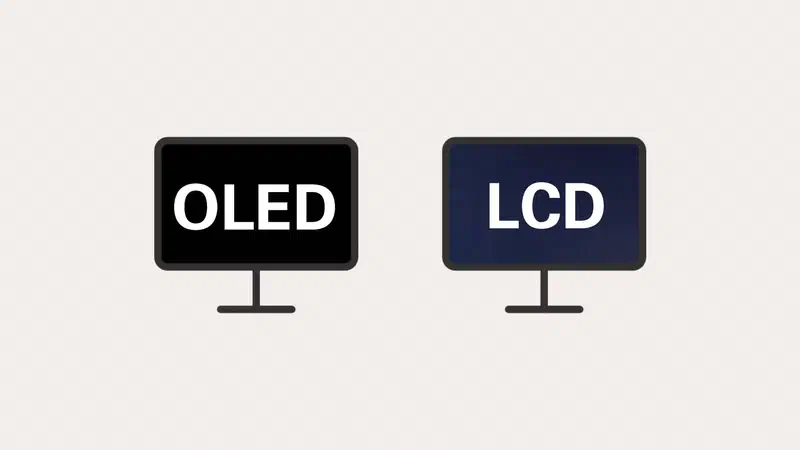
These technologies fall into two families. In Liquid Crystal panels (LCD: TN, VA, and IPS), a backlight is always on behind the screen, and the crystals act like shutters to let more or less light through. In OLED, there is no backlight: every pixel on the screen produces its own light, and when it needs to be black, it simply turns off.
Almost everything else stems from this difference.
The comparison #
| TN | VA | IPS | OLED | |
|---|---|---|---|---|
| Contrast | Poor | Very Good | Decent | Perfect |
| Colors | Modest | Good | Excellent | Excellent |
| Viewing Angles | Terrible | Decent | Excellent | Excellent |
| Speed | Excellent | The Weak Point | Very Good | Instant |
| Full-Screen Brightness | Good | Good | Good | The Weak Point |
| Risk of Burn-in | None | None | None | Present, managed |
| Price | Low | Medium | Medium | High |
TN, the one that is disappearing #
It is the oldest technology (Twisted Nematic) and the most affordable. It has only one advantage, which was decisive for years: it is extremely fast. This is why competitive gaming monitors were long almost exclusively TN.
The flaws are visible and cannot be corrected: washed-out colors and, above all, terrible viewing angles, where the image changes color as soon as you move just a few centimeters. Today, IPS panels reach similar refresh rates and response times, so TN has mostly been relegated to the budget segment and a few high-refresh monitors for esports exceeding 500 Hz.

VA, the contrast #
VA (Vertical Alignment) panels have the best contrast among LCD panels, often three or four times that of an IPS: blacks are deep rather than dark gray, and you notice it immediately when watching a movie in the dark.
The downside is slow transitions between dark colors: it leaves a smoky trail known as black smearing. On recent models, this is greatly reduced, but in games with dark environments, the difference compared to an IPS is still noticeable.
A large portion of budget curved monitors use VA panels: they combine high contrast with an affordable cost.

IPS, the compromise that usually wins #
Accurate colors, wide viewing angles, and speeds now sufficient even for fast-paced gaming: Fast IPS panels reach response times of 1 ms. Unless you have a specific requirement that points elsewhere, an IPS (In-Plane Switching) is usually the right answer.
The limitation is contrast: black appears as a very dark gray because some backlight always leaks through. This is noticeable in the dark, especially with IPS glow—the light halo seen in the corners on dark images. In a bright room, you won’t notice it. IPS Black panels, found on some office and graphic design monitors, double the contrast compared to a standard IPS.

Mini-LED backlighting is the liquid crystal answer: hundreds or thousands of zones that turn on and off independently to approach OLED’s black levels while remaining very bright. It works well, though it can have a slight halo around bright objects against a black background as a side effect.
OLED and its variants #
Each pixel produces its own light, meaning “off” is absolute black: unparalleled contrast, full colors, and response times under 0.1 ms, which almost entirely eliminates motion blur.
The variants you will find in stores:
- WOLED, the most common structure in TVs and many monitors, featuring a white subpixel to help with brightness.
- QD-OLED, which uses quantum dots for more saturated colors and higher peak brightness, offering an advantage in highly colorful scenes.
- OLED tandem, consisting of two or more stacked layers, the latest generation: more brightness with less stress on the materials. This is how the industry is increasing brightness while simultaneously reducing the risk of degradation.
There are still two real limitations. The first is full-screen brightness: OLEDs shine in the bright spots of a scene, but on a full white screen, they remain below the best LCDs. The second is text clarity, which depends on how the subpixels are arranged: on panels with non-traditional layouts, letter edges can have a slight color fringe, very noticeable to those who work with text all day and invisible to gamers. Recent panels with RGB subpixel arrangements in a row, like LCDs, have largely solved this: check the specific model’s specs.

What to choose, practically speaking #
Competitive gaming. Fluidity matters more than beauty: high refresh rates and low response times. A high-refresh Fast IPS offers the best price-to-performance ratio; an OLED is sharper in motion if you have the budget; a TN only makes sense if you are looking for the highest possible refresh rate at the lowest price. Don’t overdo it with resolution: games are often played at 1080p or 1440p here specifically to maintain high frame rates.
Video editing and photography. Color accuracy, color gamut coverage (sRGB, DCI-P3, Adobe RGB), and screen uniformity are what matter. A good calibrated IPS, or an IPS mini-LED if you work in HDR, is the classic professional choice: predictable, bright at full screen, and without fear of static software interfaces. An OLED offers spectacular rendering and unbeatable contrast, making it great for reviewing a final result rather than spending ten hours on a timeline.
Movies and gaming alone in the dark. OLED if you have the budget; otherwise, VA: in both cases, contrast is what you will notice most.
Office and general use. IPS, without overthinking it. An adjustable stand, the right resolution for your screen size, and a surface that doesn’t reflect the window behind you matter much more.
Things that matter more than the panel type #
- Resolution based on screen size: 1080p up to 24 inches, 1440p at 27, and 4K from 32 inches up. Below that, you’ll see the pixels; above that, you’re just wasting power.
- Surface finish: matte if you have light behind you, glossy if you control your room lighting. It changes the visual performance more than you might think.
- Ergonomics: adjustable height and VESA mount compatibility matter in everyday use more than many technical specs.
- Variable Refresh Rate: FreeSync and G-Sync synchronize your graphics card and monitor to eliminate screen tearing; they are almost everywhere nowadays.
- Connections: make sure the input supports the declared resolution and refresh rate, because not all combinations work through every cable.
FAQ #
Is it worth waiting for OLEDs to get cheaper? #
Prices are dropping and technology is improving in both brightness and durability: a 27-inch 1440p OLED costs much less today than when the first ones were released in 2023. If your current monitor works, waiting makes sense; if you need one now, a good high-refresh IPS is an investment you won’t regret.
Are TN panels still acceptable? #
Only in two cases: as a secondary utility monitor, or to get the highest possible refresh rate for the lowest possible price. For anything else, the difference in color accuracy and viewing angles compared to an IPS at the same price point makes the savings not worth it.
What is the difference between mini-LED and OLED? #
mini-LED is an LCD with backlighting divided into many independent zones: it approaches OLED contrast levels while remaining very bright and without the risk of burn-in. OLED turns off individual pixels, so blacks are absolute and precision is higher, but it is less bright on large, light-colored surfaces.
Is a curved monitor better? #
It depends on the screen size and your viewing distance: on ultra-wide screens, curvature reduces the distance difference between the center and the edges and is very useful. On a standard-sized monitor, it’s mostly a matter of preference, and for those working with straight lines (technical drawing, photography), it can be distracting.
How many Hz do you need? #
The most noticeable jump is from 60Hz to 120-144Hz: you can see the difference just by moving your cursor. Improvements exist beyond that, but they are increasingly marginal and only really make sense in competitive gaming, provided your computer can actually produce all those frames.