

If you need convert audio files, videos, pictures or documents without losing time, forget the heavy editing programs or online tools full of annoying advertising. File Converter is the free converter for Windows that radically simplifies your daily workflow.
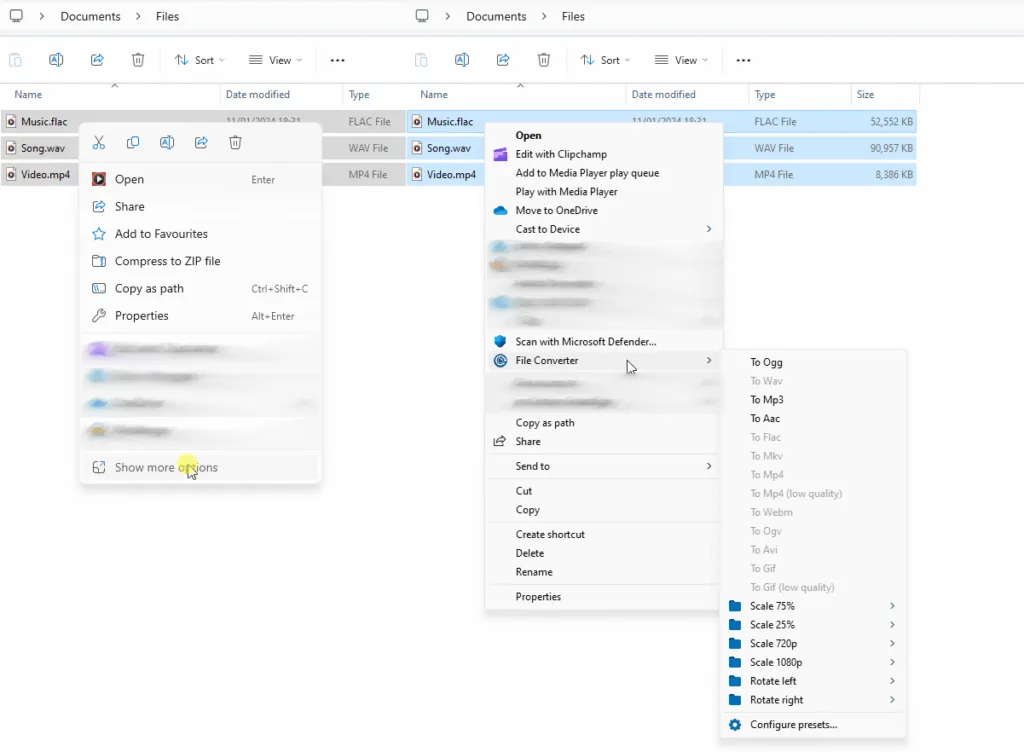
The seamless integration of File Converter directly into the context menu of Windows.
What is File Converter and why use it?
File Converter is not the classic bulky software, but a tool open source designed for maximum efficiency. Instead of requesting the opening of a dedicated window, it integrates natively in windows context menu (the drop-down menu that appears by right-clicking).
This approach makes format conversion and compression a lightning operation. Moreover, its open source nature guarantees total transparency and security: the source code of the software is freely available and verifiable by anyone on the GitHub platform.
- Repository GitHub of the project: https://github.com/Tichau/FileConverter
How fast conversion works
The real strength of this utility is ease of use. Once the installation is completed, converting your data is immediate:
- Select one or more files to convert within Explore Resources.
- Let's go right click mouse over your selection.
- Choose the item “File Converter”.
- Select the target format desired (e.g. from PNG to JPG, or from WAV to MP3).
At this point, the program will open a small pop-up window to show you the conversion progress bar. This essential interface will automatically close at the end of the process, leaving you the new file ready for use in the same folder as the original.
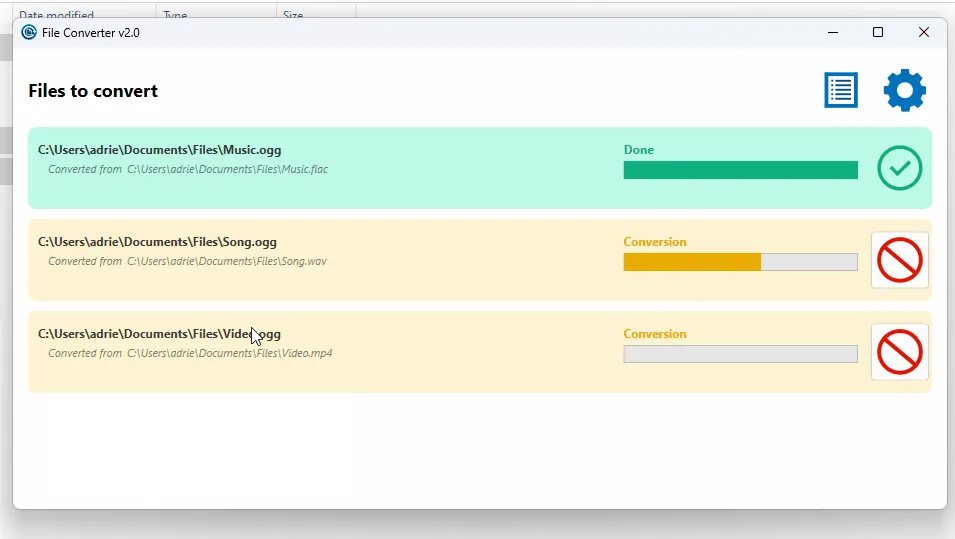
The minimal and non-invasive interface during the process progress.
Main features and supported formats
- Open Source and 100% Free: Released under license GPL v3, it is a completely free, advertising-free tool designed not to collect any personal data.
- External Multiformed Support:
- Audio: conversion between MP3, WAV, FLAC, AAC, OGG and many others.
- Video: support for popular formats such as MP4, MKV, AVI, WEBM, GIF animated.
- Images: fast transformation in PNG, JPG, WEBP, ICO, RAW.
- Documents: easy generation of PDF (requires the Microsoft Office suite installed in the system).
- Highly customized: From the settings panel you can optimize the output quality, adjust the bitrate and choose which extensions to show or hide in the context menu.
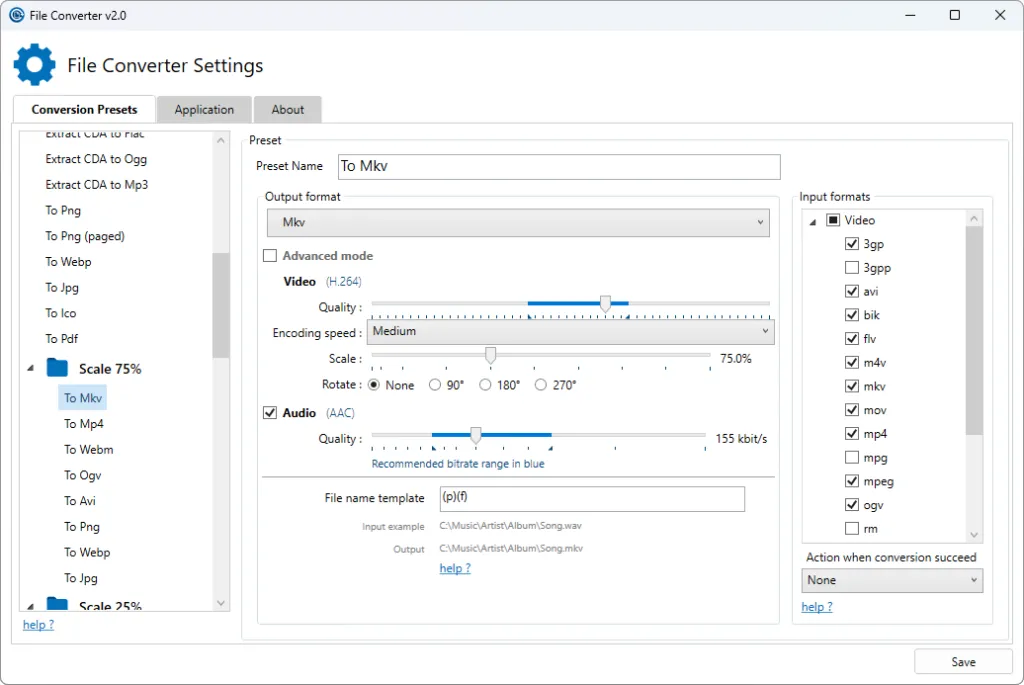
The configuration menu to adapt presets and formats to your preferences.
Why choose it as a main converter?
Today we often rely on free online converters that impose heavy upload limits, network slowness and potential privacy risks. Have a local, safe and lightning tool installed in your PC is a huge advantage. If you are looking for a light utility that performs a single operation, but that performs it perfectly, File Converter is the ultimate solution for Windows.
You can download the free installer directly from the official website file-converter. i will or support the development of the source code on GitHub.
FAQ: Frequently Asked Questions about File Converter
Does File Converter respect the privacy of my documents?
Absolutely. As a software that processes data completely locally (offline) on your machine, your files are never uploaded to cloud servers or third parties. Your privacy is 100% guaranteed.
Can you convert multiple files simultaneously?
Yes, the program fully supports batch conversion. You can simultaneously select dozens of videos, images or musical tracks from a folder and process them in bulk with just one click.
Is File Converter compatible with macOS or Linux?
No, currently the project is compatible and developed exclusively for operating systems Microsoft Windows, as the entire operating mechanism is based on the native integration of the Windows Explorer context menu.


