


Dwitch.net is positioned as the ideal and definitive platform for download video on demand (VOD) and clip from Twitch. This free tool offers users the ability to easily save their favorite content in high definition, ensuring a smooth experience without any need to create an account or subscribe.
You can immediately access the service via the official website: https://dwitch.net/
Overview of the Download Service from Twitch
Dwitch is an advanced web application developed specifically to extract and extract download Twitch video streams directly on your computer or smartphone. The system supports both saving entire live streaming (VOD) and downloading short viral clips, offering you the freedom to choose the quality and resolution of the media file before you start saving.
Watch out for video duration:
To optimize processes on large files, Dwitch automatically divides very long videos into segments of up to 60 minutes. This means that if you want to download a 3-hour Twitch VOD, you will need to download three separate portions (e.g. Part 1, Part 2 and Part 3) to get the full content.
The main advantages of Dwitch:
- No registration, login or insertion of personal data.
- 100% free tool and no daily limit of use.
- Customizable download with support for multiple video resolutions (including 1080p).
- Full compatibility with all devices (Desktop, Mac, Android smartphone and tablet).
Method 1: Download Video Twitch via Paste URL
The most traditional and universal method, perfectly compatible with any web browser both desktop and mobile.
- Find the video: Go to Twitch and open the live recording or clip you want to save. Click on the sharing icon to copy the link, or select the URL in full directly from the address bar of your browser.
- Open Dwitch: Connected to the official portal https://dwitch.net/.
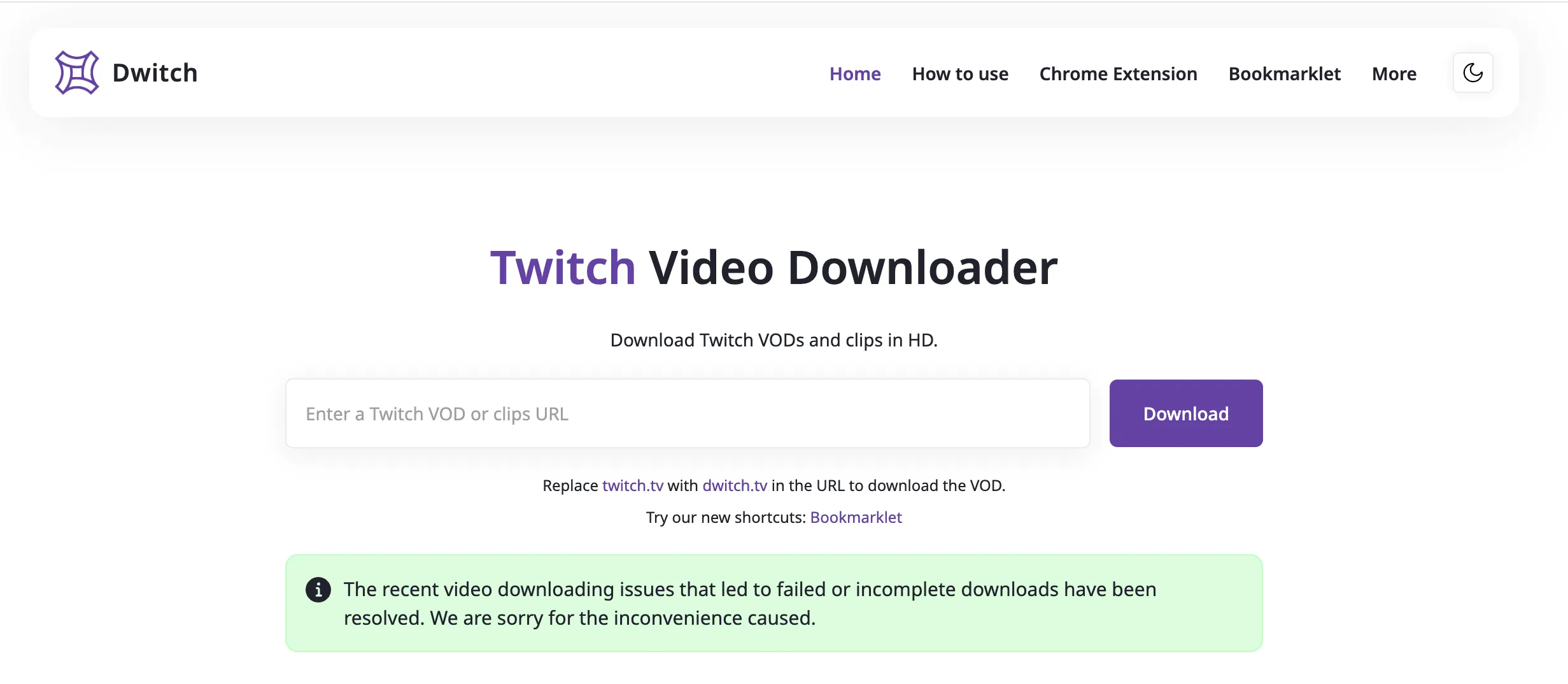
- Enter the link: Locate the central search field with the word “Enter to Twitch VOD or clips URL” and paste the copied link into the first step.
- Start analysis: Press the “Download” button on the right of the search bar.
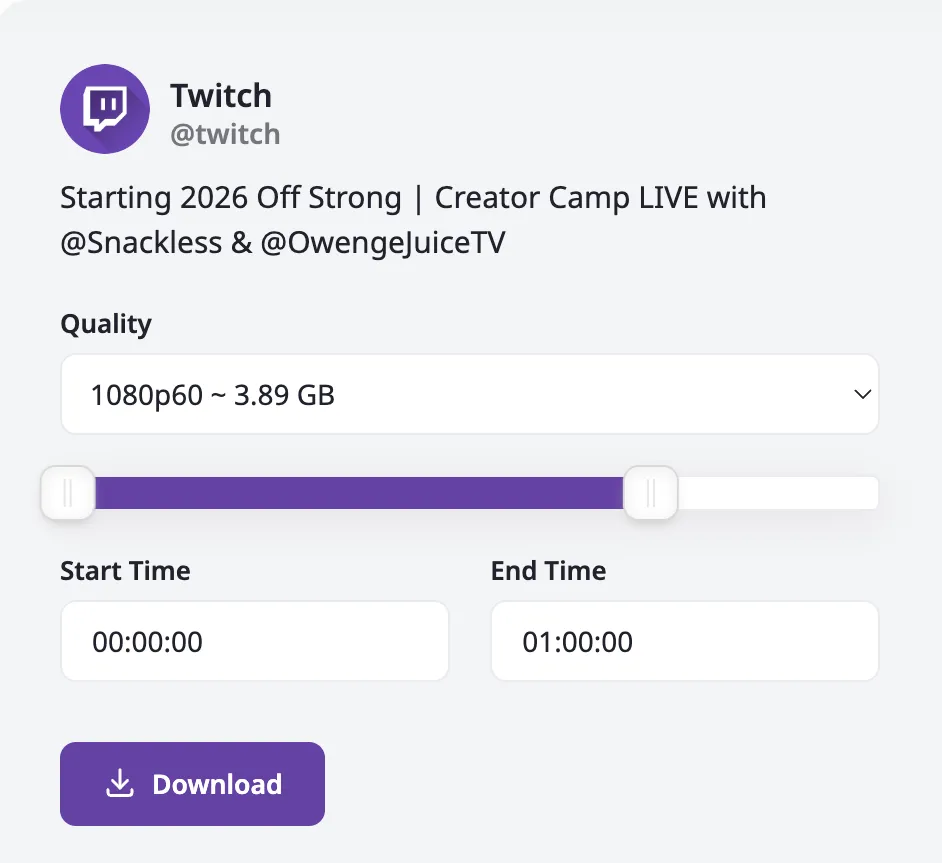
- Choose quality and save: In a few moments, the platform will process the link by showing you all available resolution options. Click on the preferred quality to finally download the Twitch video on your device.
Method 2: The trick of the “Domain Hack” for Quick Downloads
If you are looking for maximum speed for save Twitch clip, Dwitch has implemented an exceptional feature that allows you to completely bypass the copy and paste operation thanks to a simple modification to the URL.
How to use the shortcut:
- While you're looking at the content you want on Twitch from your browser.
- Move to the address bar and simply replace the word
twitch.tvwithdwitch.tv.- Practical example: Transform
https://www.twitch.tv/videos/123456inhttps://www.dwitch.tv/videos/123456.
- Practical example: Transform
- Press the Enter key. You will be immediately redirected to the Dwitch download page, with your file already analyzed and ready to save.
Method 3: Android Apps and Extension for Google Chrome
To maximize the productivity of the most demanding users, Dwitch evolves into a real ecosystem providing dedicated and optimized software for everyday use.
Download by Twitch on Smartphone: The Android App
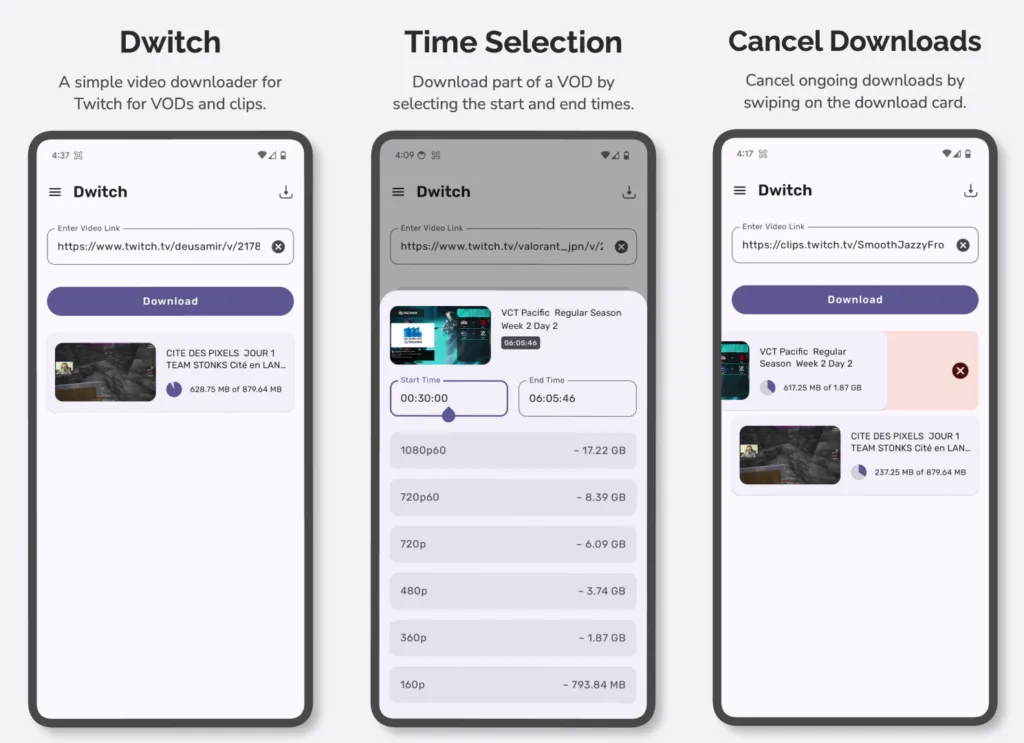
If you mainly use your smartphone, the native Android app is the perfect choice. It maintains all the efficiency of the web platform but encloses it in a mobile-friendly interface, helping you manage the saved content history and ensuring you play offline videos without consuming data traffic.
Download the official Android App: Available on the Google Play Store
Extension for Browser (Google Chrome)
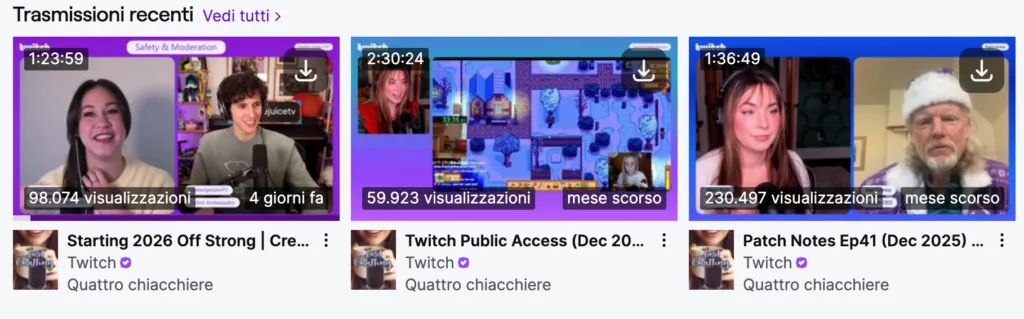
PC users can install the official add-on for Chrome. Thanks to this add-on tool integrated into the browser, you can download entire direct and short video clips by pressing a single integrated button directly inside the Twitch interface, saving valuable time.
Install Chrome Extension: Download from Chrome Web Store
Final Considerations and Benefits
From careful analysis, Dwitch clearly emerges as one of the best Twitch Video Downloader on the current scene. It has been structured to minimize efforts and optimize the time needed to transfer content from the web to your hard drive. The absolute stability of the desktop version, strengthened by the enormous flexibility of the Chrome extension and Android App, makes it the indispensable Swiss knife for assiduous viewers and content creator. The fact that it manages to download huge data hubs in Full HD, without requiring recordings, consolidates Dwitch as the number one resource in its field.
FAQ – Frequently asked questions about Dwitch. net
Is Dwitch safe and completely free?
Absolutely. The platform is secure, it does not require the inclusion of sensitive data or mandatory recordings, and it is completely free. There are no limits on the number of VOD or Twitch clips you can download daily.
Can I download videos reserved for subscribers (Sub-Only VODs)?
No, Dwitch works by exclusively processing public content and freely accessible to all. Videos marked by creators like “Only for subscribers” or made private require access credentials that the external platform does not possess and cannot exceed.
What format are the files downloaded from Twitch saved?
Complete videos and clips downloaded via the Dwitch service are natively saved in MP4 format, ensuring a high compatibility for later playback on PC, mobile devices, Smart TV or for any import into video editing software.


