Temporary Emails vs Aliases: How to Truly Avoid Spam
Disposable emails vs. personal aliases: when to use Temp Mail or Guerrilla Mail and when to choose Proton, Apple, or addy.io aliases.
On this page
Choosing the wrong one is why many people get locked out of their accounts: they registered for a service they wanted to keep using a temporary mailbox, and when it came time to recover their password, the address no longer existed.
Disposable mailboxes #
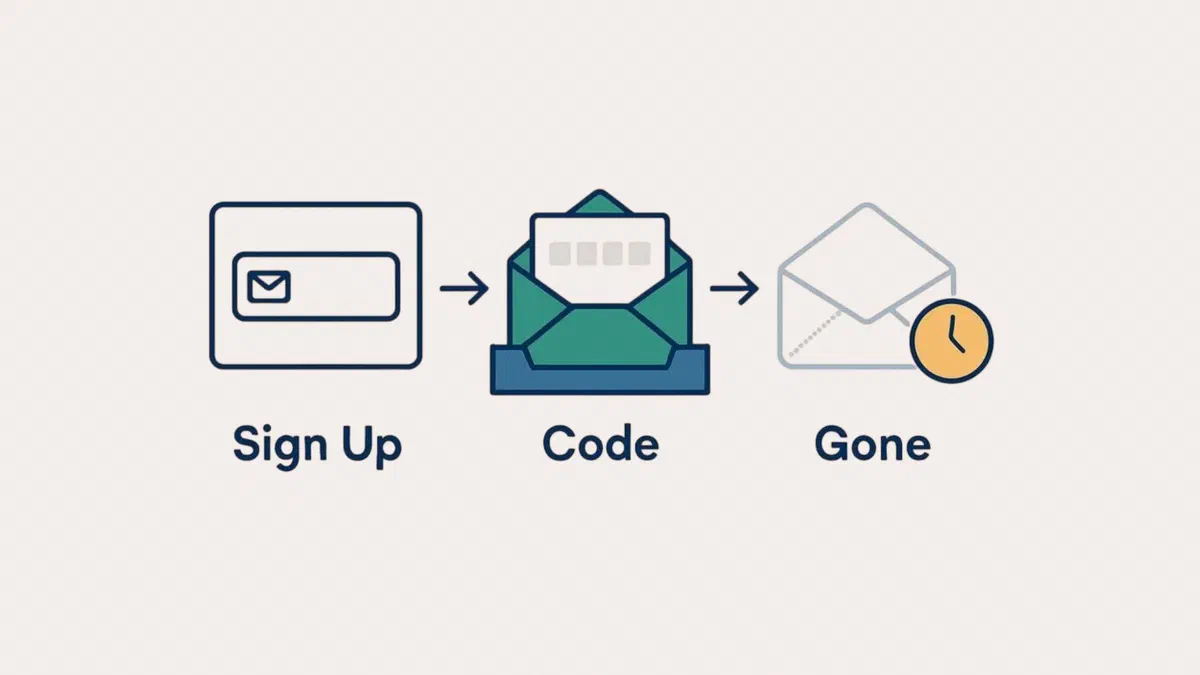
Here’s how they work: you open the site, receive a random address, use it for one message, and after a few hours, everything disappears. No registration required.
| Service | Feature |
|---|---|
| Temp Mail | Immediate address, simple interface, also available as an app |
| Guerrilla Mail | Long-standing service; also allows you to send messages |
| EmailOnDeck | Address in two clicks, Pro version for sending mail |
| Mail.tm | Clean interface with API support |
| Maildrop | Custom name mailboxes, built-in antispam |
| DropMail | Also available as a Telegram bot (@DropMailBot) |
| 10 Minute Mail | Very short duration, designed for single confirmations |
They are great for downloading a document behind a registration wall, trying out a service without commitment, or getting past a form that asks for an email to access free content.

Temp Mail is the quickest option: your address is ready as soon as you open the page, and it’s also available as a app and browser extension. The Premium plan adds a personal domain, more addresses at once, private inboxes, and no ads.
Guerrilla Mail has been around since 2006 and is one of the few that also lets you write and reply, not just receive. The address remains valid until you change it, but messages are deleted after one hour. The Scramble Address option shows websites an encrypted alias instead of the address you chose.

EmailOnDeck gives you an address in two steps with a bot check and one click. With the free plan, you just receive mail; to send to external addresses, you need the Pro version.

Maildrop lets you choose the mailbox name ([email protected]), has an antispam filter, and only accepts small messages without attachments. Because you choose the name yourself, anyone who guesses that same name can see your messages.

Aliases: the most sensible solution #
An alias is a stable address that forwards everything to your real inbox without revealing it. If it starts receiving spam, you just turn it off and the problem is solved: no one ever sees your real address.
There is another advantage, often the most useful one: you find out who leaked your data. If you use a different alias for every service and receive spam on the one given to a single site, you know exactly where the leak started.

- Hide My Email (Apple). This is included in iCloud⁺ and creates a random address whenever you sign up on the web or in apps. If you use Apple devices, this is the most convenient option.
- Proton Pass. The free plan includes ten aliases; the paid version makes them unlimited and lets you use your own domain. With a paid Proton Mail account, you also get additional addresses and end-to-end encrypted email.
- Firefox Relay. Mozilla gives you five free aliases and a paid plan with unlimited addresses.
- addy.io and SimpleLogin. Specialized services with generous free plans, the ability to reply from your alias, and the option to use your own domain. Since 2022, SimpleLogin has been part of Proton.
- Outlook. A free Microsoft account allows you to add up to ten aliases to the same mailbox via Manage how you sign in to Microsoft.
- Your own domain. If you have a domain, many email services allow you to create unlimited aliases or receive everything in a single mailbox. This is the most flexible solution and doesn’t depend on any specific provider.
[email protected] it arrives at [email protected]. This helps you identify who distributed your address, but it doesn’t protect you: the real address is clearly visible if you just remove the suffix. It’s useful for labeling, not for privacy.Which one to use in practice #
| Situation | Right tool |
|---|---|
| Downloading a document behind a registration wall | Disposable mailbox |
| Trying out a service you might keep using | Alias |
| Signing up for a newsletter | Alias |
| Registering at an online store | Alias |
| Banking, healthcare, or government accounts | Only your real inbox |
| Order confirmation or warranty | Your real inbox or a stable alias |
The rule: if there is even a slight chance you might need to recover that account, don’t use a temporary inbox.
Limitations to keep in mind #
Many sites recognize and reject them. The domains of the most popular disposable services end up on public lists, and more and more websites are blocking registration. Aliases, especially those on your own domain, are much harder to detect.

No password recovery. This is the most annoying consequence: without access to the address, the account is lost.
They don’t hide who you are. A temporary address doesn’t mask your IP address, your phone number if requested, or the data you enter into a form. They are meant to prevent you from being flooded with mail, not to make you anonymous.
They can disappear overnight. These are free services without guarantees: if the site shuts down, so does your inbox.
If spam has already arrived #
- Do not click “unsubscribe” in obviously fraudulent messages. You’ll only confirm that the address is active, and more will follow. With newsletters from real companies, however, it works: they are legally required to comply.
- Report as spam instead of just deleting: this teaches your provider’s filter what to block.
- Create a rule to move everything sent to an old, compromised address into a folder, so it doesn’t get mixed in with your useful mail.
- Check if your address has been part of a data breach on Have I Been Pwned, and change the passwords for any affected services.
FAQ #
Is using a temporary email legal? #
Yes, absolutely: you are simply choosing which address to provide. It is different if you use it to bypass service limits—for example, by creating multiple accounts to exploit a promotion several times: in that case, you are violating the terms of service and risk having your accounts closed.
Are disposable inboxes secure? #
No, and they aren’t designed to be. Many don’t require a password: anyone who knows the address can read the messages. For anything containing personal data, access codes, or sensitive information, just avoid them.
Can I recover a password if I registered with a temporary address? #
Usually no: the inbox no longer exists and the recovery message goes nowhere. With Guerrilla Mail, you can reclaim the same address by typing its name, but old messages are already deleted. This is the main reason to use an alias whenever you might need the account in the future.
Do aliases end up in the recipient’s spam folder? #
An alias from a reputable service forwards mail normally and doesn’t negatively impact delivery. Be a little more careful when replying from an alias: some services send replies from their own servers, which can occasionally cause your message to land in spam.
Is it better to use a free alias or a personal domain? #
Free aliases are enough to get started. A personal domain becomes useful when you have many addresses or want to be independent: if you change email providers one day, the addresses remain yours and you don’t have to update them across dozens of services.