Install MSTY: LLM Model Use Guide in Local
Find out what MSTY is and how to install it to run LLM models in local or cloud. Step by step guide to configure offline AI in total privacy.
On this page
The evolution of artificial intelligence has pushed more and more developers and enthusiasts towards local solutions, to have greater control over Large Language Models (LLM). In this scenario stands out MSTY, a state-of-the-art multiplatform application that greatly simplifies the execution of open source IA models. Whether you want to operate strictly locally or rely on the cloud, MSTY is the ideal alternative to explore the potential of AI without depending solely on external services or internet connections.
What is MSTY and What Are Your Benefits #
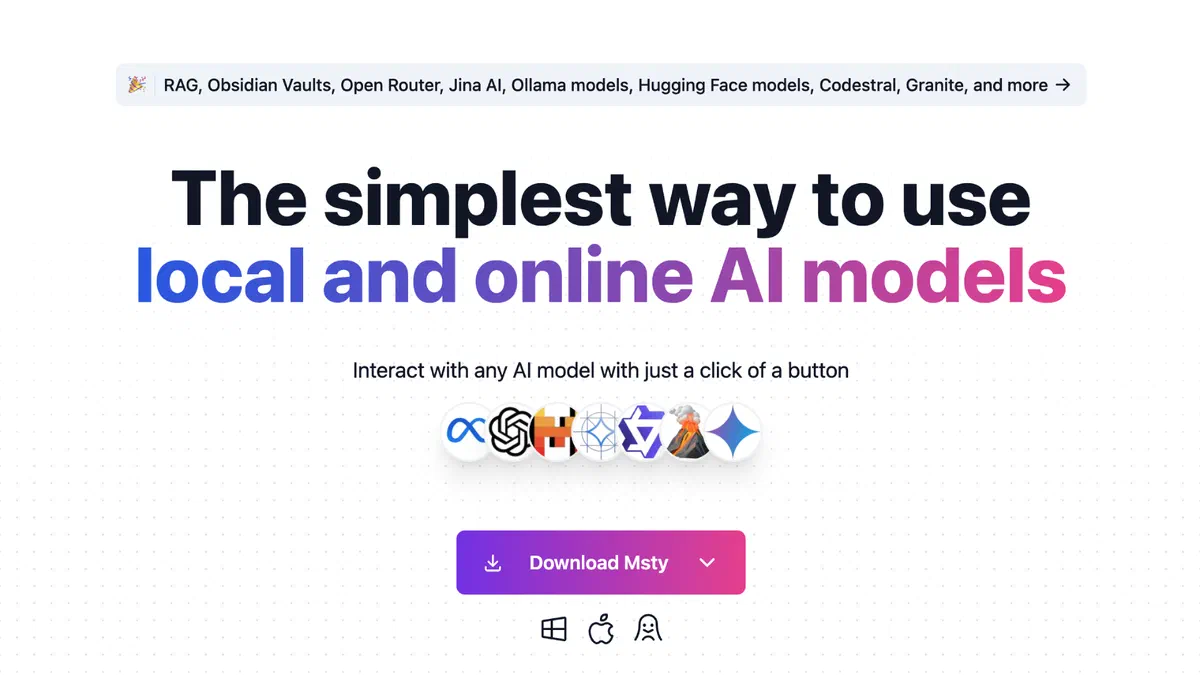
MSTY is a desktop software compatible with Windows, macOS and Linux, created to make it accessible to all the use of advanced IA models such as Llama-3 and DeepSeek Coder. Its real strength is the extremely intuitive user interface, which resets the need to use the complex command line or to deal with tediose configuration procedures. It is the perfect tool for both local AI neophytes and for professionals looking for a cohesive and optimized work environment.
Versatility is another crucial advantage: the platform allows you to switch with just one click from offline LLM to online models via API keys. You can manage in the same software a wide variety of artificial intelligences, including Mixtral, Qwen, GPT-3.5 and GPT-4, choosing from time to time the most suitable tool for your needs.
In addition, the execution of local IA models guarantees maximum privacy and security standards. You can process sensitive data and confidential files by working completely offline, eliminating the risks related to the transmission of information to cloud servers and third-party databases.
Finally, thanks to its simplified interfaces, MSTY facilitates the improvement of prompts and interaction with generating AI, democratizing access to technology regardless of the level of computer competence of the end user.
MSTY Key Features for Local LLM #
To maximise the efficiency of the Large Language Models performed locally, MSTY integrates an automated download manager and actively exploits GPU acceleration (including the excellent Apple Silicon chip support on Mac and CUDA on Windows). For those who need more flexibility or additional computational power, the app allows rapid integration of artificial intelligence cloud providers through proprietary APIs.
One of the most revolutionary features is native support for the RAG pipelines (Retrieval-Augmented Generation). This sophisticated system allows AI to retrieve information and extract knowledge directly from your documents or from external sources uploaded, returning effectively correct and highly relevant answers to your business context.
The software also provides advanced user tools such as integrated web search, Split Chat management (chat divided to simultaneously compare different model outputs) and a powerful Deepening Mode (Delve Mode). With exclusive functions such as Flowchat and Advanced Branching, branching out complex conversations and analyzing AI reasoning processes becomes an immediate operation.
On the front of data security, there are two key options: the Context Shield, a real shield that prevents unintentional sharing of private contexts with online providers, and Vapor Mode, which instantly eliminates conversation history once the most sensitive session is finished.
System and Hardware Requirements for MSTY #
Before downloading and installing MSTY to run LLM locally, it is essential to verify that your computer meets the minimum requirements to ensure fast and seamless processing.
For PC users it is required as an operating system Windows 10 or higher, flanked by a modern multi-core processor. The minimum RAM memory to start the framework is 8 GB, but we strongly recommend 16 GB of RAM to be able to load models in memory without saturating system resources.
Support for dedicated video cards makes a huge difference in the AI field. The application fully exploits hardware acceleration: on macOS accelerates operations through the unified architecture of Apple, while on Windows and Linux systems exploits the power of GPU.
If you use a NVIDIA graphics card, make sure you have installed the latest CUDA drivers. The amount of video memory (VRAM) available will determine the “greatness” of the LLM model that you will be able to spin locally.
To optimize generation times, always close heavy programs in the background. If you have a medium-range hardware, it is aimed at lightweight models (between 8B and 9B parameters) that already offer impressive performance. If you want to perform mastodontic models (e.g. from 70B of parameters), you will need a hardware upgrade oriented to get between 20 and 24+ GB of dedicated VRAM.
Regardless of your hardware configuration, MSTY balances these requirements by natively supporting both the maximum weights of open source such as Llama, and the connection to cloud providers, also covering environments with little connectivity.
MSTY Step Installation Guide #

The installation process for MSTY LLM locally is designed to be fast and free of technical obstacles:
- Download the Correct Version: Visit the official website of MSTY and download the executable for your operating system. If you use Windows, be sure to select the correct processor architecture (usually 64 bit).
- Execution of the Installer: Launch the newly downloaded file with a double click. If Microsoft Defender shows a security notice (SmartScreen), you can ignore it quietly by clicking on “Additional Information” and then on “End Anyway”. Follow the very short screen procedure.
- Post-Installation configuration: At the first start, the application will give you a choice between “Local Input” and “Add Remote Supplier”. Click on “SETUP LOCAL AI”. MSTY will automatically download and install all the necessary components, including tokenizers and settings of the GPU, without ever opening a command line.

After the first configuration, a reboot of the application may be required. As soon as the dashboard is back on, you can immediately start interacting with offline chat, experiencing the maximum degree of privacy for your data.
From the start, you will have the function to create your knowledge database by uploading files to PDF, CSV or JSON formats. In an even more surprising way, you can paste direct links from YouTube to analyze the entire transcripts of the videos, summarizing the contents in real time.
How to Download and Configure IA Models in MSTY #
To tap into the real potential of the app, go to the side menu and click on the “Local AI” section. It will open a screen with a large list of downloadable open source models, ready to use and cataloged for hardware compatibility. As a starting point, Llama 3 is strongly recommended for text generation, while Llava is the reference choice to unlock multimodal features (analysis and description of images).
To elevate your LLM to a real data specialist, it is vital to use the RAG system. Just click on “Add your first knowledge stack” and select a vector processing model or “incorporation” (the software automatically suggests the lightweight but powerful Snowflake Arctic Embed). Filling this Stack with your PDF documents or links, you will equip the IA with a long-term personalized and infallible memory.
Starting the chat, the interface will prove incredibly flexible: through simple drop-down menus you can switch from one LLM to another instantly, or hook up with a check the previously created Knowledge Stacks.
If, for specific tasks, local models should not be enough, the “Providers” section will allow you to safely insert the API keys of colossi such as OpenAI, Google Gemini and Anthropic, making MSTY the only universal hub necessary for your AI-related activities.
Do not forget to explore the advanced settings directly from the dialog box, activating the “Delve Mode” to thoroughly dig into the arguments, and keeping an eye on the “Context Shield” indicators to have full and unequivocal control of your prompts.

With state-of-the-art features and an infrastructure designed to cancel the technical learning curve, MSTY confirms itself as one of the best GUI platforms for LLM on the market. Download it and start training your private virtual assistant today without getting away from your computer.
FAQ: Frequently Asked Questions about MSTY and LLM Local #
MSTY is a completely free program to use? Yes, MSTY is currently free and freely downloadable. The only costs you could meet are related to the optional use of external cloud providers via API keys (such as OpenAI consumer rates). The execution of local open source models using your processor and your video card has no cost.
Can I really use Artificial Intelligence without an internet connection? #
Absolutely. After downloading the application and downloading the LLM model to MSTY (such as Llama 3) on your hard drive, you can literally disconnect your computer from the internet. The entire text generation and analysis of your local files will occur in total network absence, ensuring 100% privacy to your data.
What artificial intelligence model should I download on MSTY at first? #
If you have a computer with at least 8-16 GB of RAM and a discrete video card, the Llama 3 model (version from 8B parameters) represents the best absolute compromise between response speed and intelligence. For vertical tasks such as source code writing, we recommend testing DeepSeek Coder instead.