Desktop Goose: The Disputed Goose on Your Desktop Windows
Find out how to download Desktop Goose, Sam Chiet's fun Windows app that brings a distrustful goose, hilarious memes and so much chaos on your PC.
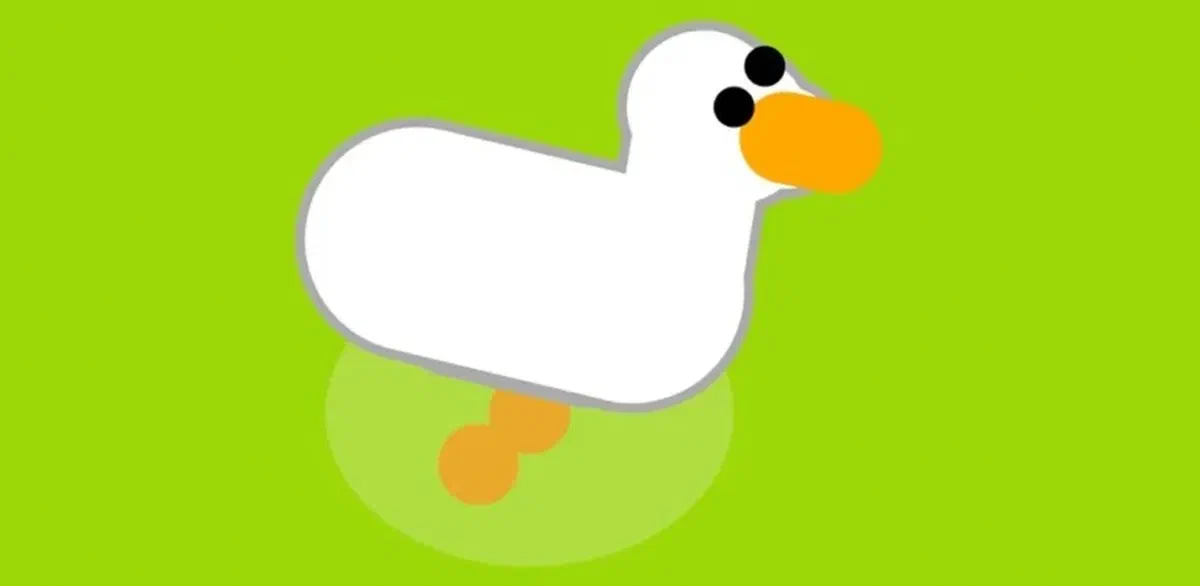
If you loved the distrustful protagonist of the famous video game Untitled Goose Game, be prepared to relive that anarchy directly on your PC. The talented independent developer Sam Chiet has created Desktop Goose, a fun application for Windows that brings a virtual and flaky goose directly to your computer screen, ready to sow chaos.

Once you complete the download, activate your Desktop Goose is very simple: just double-click the fileexecutable. From that moment on, the virtual goose will come to life and make your work session much more unpredictable. Imagine being focused on an important document and seeing the pennutum drag windows randomly or leave cards with sgrammar but hilarious phrases. Also beware of the mouse cursor: you may find yourself chasing it out of the screen!
The surprises of this app don’t end here. Prepare for unexpected memes, traces of virtual mud that “sport” the screen and, of course, the unmistakable digital tape that signals the presence of the animal. Through small pop-ups, the goose will communicate with surreal messages like “am goose hjonk” or “the causes problems on purpose”, transforming the normal computer routine into a comic and absurd experience.

The mind behind this brilliant “digital disorder” is Sam Chiet, a developer known as Samperson, who wanted to recreate the irreverent spirit of the original video game. Your goal? Lightly annoy the user, offering what he himself calls a “power fantasy for shy people” through the hilarious actions of his virtual creature.
Software installation is quick: download the package, extract it and start the program. If the chaos generated by the slope becomes unsustainable and you need to go back to work seriously, just hold the “Esc” button for a few seconds. This simple action will temporarily disable the application, bringing the order back to your desktop.

From a technical point of view, Desktop Goose exploits the basic features of the Windows operating system in creative ways. It is important to note that some antivirus software may report the app: it is a common phenomenon for programs that interact unusually with the system. The developer’s intention remains purely ludic and harmless for your computer.
If you want to bring a breath of humor and a little chaos controlled on your PC, this is definitely the application that you do for yourself. It is the perfect solution to break the monotony of work or to make an innocent joke to a friend.
Are you ready to welcome this bizarre guest on your screen? Make the download securely to start having fun with your new suspicious digital mascot!
Official download link: https://samperson.itch.io/desktop-goose
Frequently Asked Questions about Desktop Goose (FAQ) #
How do you close or turn off Desktop Goose? #
To disable the application and make the goose disappear from the screen, just hold the “Esc” button on your keyboard for a few seconds. A small visual closing indicator will appear and the goose will disappear immediately.
Is Desktop Goose a virus or a malicious program? #
Absolutely not. This is a harmless application created exclusively for entertainment purposes. Some antivirus may detect it as a false threat due to the way it “rubs” mouse control or moves windows, but the software is completely secure and does not damage your files.
Is it possible to customize the behavior of the goose? #
Yes! By browsing the files folder extracted after download, you will find options to customize the experience. You can add your favorite pictures or memes to the asset folder so that the goose can move them to the screen, or change the settings to make it more or less aggressive.