

The virtualization on Mac lived a real revolution with the transition from traditional Intel processors (X86 architecture) to powerful SoC Apple Silicon (series M1, M2 and M3). This transition is not a trivial hardware upgrade, but a profound architectural change that radically transformed the way the hardware is executed guest operating systems.
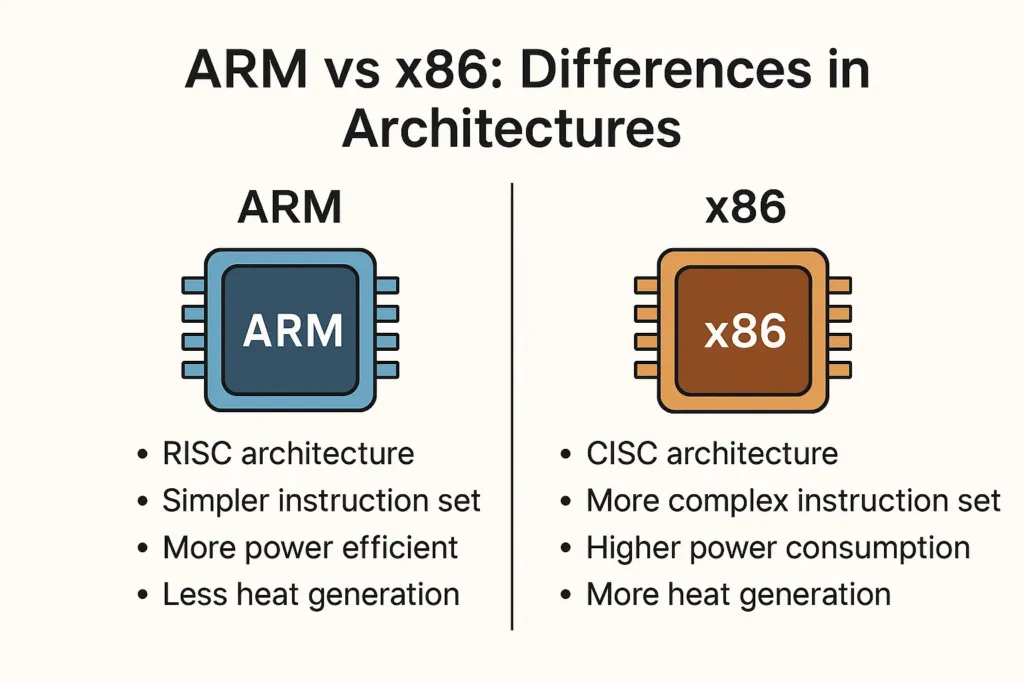
The passage from Intel VT-x to ARM64 architecture
In the past, virtual machines on macOS environment used instructions Intel VT-x, allowing native execution of x86 systems, such as standard versions of Windows or Linux amd64 distributions. With the advent of architecture ARM integrated into the new Cupertino chips, the basic dynamics are deeply changed.
Although theemulation (i.e. the translation of the source code in real time) can generate a physiological decrease in performance, the native virtualization of ARM64 operating systems on Apple Silicon chips ensures unprecedented energy efficiency and fluidity. Moderns hypervisor they dialogue directly with the SoC, minimizing the load on CPU and RAM and ensuring excellent performance even on entry-level models like the MacBook Air.
Best Virtualization Software for Apple Silicon
Currently, the market offers several software solutions to deal with management of virtual machines on Mac, each characterized by specific features, targets and different levels of technical maturity.
UTM: Open-Source solution for native virtualization
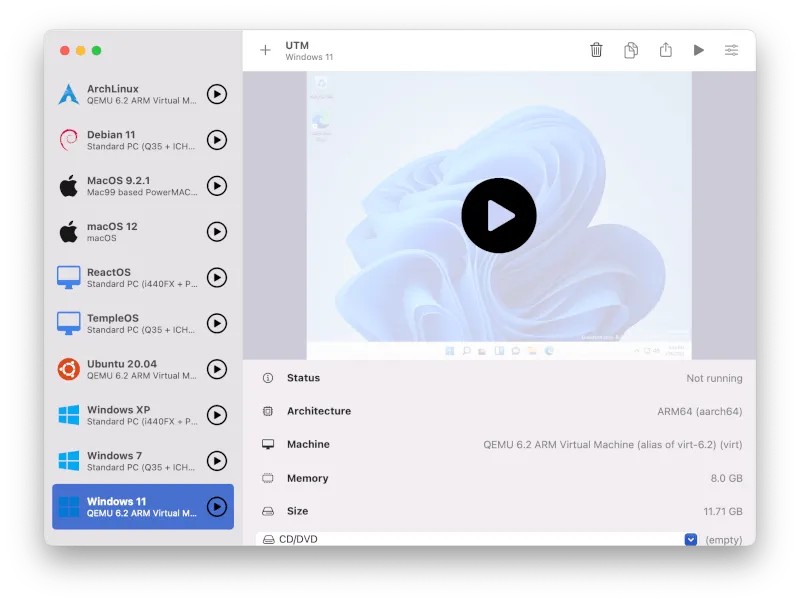
UTM it quickly imposed itself as the open-source reference software for the entire Apple Silicon ecosystem. Under the hood, it works as an advanced and intuitive graphical interface for QEMU, one of the most powerful emulation and virtualization tools available on the market.
- Strengths: It represents the only free option that manages both native virtualization (allowing you to run Linux ARM or Windows on ARM at maximum speed), and the emulation of different architectures (such as x86 64 systems on M1, M2 and M3) processors, even with natural performance limitations.
- Ideal use: Perfect for multiplatform software development, Linux server testing and Android environment simulation.
VMware Fusion: The company standard now accessible
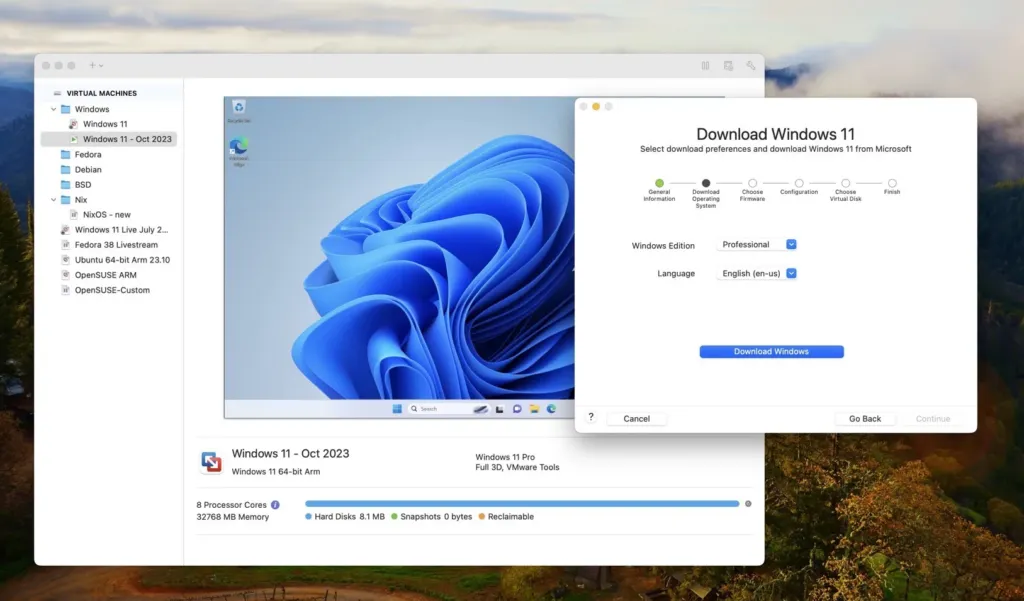
VMware Fusion embodies reliability for the business sector. After the initial transition to ARM architecture, the latest versions offer complete and optimized support for all Apple Silicon chips.
- Evolution of the license model: The real breakthrough came with the decision to offer VMware Fusion Pro for free for personal use. This strategic move allows students and professionals to leverage enterprise-level tools, such as advanced snapshots and custom network configurations, totally lowering licensing costs.
- Ideal use: Recommended for productive environments, structured tests of Quality Assurance and for users who demand the reliability of a historical brand.
Oracle VirtualBox: The complex challenge of compatibility
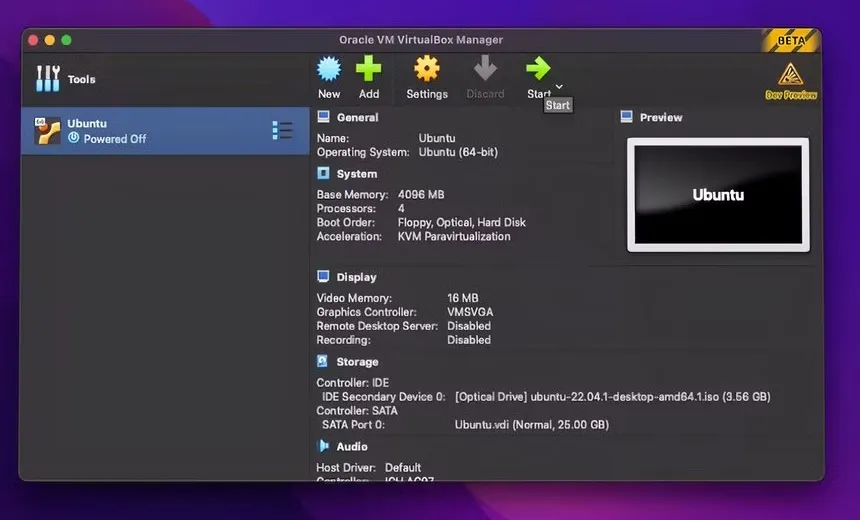
VirtualBox is historically a pillar in the IT sector thanks to its multiplatform flexibility. However, adaptation to the Apple Silicon ecosystem is revealing a technologically complex challenge.
- Technical limitations: Natively designed for x86 infrastructure, porting on ARM architecture is still a work in progress, released in the form of Developer Preview. Performance is significantly lower than native alternatives and overall stability depends on the guest system installed.
- Ideal use: Indicated exclusively for developers related to legacy workflows or requiring specific automation scripts (such as Vagrant) designed for VirtualBox, aware of performance limits.
The impact of hardware on virtual machines
The exceptional thermal and energy efficiency of Apple Silicon processors has finally solved the problems of overheating typical of virtualization on old Intel Macs. Today it is possible to manage entire virtual workshops in mobility without draining the battery of the notebook. The decision on the software to be adopted is dictated by the workflow: UTM for maximum versatility, VMware Fusion for professional solidity and VirtualBox to maintain specific legacy infrastructure.
Frequently asked questions (FAQ)
Can I install the classic version of Windows on Apple Silicon?
On Mac with M1, M2 or M3 chips it is not possible to natively execute the classic x86 version of Windows. To have optimal performance you need to use the version Windows on ARM supported by software such as VMware Fusion or UTM. Alternatively, you can use the emulation of the x86 version via UTM, but with considerably lower performance.
What is the best free software to virtualize on Mac?
Currently, VMware Fusion Pro offers its free license for personal use, representing the best option for professional stability and functionality. If you are looking for open-source solutions or need to emulate operating systems with different architectures, UTM is the most suitable and versatile free choice.
Do virtual machines consume a lot of battery on MacBooks?
Thanks to the high efficiency of SoC Apple Silicon, the impact on energy consumption has been reduced compared to the past. The native operation of virtual machines ARM64 requires very little resources, allowing you to use guest systems in mobility without quickly emptying the battery of the laptop.


