

Knowing how to use a phone as webcam can improve the quality of video calls on Zoom and offer cheap savings. Although it is recommended to buy one of the best webcams for video conferencing, there may be situations where you do not have a webcam or you prefer not to spend money on a separate device.
Fortunately, an alternative is often at hand: your smartphone. Using one of the available apps, you can turn a smartphone into a webcam, either an iPhone or an Android device, and whether you are using a Mac or a Windows PC.
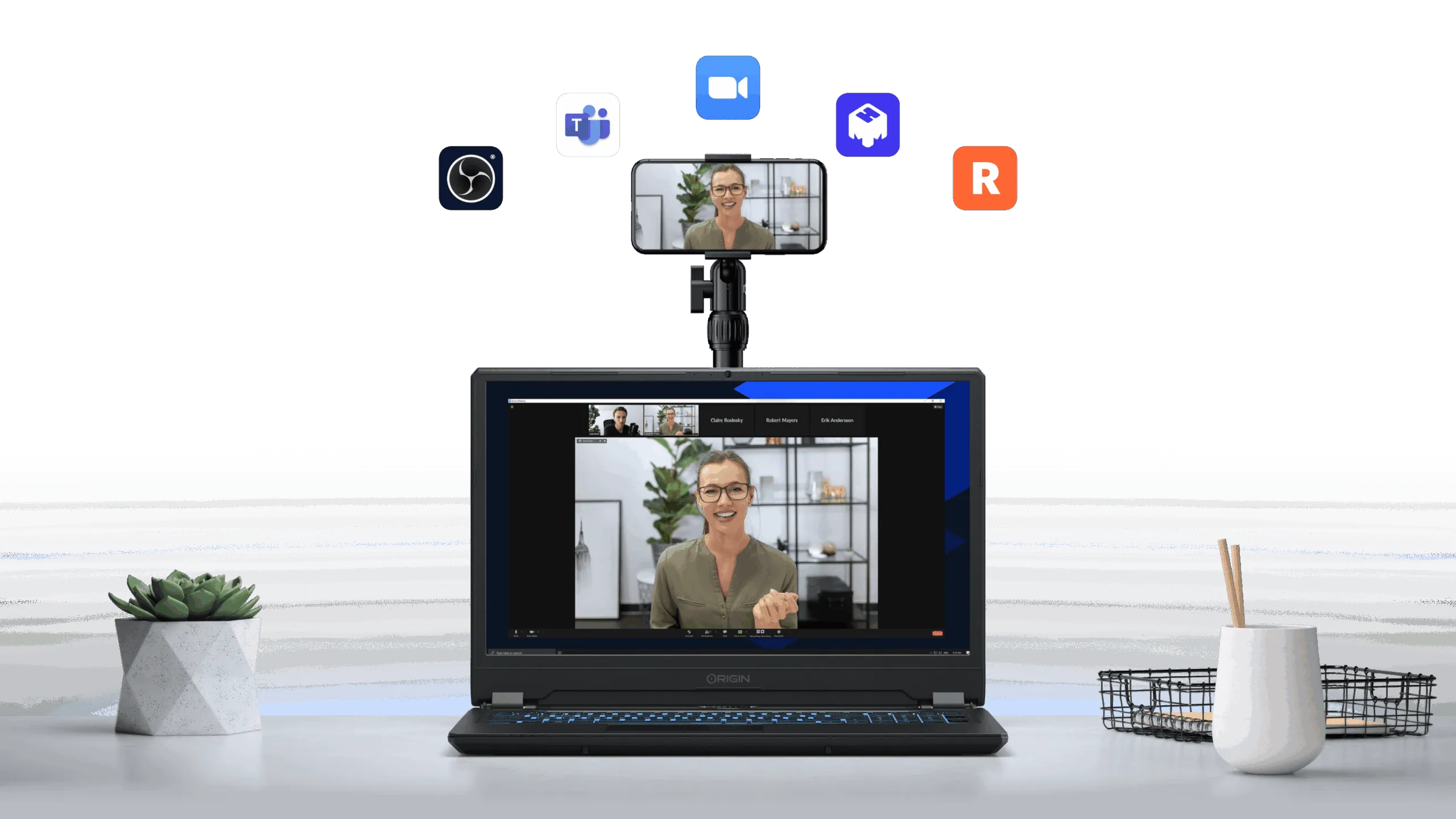
In all cases, you need to download an application on your smartphone, which will send a signal via Wi-Fi or USB to an app on your computer. This desktop application will then communicate to the chosen video conferencing service (such as Skype or Zoom) that the phone acts as a webcam.
To achieve the best quality in video calls, it is also advisable to use one of the best ring lights and one of the best microphones available. If you want to learn how to use a smartphone as a webcam, below are some apps to turn your device into a webcam.
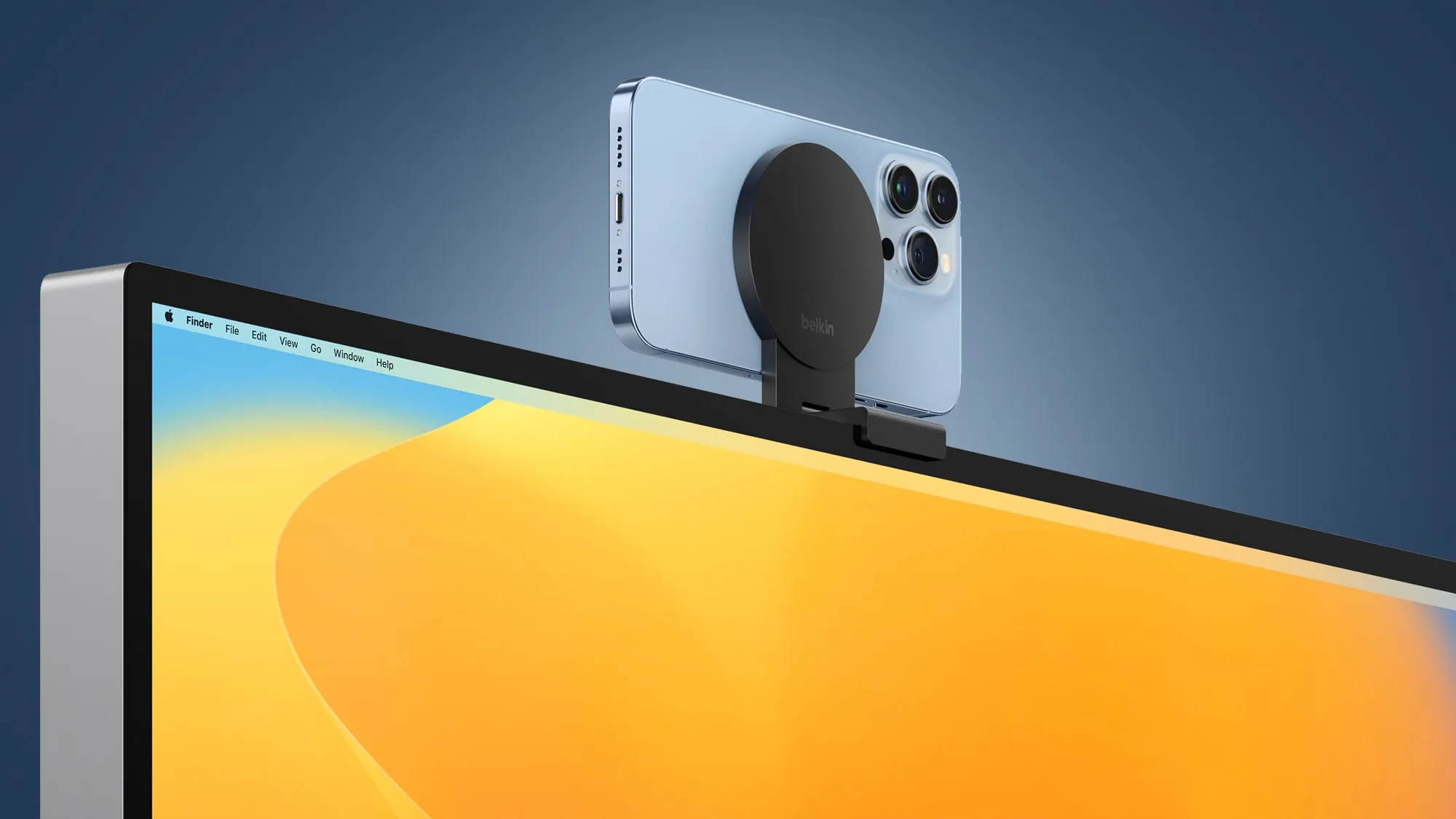
Also, it is interesting to note that the version of Apple’s desktop operating system, macOS Ventura, offers a feature called Continuity Camera, which allows you to use your iPhone as a webcam. Apple collaborated with Belkin to develop a device that allows you to connect your iPhone to the back of your laptop.
EpocCam
After downloading and installing the EpocCam Webcam app on your smartphone, you will be directed to visit www.kinoni.com to install the appropriate drivers on your Mac or PC. Next, you need to download the EpocCam iPhone Webcam Viewer from the App Store on your Mac or PC and make sure your phone and computer are connected to the same Wi-Fi network. You can also connect your iPhone to your computer via USB. (You can also use iPad.) Unfortunately, this app does not work with Android devices.
After the drivers have been installed, the app on your iPhone will change by showing an icon of your phone with some circles coming out. After starting the app on your notebook, you should see the video from your phone’s camera on your computer.
You can use the front or rear camera of your iPhone. The free version of EpocCam limits the resolution of the camera to 640 x 480, and the app starts with an advertisement; with the upgrade to the paid version, you can transmit to resolutions up to 1080p, use the zoom with the pinch gesture, use the flash of the iPhone as a light source, get HDR videos and much more.
| Specifications | Supported smartphones: iPhone Supported operating systems: MacOS, Windows Connections: Wi-Fi, USB |
| Benefits | Works with MacOS and Windows |
| Disadvantage | Only for iPhone |
iVCam
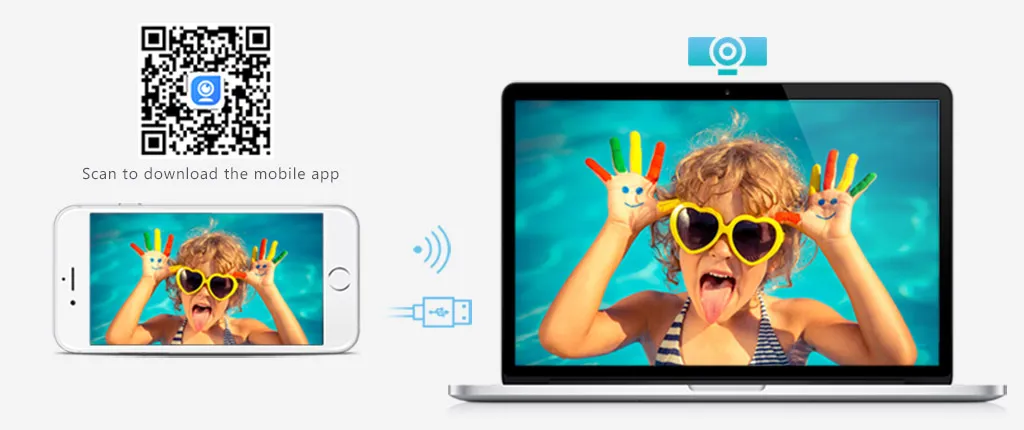
iVCam works both via Wi-Fi and USB, and its mobile app is available for both Android and iPhone devices. However, its desktop software is only compatible with PC, so it is not an option for Mac users. Supports different resolutions (up to 4K) and allows you to adjust camera settings, such as exposure, frame rate and ISO. It also allows you to use both cameras of your phone, supports both landscape mode and portrait mode and allows you to change the background.
iVCam offers a free trial version, but you can upgrade to the full version, through an annual subscription or a permanent subscription.

| Specifications | Supported smartphones: Android, iPhone Supported operating systems: Windows Connections: Wi-Fi, USB |
| Benefits | Works with Android and iPhone |
| Disadvantage | Only for Windows |
NDI HX Room
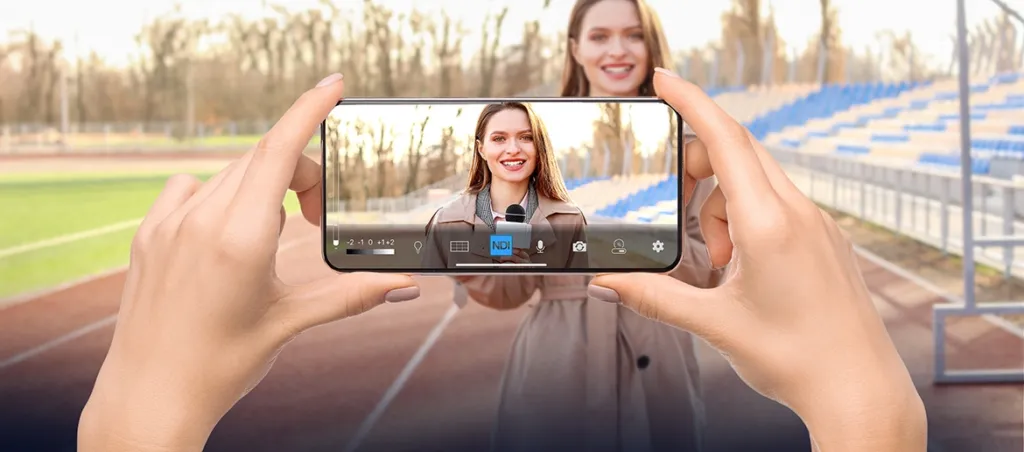
To use NDI, you need to download an app on your iPhone and a driver app on your laptop. Both devices, computers and smartphones must be connected to the same wireless network; the NDI HX app then transmits a feed from your smartphone to the NDI app on your PC. Using the NDI Virtual Input program, you can indicate the preferred chat app to use your iPhone as a camera.
The NDI mobile app offers some useful functions on the screen, such as zoom, exposure adjustment and the ability to use the phone flash as a light source. However, NDI desktop software for chat apps is only available for PC and has a cost of $20, resulting therefore rather expensive.
| Specifications | Supported smartphones: Android, iPhone Supported operating systems: Windows Connections: Wi-Fi |
| Benefits | Works with Android and iPhone |
| Disadvantage | Only for Windows Costly |
Continuity Room
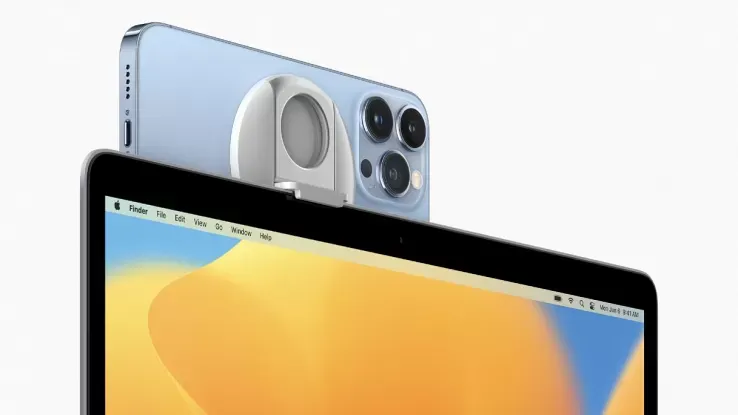
With an iPhone and a Mac, the best option to use your smartphone as a webcam is Continuity Camera. Available as part of macOS Ventura, it allows you to use the iPhone camera instead of the integrated Mac webcam.
With an iPhone 11 or later, you can use Center Stage, which uses artificial intelligence to perform a digital overview and zoom so as to keep the subject’s head in the frame while moving. Also available for those who own an iPhone 11 or a newer model is Desk View, which uses the ultra-grand-angle iPhone lens to view live what is on the desk, great if you have to make a presentation or show a physical object.
In addition, Belkin has released iPhone support for MacBook, which allows you to hook your iPhone on top of your Mac, it can also act as a support and grip for your phone.

| Specifications | Supported smartphones: iPhone Supported operating systems: MacOS Connections: Wi-Fi, USB |
| Benefits | It works perfectly Free No limitation |
| Disadvantage | Only for macOS |
DroidCam
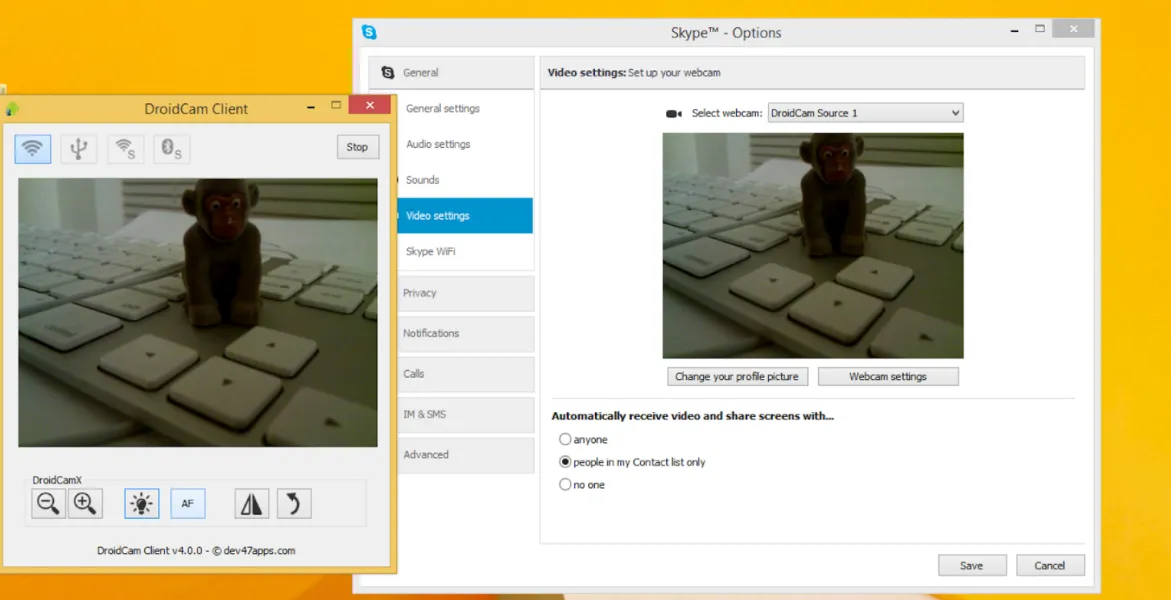
As with competing products, DroidCam is available in free and paid version. The paid version, DroidCamX Pro, which costs $5, eliminates advertisements within the app, increases the 720p resolution and offers greater camera controls, such as the ability to flip, mirror and rotate the video, adjust brightness and contrast and activate the LED flash of your smartphone to get more light.
DroidCam, developed by Dev47apps, has an app for Android and iPhone, but the desktop client is only compatible with Windows and Linux systems.
You can connect your smartphone via Wi-Fi or USB, the latter will help preserve the battery life of your phone. If you are using an Android phone, you can run DroidCam in the background and use it as an IP webcam.
| Specifications | Supported Smartphone: iPhone, Android Supported operating systems: Windows, Linux Connections: Wi-Fi, USB |
| Benefits | Works in the background Free version and fulfillment |
| Disadvantage | Not working on macOS Maximum resolution 720p |
NeuralCam Live
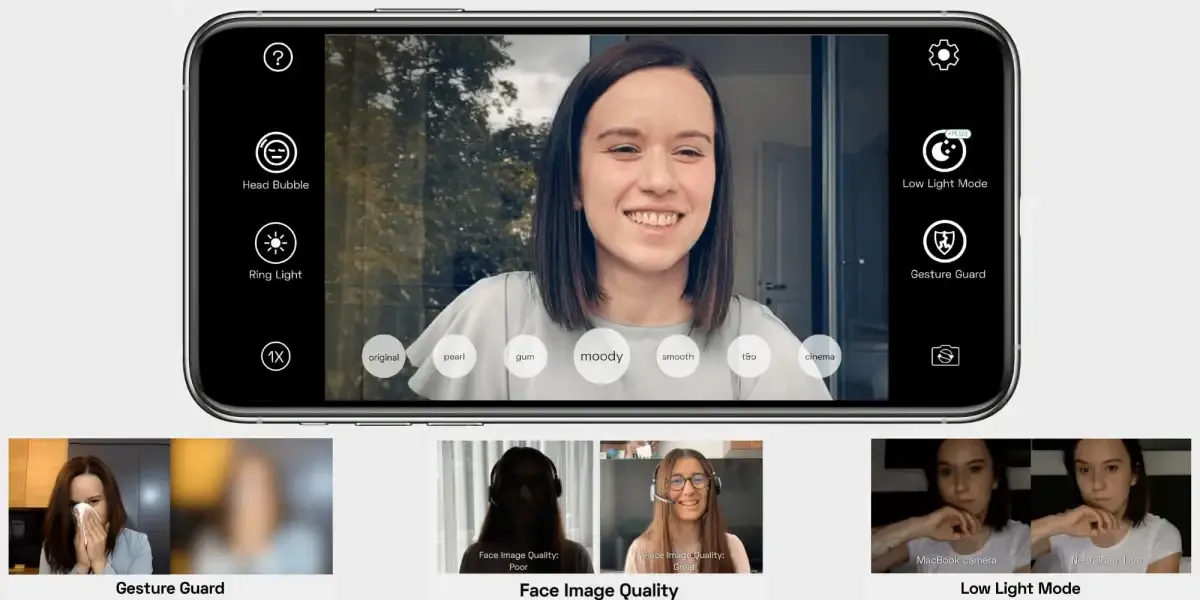
NeuralCam Live is easy to configure and use, although it is only available for those who own an iPhone or iPad and can only be used on MacOS. Unlike other apps, this works via USB connection to your Mac laptop or computer. However, once connected, it works reliably. However, the app is not compatible with Safari, so you need to use Chrome and Firefox.
In addition to turning your iPhone into a webcam, the free or trial version of this app also has some unique features: Head Bubble puts the head in a circle and masks most of the other things. Gesture Guard detects and blushes different types of gestures that you can hide from others.
NeuralCam Live is free, but if you upgrade, NeuralCam Live Plus offers you additional features, such as a low-light mode, a special “Soften” style and other video editing styles. It also removes ads for other NeuralCam apps.

| Specifications | Supported smartphones: iPhone Supported operating systems: macOS Connections: USB USB |
| Benefits | AI-based features Free |
| Disadvantage | Only USB connectivity Only for iOS/macOS |
Reincubate Camo
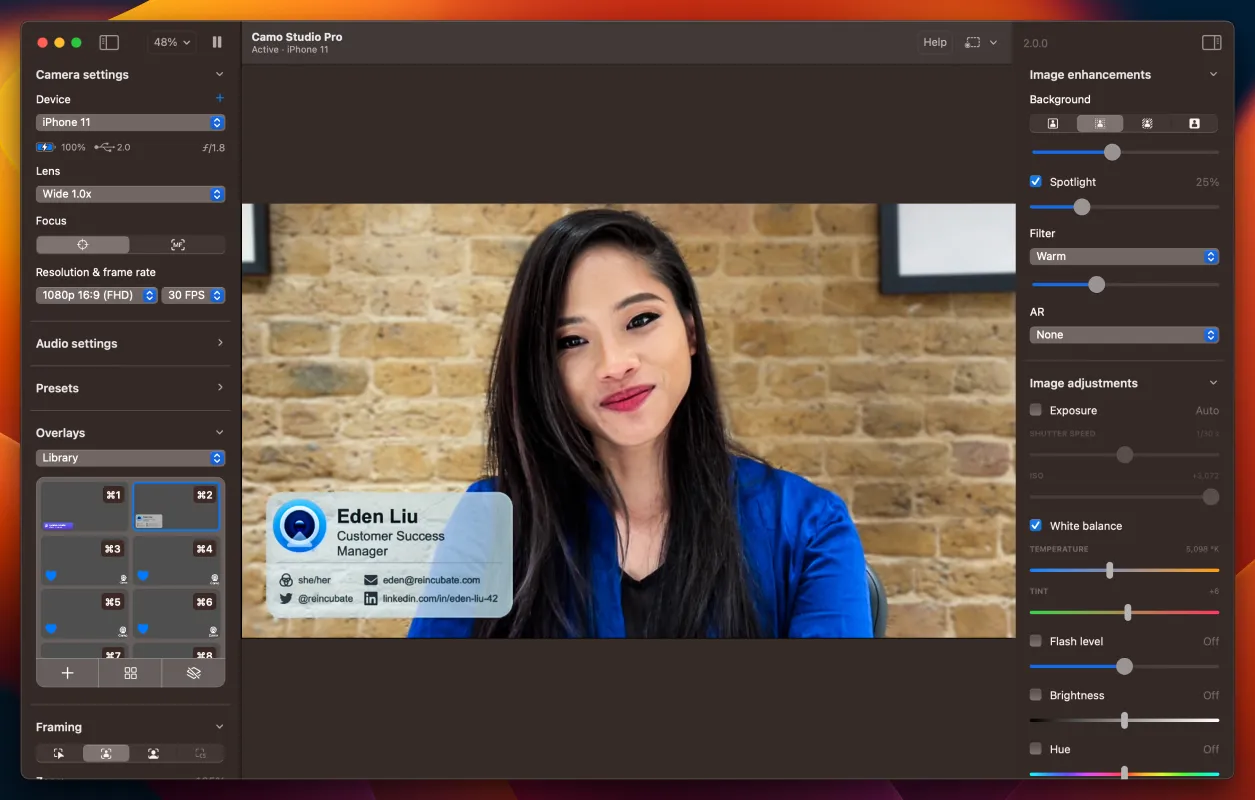
Reincubate Camo Studio software offers some useful control features and settings: for example, you can switch from the different lenses of your iPhone, transmit the video to higher resolutions, zoom and panoramic, add additional filters, etc. However, you will need to make a paid update to access these features.
However, the free app lets you choose between the front and back lens of your iPhone. In addition, the free trial version allows you to select one of different color filters or black and white.
Initially, Reincubate Camo only worked with Mac and iPhone, but it was later updated to be compatible with Windows PC and Android devices. However, regardless of the platform, you will need to connect it to your computer via USB.
| Specifications | Supported Smartphone: iPhone, Android Supported operating systems: macOS, Windows Connections: USB USB |
| Benefits | Installation speed Free |
| Disadvantage | Only USB connectivity |


