

For years Trello has been the industry standard when it comes to project management software. It has been a trendetter since its launch in 2011, spreading the Kanban approach to project management and acting as an inspiration for many tools that have entered the market in the following years.
Notion, on the other hand, is still a newcomer in the field of productivity software, but it is already assaulting it, earning millions of users in a few years.
The choice between Notion and Trello is far from clear. Below will be analyzed the strengths and weaknesses.
Notion and Trello Comparison
Notion and Trello share many similarities. Both tools allow you to easily manage tasks and track progress in a Kanban basin.
However, despite the high-level similarity, there are several fundamental differences that must be kept in mind when making a decision.
No.
- Prices: free, advanced features from $8 user/month
- Vote on Capterra: 4.7/5
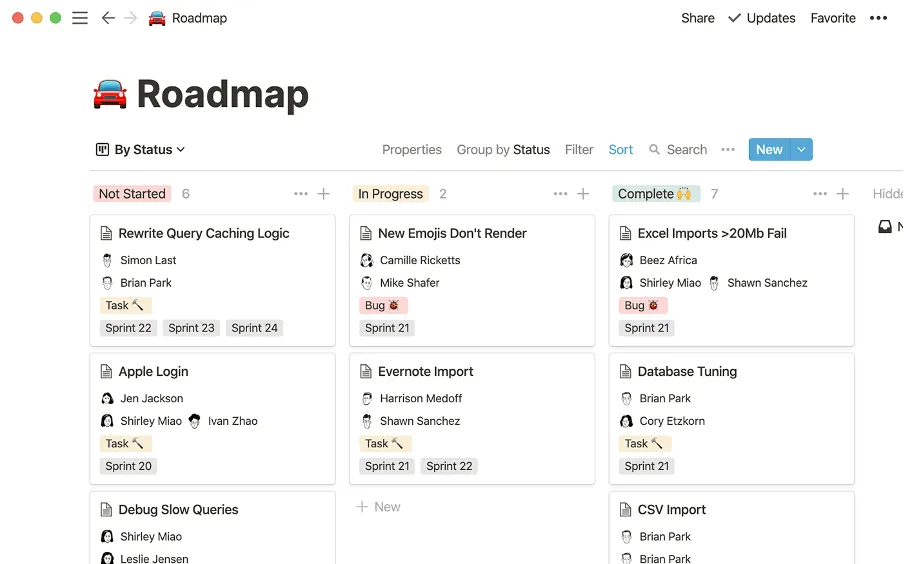
Notion began as a tool to take notes, but he made a lot of road from his early days. Today, he boldly claims to be an “all-in-one workspace” in which teams can gather all their work, replacing many other tools.
It largely owes its popularity to its unparalleled flexibility. Like Trello, Notion has a Kanban card, but it's just one of the many ways you can visually organize your content in Notion. This offers almost unlimited possibilities: you can create wikis, document the roadmap of your product, organize meeting notes, post your blog and much more.
A disadvantage of such a powerful feature set is the steep learning curve. New users may feel overwhelmed by all menus and options and should be prepared to devote enough time to learn the tool. But according to your needs, it could be the right compromise.
Why prefer Notion to Trello:
- Notion is more flexible and customizable than Trello, with a wider set of features.
- Notion can be used not only as a project management tool, but also as a wiki and database, allowing you to replace multiple collaboration tools.
- Some users find the most modern and fluid Notion interface.
What Notion users say:
“Notion is Trello and Confluence combined. It solves many problems and can act as a source of information for a company. Requires a guru for installation and maintenance successfully, but can pay dividends to have all activities and information in one place. “
Trello
- Prices: free, advanced features from $5 user/month
- Vote on Capterra: 4.5/5
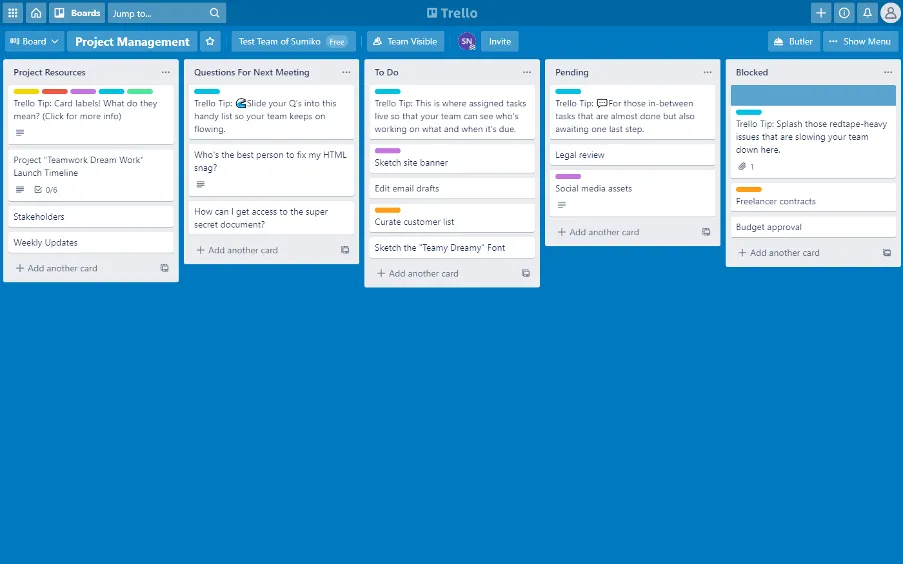
Trello’s main appeal is its simplicity. While Notion tries to do everything at once – wikis, problem detectors, databases and more – Trello is a dedicated project management tool that is fully optimized for an activity.
In addition to its iconic Kanban basin, Trello has recently enabled new ways to visually organize activities, including Dashboard, Timeline, Table, Calendar and Map. Please note that these additional views are only available with a Premium Trello subscription.
Overall, Trello is not as rich as Notion. But it makes it more user-friendly. It transforms this simplicity into one of its main strengths, making it as simple as possible for anyone to start with the instrument and be productive with it.
Although Trello is still actively developed, it has changed little over the years. To some, its interface might seem a bit dated compared to Notion. However, remaining faithful to what users have learned to love is what made Trello gain the loyalty of thousands of customers.
Why prefer Trello to Notion
- Trello is completely optimized for project management and does not try to do too much at the same time.
- Trello is easier to use, the initial configuration requires a minimum configuration and can be completed in a few minutes.
- Trello offers less functionality and options than Notion, making it easier for the inside team to take control.
- The selection of upgrades and additions of Trello is wider than that of Notion.
What users say about Trello:
“I think the main advantage of using Trello is that it is becoming a industry standard. Most people know it, they have all kinds of connectors and integrations (Gmail, Calendar, Zapier, Integromat...) and when they come to collaborate with other teams/companies, it is much easier to use the same tool. Its simplicity and incredible UX are also a great advantage of this tool. ”
What to choose?
There is no definitive “winner” when comparing Notion and Trello. Both tools are popular for different reasons and the best choice depends on your unique needs and preferences. Notion can be an excellent color option that is not intimidated by a complex interface and desire a powerful and flexible tool to consolidate your entire work. And Trello could be a better option by color that are looking for a simple and intuitive project management tool and do not need all additional bells and whistles.


