

For those who work in the world of PC building or offer technical support, having the right tools always at hand is fundamental. A well-equipped USB stick with dedicated software allows you to safely address installation, diagnostic or system optimization problems.
Here is a complete and detailed selection of the most useful tools for experts and enthusiasts.
1. WinToys: Advanced Windows Customization
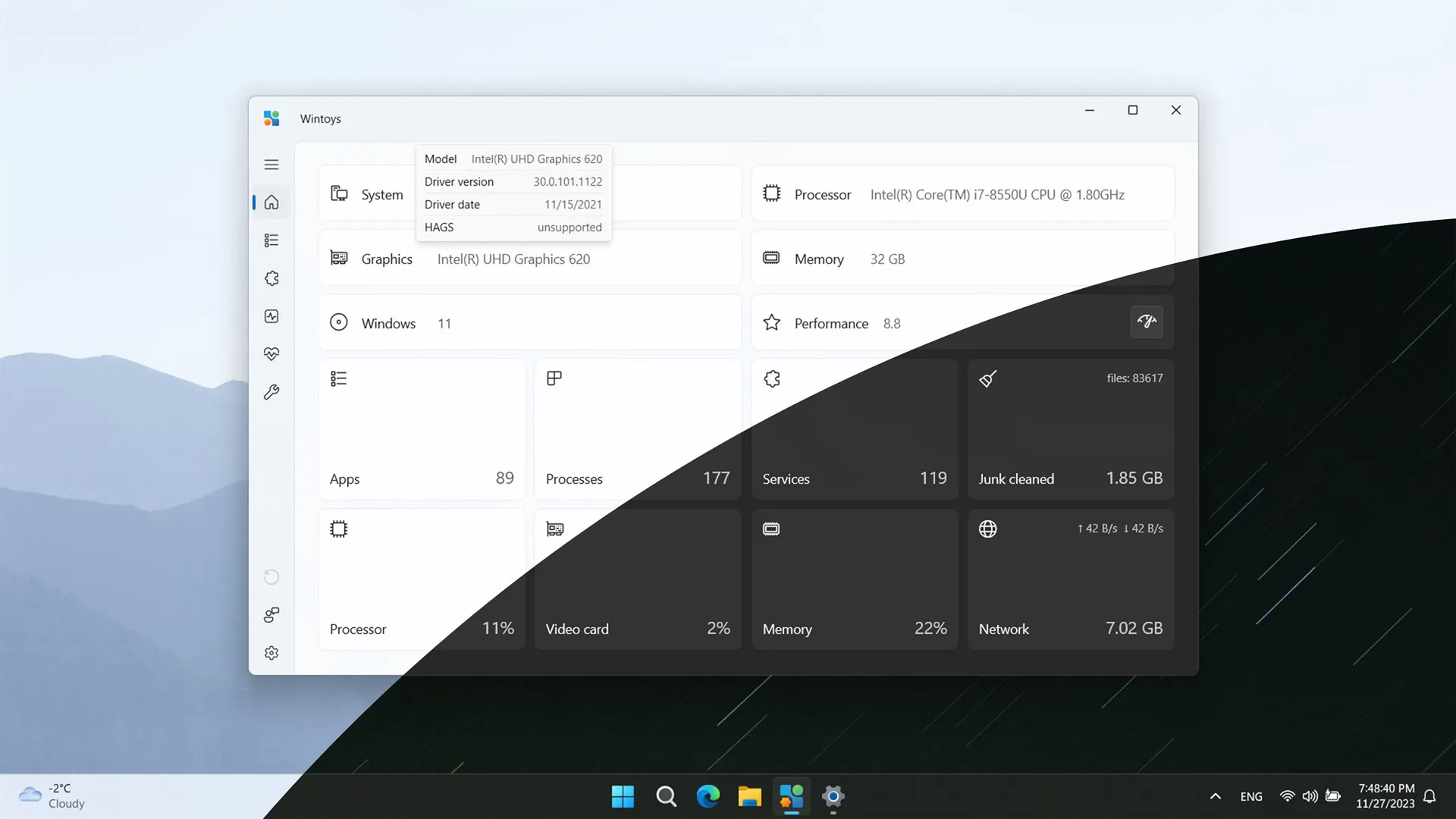
WinToys is a versatile software that collects in one interface many advanced configuration options for Windows. From system settings management to less accessible functionality customization, this tool is perfect for optimizing performance and improving user experience. Ideal for those who want to go beyond Windows default settings without having to navigate through complicated menus.
Download WinToys: WinToys
2. Ventoy: USB multi-boot for every need
Ventoy revolutionizes how you use USB flash drives for operating systems installation. With this software, you can upload multiple ISO images (Windows, Linux, diagnostic tools, etc.) to one key and choose which to start via an intuitive menu. Ventoy supports most ISO images and is constantly updated to stay compatible with new versions. Perfect for those who work on multiple devices or operating systems.
Download Ventoy: Ventoy Official Website
3. WinDirStat: Graphical disk space analysis
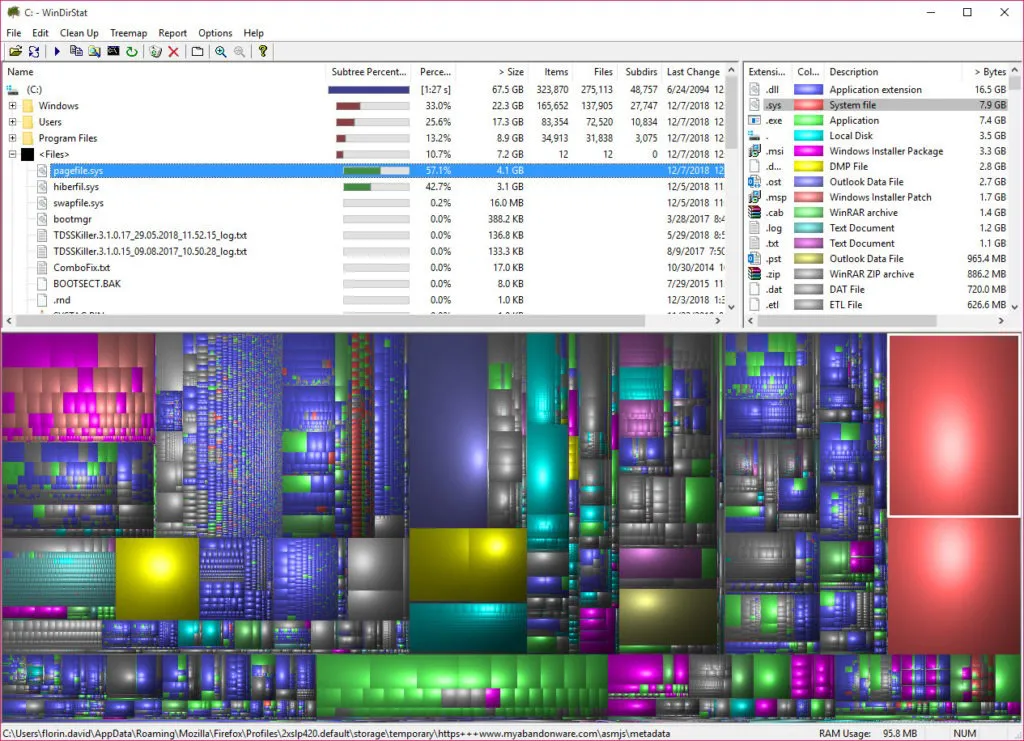
When a PC's hard drive is full, locate files occupying more space can be frustrating. WinDirStat simplifies this operation by showing an intuitive graphic representation of the space used on the disk. Each file and folder is represented as a colored rectangle, allowing you to immediately locate the guilty. It is an indispensable tool to optimize storage.
Download WinDirStat: WinDirStat Official Website
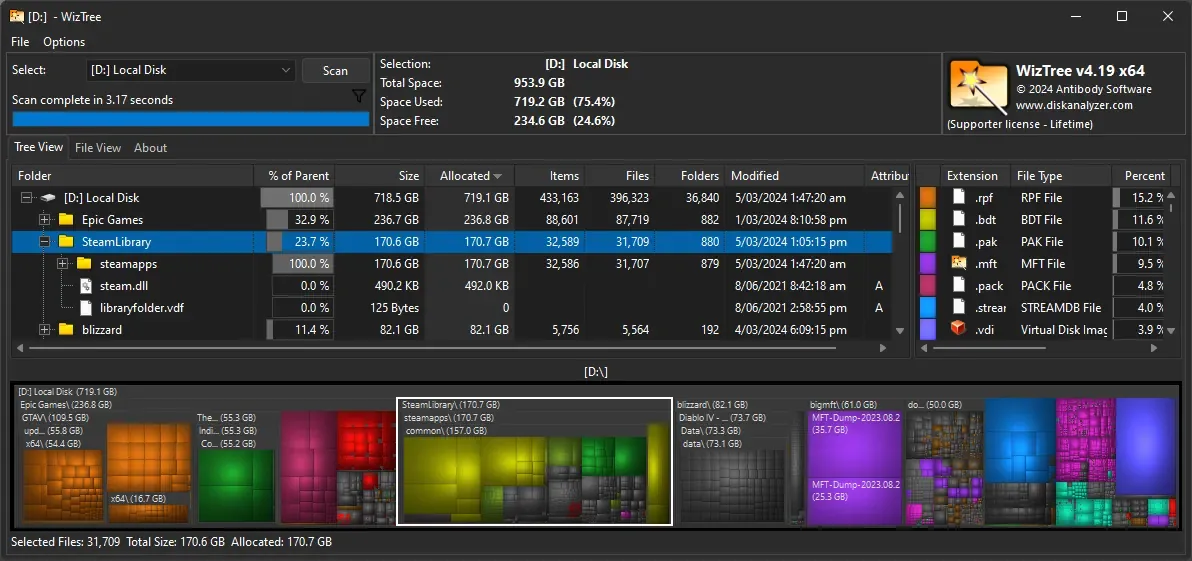
4. WizTree: Fastest Space Analysis
If speed is essential, WizTree is an excellent alternative to WinDirStat. This software offers a very fast disk space analysis, directly exploiting the MFT (Master File Table) table on NTFS file system. It is particularly useful for large hard drives and for those looking for an immediate tool to locate problematic files or folders.
Download WizTree: WizTree Official Website
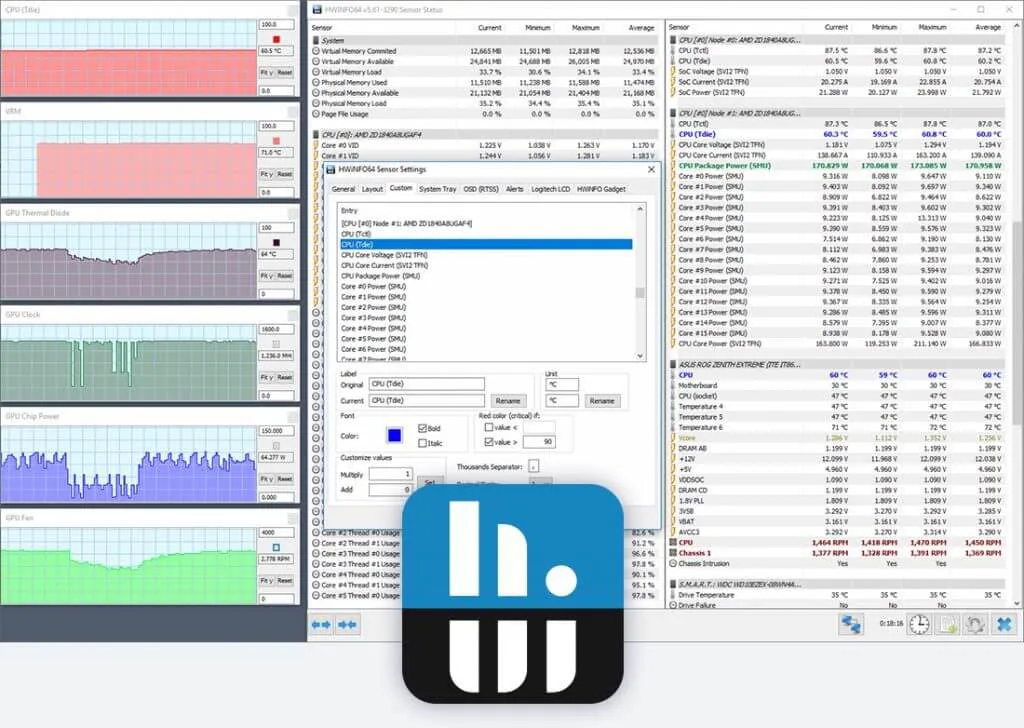
5. HWiNFO: Full hardware monitoring
HWiNFO is an essential tool for monitoring PC hardware. Provides detailed information about all components, from CPU to GPU, from hard drive to motherboard. It is particularly useful to verify system stability or to diagnose problems related to high temperatures or non-optimal performance. In addition, the reports generated are very useful to share technical details with other experts.
Download HWiNFO: HWiNFO Official Website
6. MemTest86: Reliable RAM test
RAM memory is a key component, and associated problems can cause crashes or abnormal system behavior. ♪ is one of the most reliable tools to verify the integrity of RAM. Bootable by USB, it submits memory to in-depth tests, identifying errors and helping you determine if you need to replace a faulty module.
Download ♪: MemTest86 Official Website
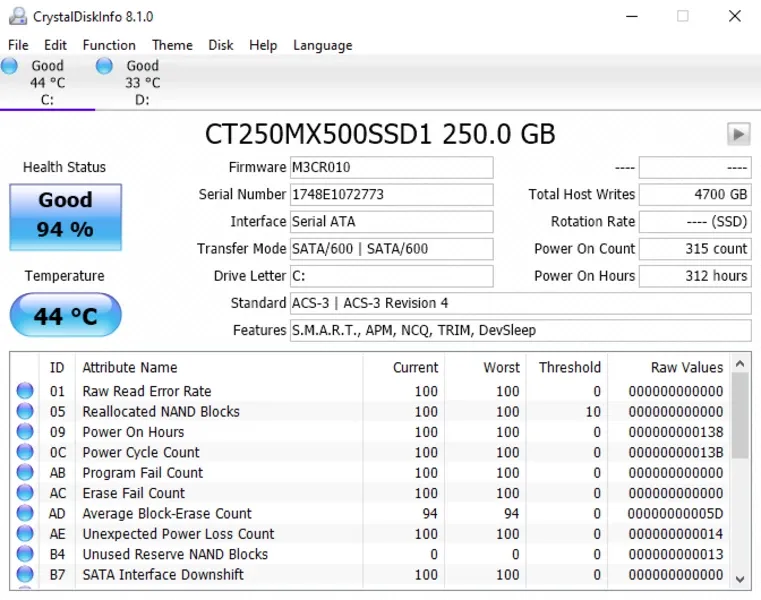
7. CrystalDiskInfo: Record status monitoring
To ensure the longevity of hard drives and SSDs, it is essential to keep parameters such as temperature and SMART errors under control. CrystalDisclosure provides a clear and detailed overview of the state of the disk, showing any signs of degradation or imminent problems. A lightweight but indispensable software for those who work regularly with data storage.
Download CrystalDisclosure: CrystalkDisk Official Website
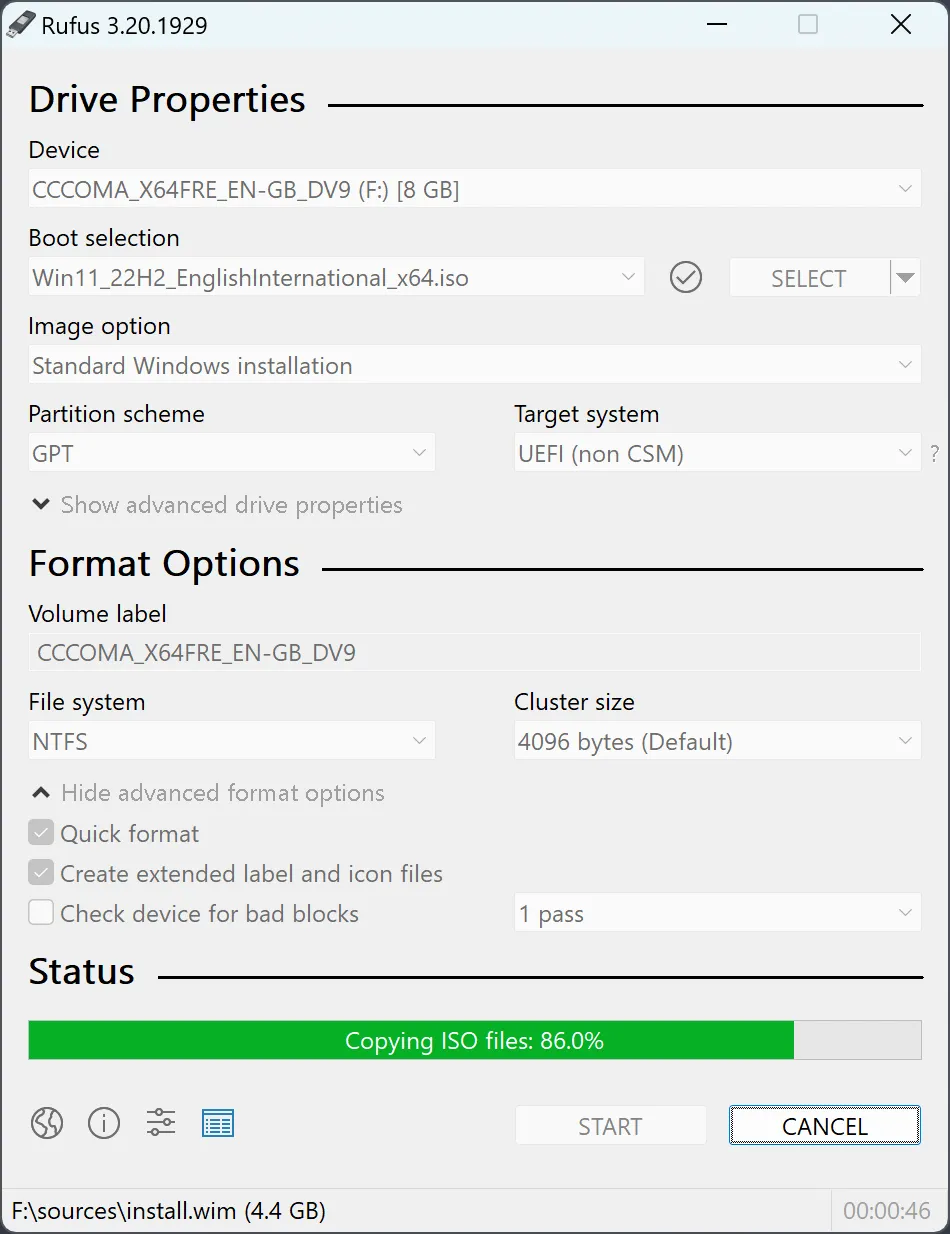
8. Rufus: Create bootable USB in a few clicks
Rufus is the preferred tool to create bootable USB flash drives. Light and intuitive, it supports a wide range of ISO images and allows you to prepare install media for Windows, Linux or other diagnostic tools in just a few minutes. It is particularly useful for installing operating systems on hardware without optical readers.
Download Rufus: Rufus Official Website
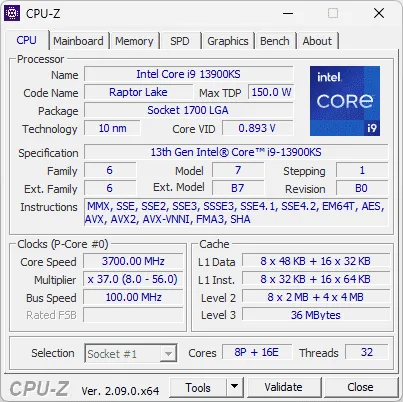
9. CPU-Z and GPU-Z: Detailed hardware analysis
- CPU-Z is a lightweight yet powerful tool to obtain detailed information about CPU, RAM and motherboard. Perfect to verify system specifications.
- GPU-Z focuses on the graphics card, showing data such as frequencies, temperatures and use of video memory, making it ideal for gamers and overclockers.
Download CPU-Z: CPU-Z Official Website
Download GPU-Z: GPU-Z Official Website
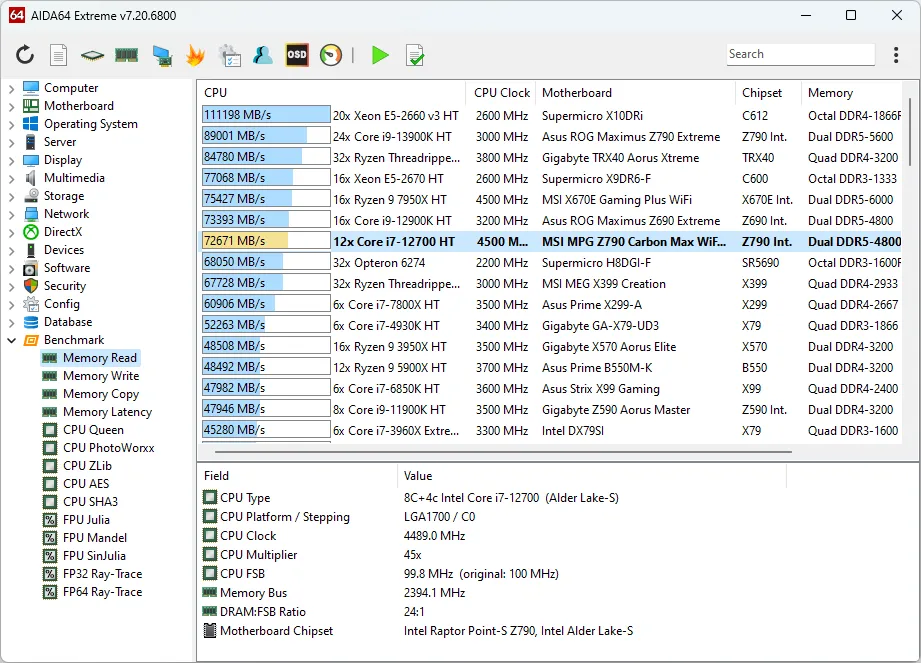
10. AIDA64: Professional testing and diagnostics
For those looking for an advanced tool, AIDA offers comprehensive diagnostics, benchmarking and detailed reports on each component of the system. It is particularly appreciated by professionals who need a complete analysis to solve problems or verify compatibility between hardware.
Download AIDA: AIDA64 Official Website


