

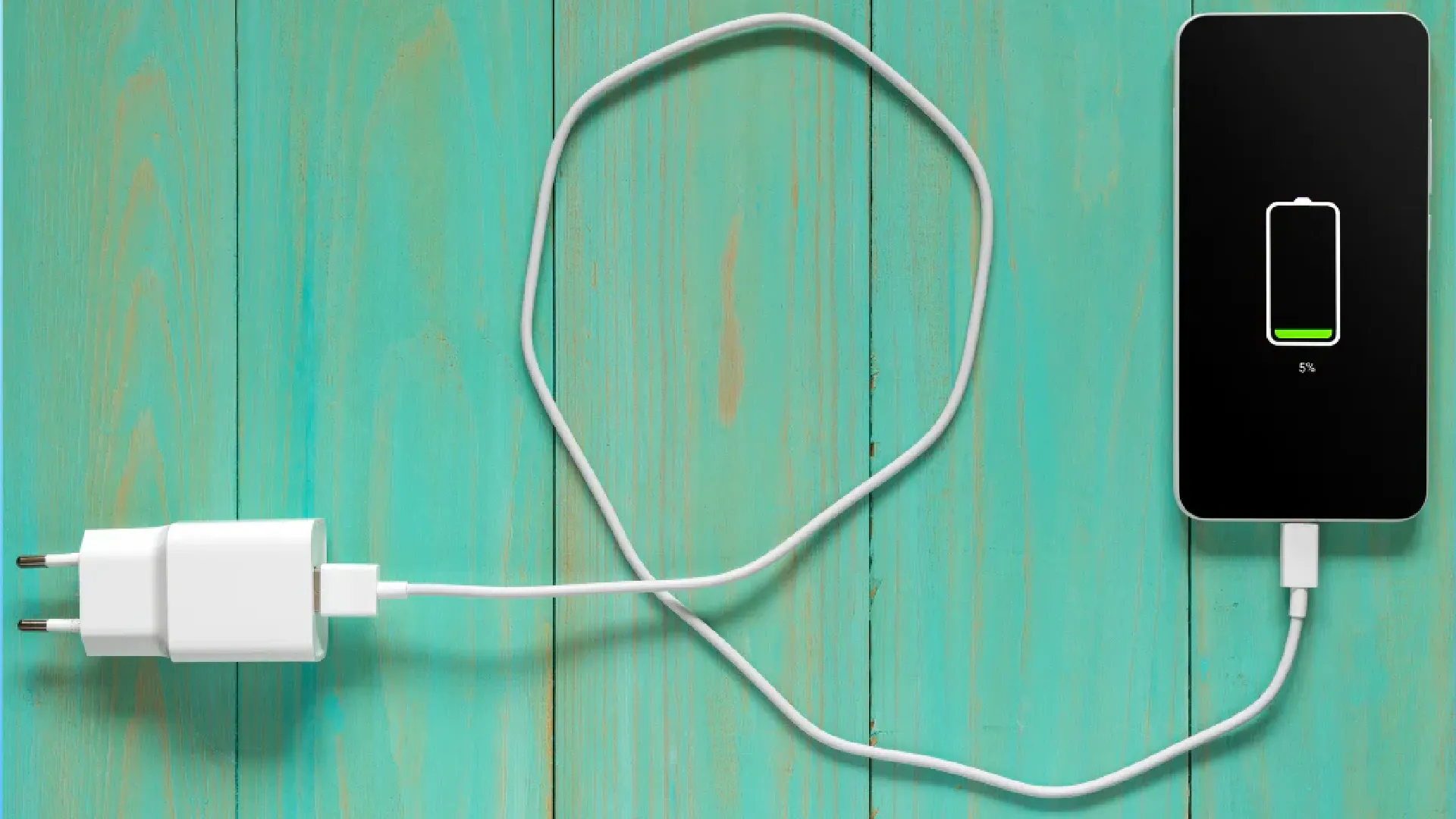
Today we live surrounded by electronic devices and the proper management of energy has become fundamental. Whether it's smartphones, laptops, tablets, wireless headphones, smartwatch or portable consoles, the heart of these devices usually shares the same technological base lithium ions (Li-Ion) or lithium polymers (Li-Po).
Although technical innovation has made huge strides, each accumulator remains a component subject to physiological wear. However, there is a substantial difference between the natural decline of performance and an accelerated degradation caused by our incorrect habits. Often, without noticing, we compromise autonomy using a laptop incorrectly or abandoning a completely unloaded device in the drawer for months.
To protect your technological investments and maximize longevity, it is essential to fully understand the dynamics of these energy cells and adopt a solid preventive conservation strategy. In this guide you will find out exactly how not to spoil the battery and make them overcome the test of time.

Temperature management: the impact of extreme heat and cold
The main enemy of any integrated circuit and energy cell is overheating. When a accumulator exceeds the thermal threshold of 30-35°C, parasite chemical reactions are triggered inside. These reactions alter and crystallize the electrolytes, permanently and irreversible reducing the total capacity to store charge.
- Using Laptops: One of the most common errors is to support your laptop on your knees, blankets or soft surfaces. This obstructs vital air vents for cooling. The excessive heat of the processor inevitably moves to the surrounding battery. To avoid damage, always place the device on rigid surfaces or use special lift stands.
- Wireless Charging: Although extremely practical, induction charging is much less efficient. This technology generates a greater amount of heat lost than cable transmission. To maximize the life of the device by reducing thermal stress, prefer the traditional cable connection when possible.
What is the effect of cold? Rigid temperatures increase internal resistance and temporarily slow the movement of ions, reducing the device’s immediate autonomy without causing long-term damage. However, there is a golden rule not to be broken: never charge a device just returned from an environment below zero. Always wait for it to return to ambient temperature; reloading a frozen cell can cause the “metallic lithium plating”, a very serious damage that leads to the definitive collapse of the accumulator.
The false myth of 100%: because the rule of 80-20 is fundamental
Lithium ion technology is based on the difference in potential. Maintaining the indicator constantly at the highest level is to keep a spring in constant tension: with time and wear, it will inevitably lose its natural elasticity and energy retention capacity.
- For Smartphones and Tablets: Apply the 80-20 rule daily. The virtuous behaviour involves disconnecting the power supply before reaching 100% and charging before the level falls below the critical threshold of 20%.
- For Laptops used as fixed stations: Maintaining the laptop permanently attached to the power supply to maximize performance is a lethal practice for battery, forced to endure a continuous maximum voltage level combined with constant heat. Major manufacturers (such as Apple, Lenovo, Dell, Asus) integrate via software or BIOS the ability to limit the saturation charge. Set the energy block to 60% or 80%: this simple operation will last the battery many years longer.
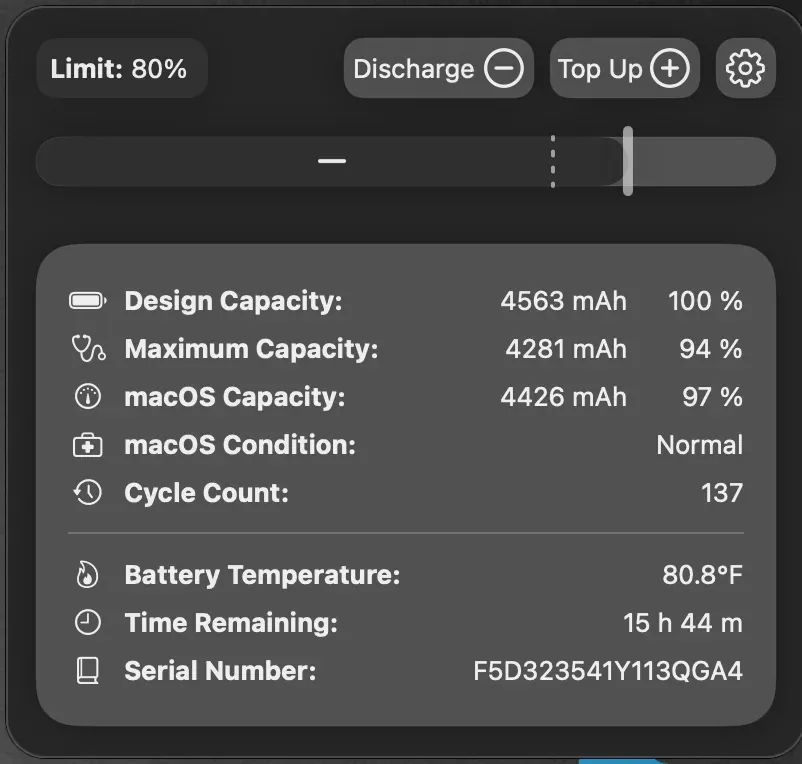
Automation and savings: activate optimized loading
It is not strictly necessary to manage each single charge manually. Modern operating systems have intelligent and silent routines designed to maximize the longevity of the hardware.
- Apple Environment (iOS): Make sure the “optimised load” option is always up. Artificial intelligence learns your rhythms: it will stop charging at 80% during the night and then provide the last 20% of energy exclusively close to the time when you are usually pulling off your phone, drastically reducing the time spent under stress from maximum tension.
- Android Environment: Explore system preferences looking for voices like “Adactive Battery” or “Battery Protection”. Several brands, including Samsung and Google Pixel, offer you a software switch that places an invariable charge limit fixed at 80% or 85%. It is the ideal solution to optimize autonomy in a completely passive way and forget about it.
Deep Download: the dangers arising from the stored devices in the drawers
Do you store a spare tablet, mirrorless camera or drone to use them only during the summer months? Pay attention to the way you put them back. Even when switched off, the accumulators undergo a progressive self-load rate caused by internal circuits.
If you decide to store a device with 0% residual capacity, after a few weeks the voltage will collapse below the minimum operating threshold (the so-called cut-off). Reaching this limit, the integrated protection circuit will intervene by deactivating the cell permanently to prevent it becoming chemically unstable. The end result is an irreparably faulty device.
The correct practice: If you plan a prolonged inuse for several months, it brings the battery level around 50-60%. This represents the thermodynamic state of greater stability for long-term storage. Also make sure to check the charging status every quarter to carry out small recovery shaves.
The management of charging cycles and the advantage of micro-branches
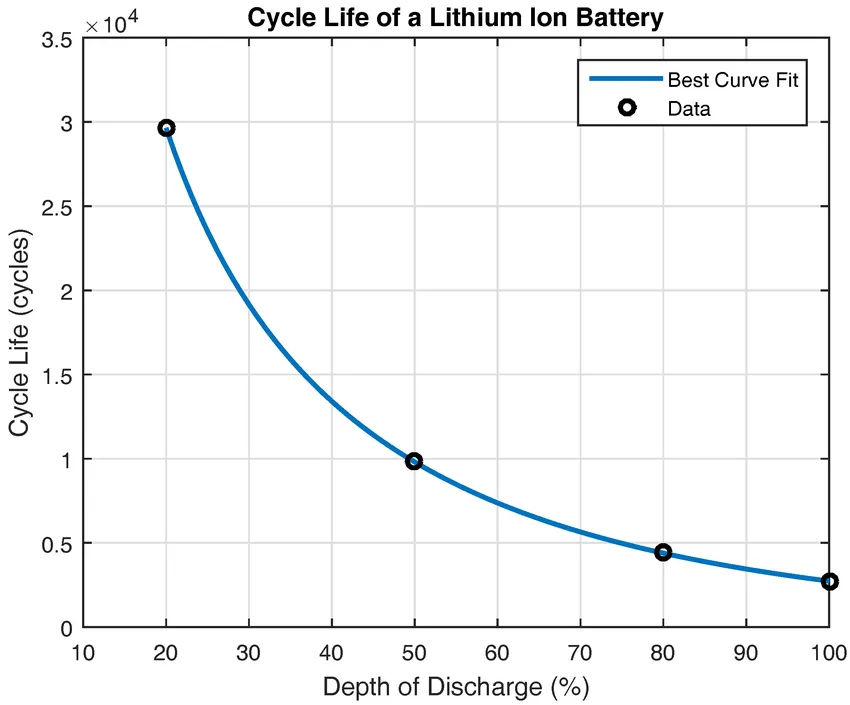
The life expectancy of a modern accumulator is calculated in complete cycles, average between 300 and 1000 iterations. Caution: to complete a cycle it is not enough to simply insert the cable once, but it is necessary to sum a quantity of discharge equivalent to the entire 100% of the nominal capacity.
Subposing the battery with continuous cycles from 100% to 0% generates wearful stress for the internal cells. The winning strategy for do not spoil the battery is instead based on the partial and repeated rabbins (e.g. jumping from 40% to 70% in more shooting). Making modest refills during the day keeps the fluid dynamics of ions and preserves intact internal chemical architecture.
Choosing the right power supply: fast charging is not always the answer
Thanks to the advent and homogenization guaranteed by the USB-C standard, the convenience of using a single high-watt feeder (e.g. 65W, 100W, or 120W) for laptops, tablets and earphones is undeniable. While counting on protocols such as Power Delivery to modulate energy delivery, powerless hardware, or limited capacity with such powers, exposes inexorably to a strong thermal stress.
Use fast charging technology exclusively for emergency cases. During the long night hours, or when you need to power tiny devices (such as earphones and smartwatch), it prefers standard loaders (from 5W or 10W) or the slowest but safest USB port of the computer. Breaking down temperatures is synonymous with longevity.
False myths: why force the closure of the app consumes more energy
There is an almost compulsive gesture applied by many users to try to extend the daily life of the smartphone: delete all windows open in the background. On any modern operating system, this operation is severely counterproductive.
By manually closing an application, force the system to remove it completely from the fast-access memory (RAM). When you want to reopen it, the processor will have to exploit a significant amount of energy upper to recharge all files from scratch, vanifying any saving attempt. Let your operating system do: the optimization of native multitasking is able to suspend and restore resources with maximum energy efficiency.
Physical maintenance of contacts and risks of inflatable batteries
Sometimes, an obvious problem of autonomy does not result from the degradation of the battery itself, but from an imperfect connection. If the cable connector is loose inside the door or the charging shows false contacts, immediately check the input: dust accumulations or fabric fragments generate electrical resistance causing dangerous temperature increases. Interventions to clean the slot using exclusively insulating tools, such as a simple wood or plastic toothpick.
A key warning for your personal safety: If you see that the back panel of your smartphone is curved, the keyboard frame or laptop touchpad tend to rise or the glazed surface of the tablet presses against the body splitting, instantly suspend the use and charging of the device. It is almost certainly the bulge of the battery block, generated by the accumulation of toxic gases resulting from an internal reactive anomaly. It is a scenario with a high risk of fire or explosion: do not exercise any pressure and entrusted with the utmost urgency to a specialized repair center.
Has battery calibration still useful today?
By doing online research, the recommendation of “calibrate” the accumulator frequently crosses through procedures that provide extended complete cycles up to total shutdown, and then arrive at a subsequent 100% recharge. We clarify the situation: this action does not give any tangible benefit to the health of the chemical structure of the accumulator (in contrast, it contributes to the stress of the deep cycle), but it is only helpful to allow the software monitoring system to align the correct percentage values.
Therefore, you acknowledge this obsolete methodology only if your device manifests the tendency to turn off suddenly despite the display showing a residue of 10% or 15%. In all the remaining cases of regular operation, avoid unnecessary fatigue and maintain stable daily habits. A conscious use of the device will ensure that autonomy is maintained excellent much longer than expected.
Applying these simple but effective recommendations will ensure consistent performance over time, while helping to virtuously reduce the production of bulky and polluting electronic waste.
Frequently Asked Questions (FAQ) on how to preserve the battery
Leaving the phone in charge all night spoils the battery?
With the protection circuits present in modern devices there is no longer the direct risk of overload, since the energy flow stops in total autonomy when reaching 100%. Nevertheless, keeping the stationary cell at the maximum of thermodynamic tension for several hours accelerates the process of natural chemical wear. To get around this problem, simply activate the optimized or limited charging option offered by all major software.
Charging a laptop or smartphone while using it damages the accumulator?
The simultaneous use of the network connection is not in itself harmful. The real danger, in these scenarios, is represented by the sudden rise of general temperatures. The execution of particularly demanding software (such as gaming or video processing) at the same time as the charging phase generates considerable heat, which is the first degenerative factor for hardware. If you feel that the shell is unusually warm, suspend intense operations and pause the device until it has stored an adequate charge at ordinary temperatures.
Why in winter the charging percentage seems to run out much faster?
The harsh weather temperatures heavily affect fluid density and increase the internal resistance of the cell, significantly hindering the free circulation and timing of normal chemical reactions charged with delivering the required voltage. As a result, the onboard software will estimate a sudden and fictitious decline of autonomy; however, the actual capacity will not be lost, and the accumulator will resume its total functionality once the device is reported in environments with a more consonant and temperate climate.


