

By default, the Vanilla launcher of Minecraft cannot perform any mod. This can be resolved by installing Minecraft Forge on your client.
Installation of Minecraft Forge
- Go to the download page Minecraft Forge.
- In the left menu, select the version you need.
- Choose “Installer” from the most recent or recommended release.
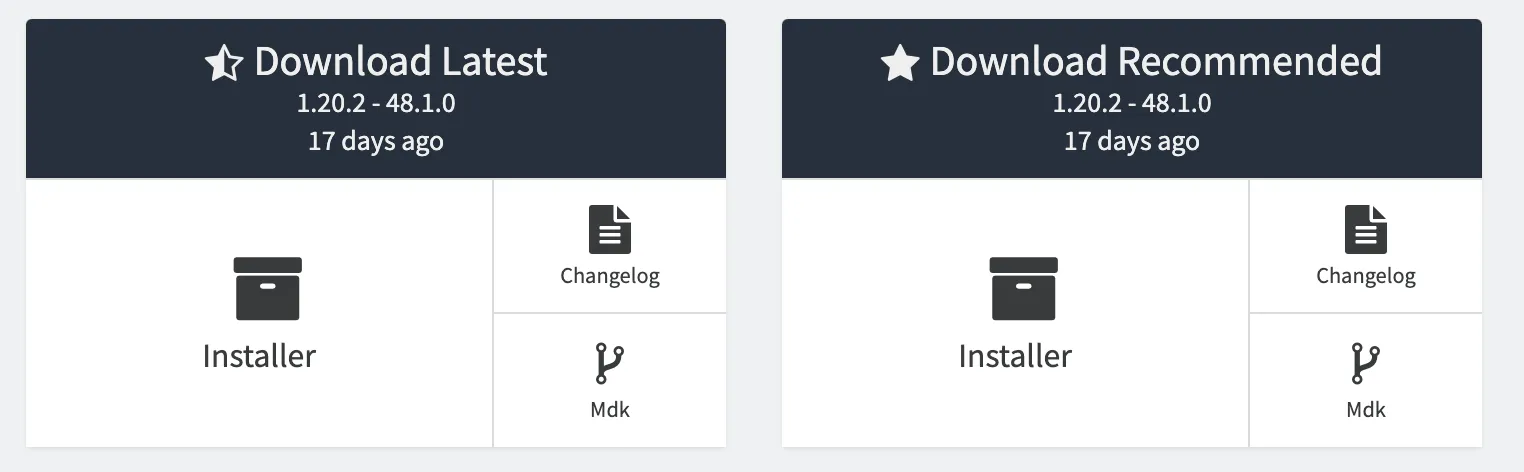
- Save and start the .jar file of Forge just downloaded.
- Check that the information is correct, then press Ok to install.
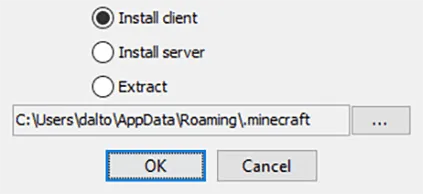
- Once installed, return to Minecraft launcher and make sure your Forge version is available.
Note: If you can't find Forge's profile, go to the Install tab in the launcher, make sure the Modded box is checked.
Adding MODs
- From Minecraft launcher, go to the Install tab at the top.
- Pass over to your installation of Forge and press on the Open Folder icon to the right.
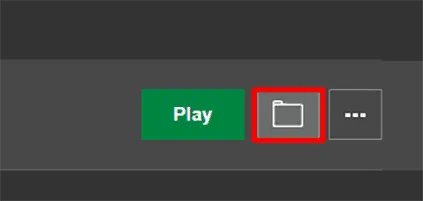
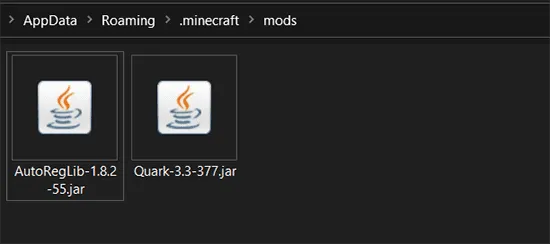
- In the new window, find or create the “mods” folder and enter.
- Paste the .jar file of the mod (or mod) previously downloaded in this location.
- Once done, go back to the Minecraft launcher and hit Play.
Where to download MODs
CurseForge is widely recognized as the premine site to download mod for Minecraft. Its extensive collection houses a variety of mods developed by the community, offering users a wide range of choices to customize the gaming experience. The platform provides a reliable and secure environment for Minecraft fans who want to enrich their gameplay with creative changes


