

Trello is an innovative web-based management software, designed in Kanban style, which has revolutionized the management of projects and activities. With its intuitive and visual interface, Trello offers users a dynamic environment to organize and monitor their activities efficiently. Thanks to the simple arrangement of the boards, lists and boards, you can track tasks, assign responsibility and keep control on each stage of the work process. With Trello, the collaboration becomes fluid and the communication between the team members is strengthened, allowing them to achieve goals with greater agility and precision.
What is Trello?
Trello is a sort of online board consisting of lists and tabs. In short, it is. Although it seems simple, Trello is based on the idea of full visibility between activities and projects and the ability to reorganize them well according to its priorities. Therefore, each Trello card represents activities, notes, projects, customers, etc. that you can view on the board where you can manage them further.
Cards should be organized in lists that can also be used for various purposes: reflect states, projects to which they relate, responsible people, customers and what there. The structure of the list is easily adaptable to any circumstances and can be reorganized at any time depending on the needs.
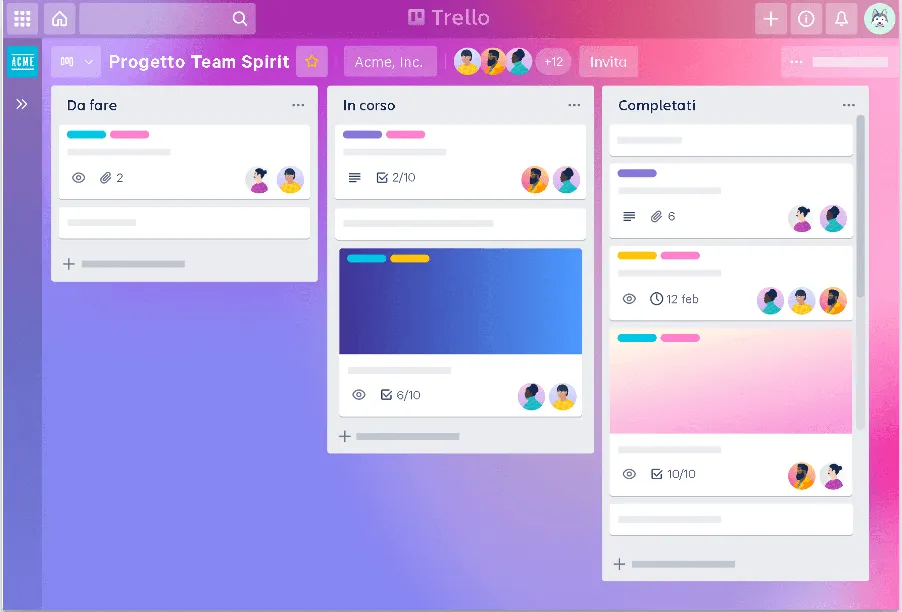
Except for the name of an activity, there is much more hidden within each board that makes this board a real asset management platform.
What is Trello for?
Trello is not linked to any specific sector and can be easily adapted to any field in which you work, from the development of software and professional services to marketing and designer. Another advantage is that it doesn't matter if his teammates are sitting at the nearby desks or working remotely around the world. Trello will play the role of collaborative space and will all join under the same roof wherever the team is
Basic notions
When you are at first weapons, it is useful to know what features are available so you can rely on being while creating your workflow. As mentioned above, most of Trello’s features are within the tab:
Members
Trello is not only about planning, it is also a collaborative tool. You can invite teammates by sharing the board, so that everyone has access to see it, and if you allow it, even modify it. So you can delegate tasks to the responsible members, so you know what they do.
Comments
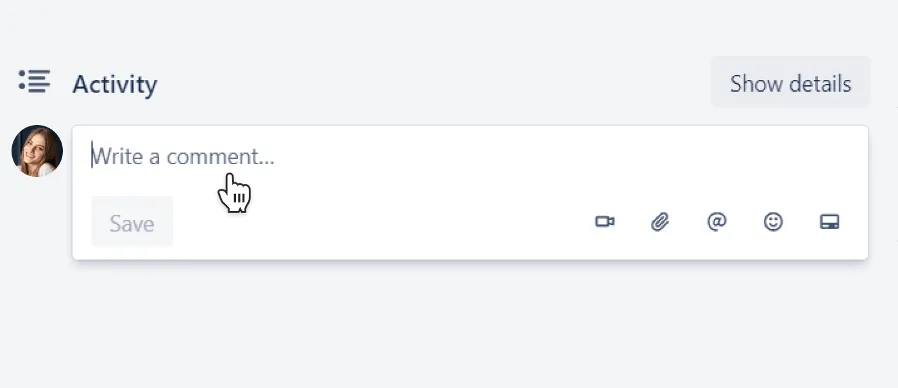
Comments will help improve communication in the team. Leave feedback, ask questions, discussions directly in the task tabs, so everyone stays in context, and while making a comment and you can see the inerent tab.
Attachments and description
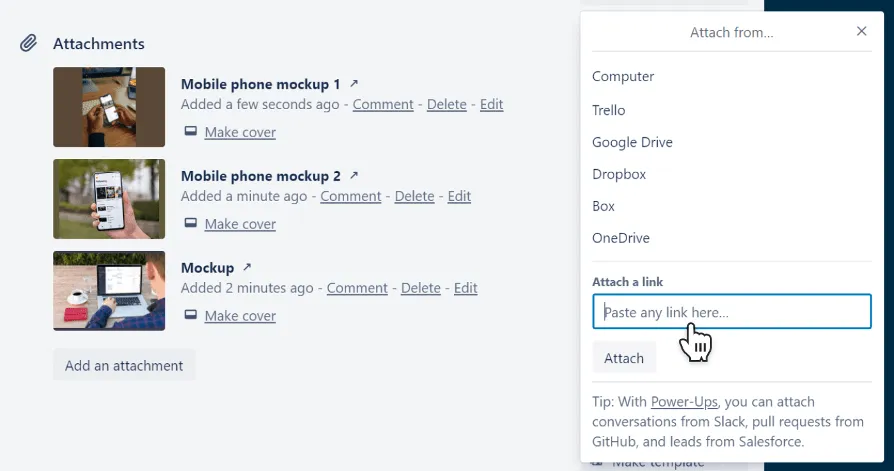
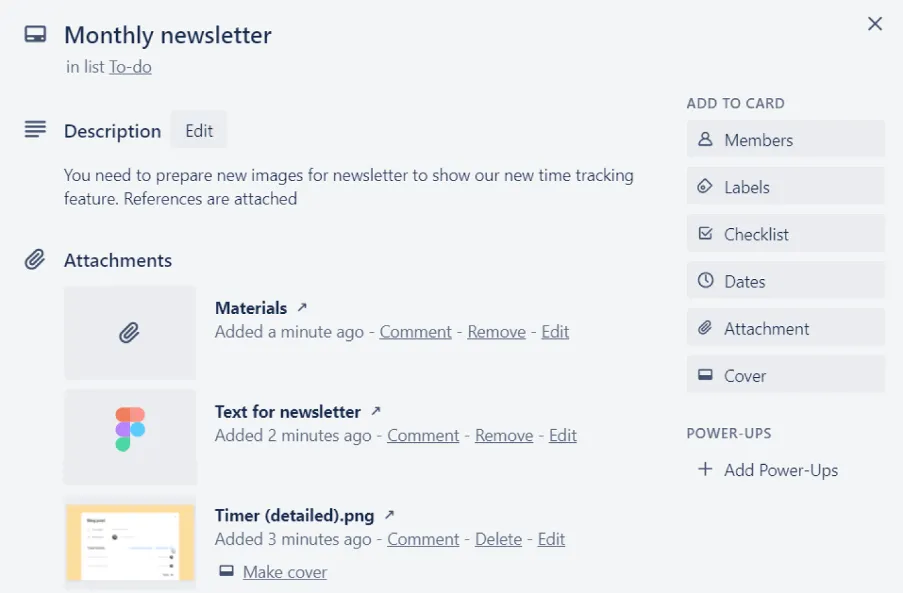
To provide more details about the activity and results obtained after it was completed, use the attachments and descriptions. The explanation of the task, the necessary details, the relevant files and links will be stored in the card, so that you can access it whenever you need it, without wasting time in the search.
Checklist
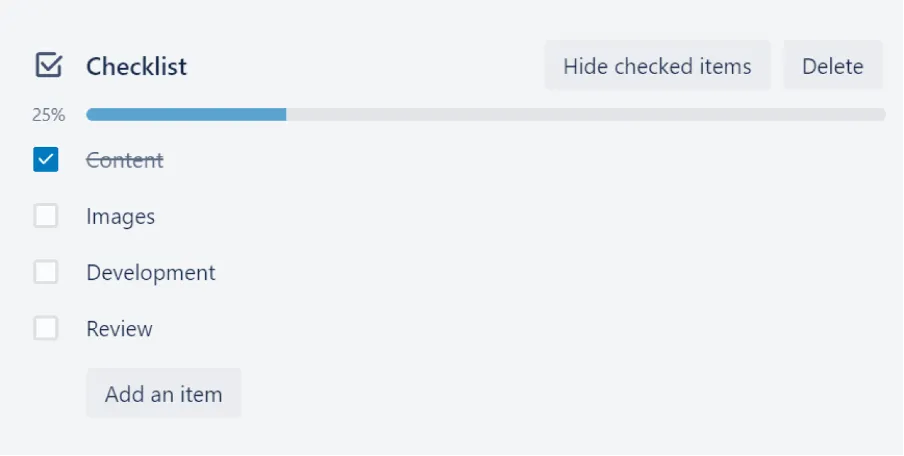
Control lists provide more details. It is a very common situation when there are some steps to take to complete the task. Listing them, you can make people aware of what steps their work is.
Dates
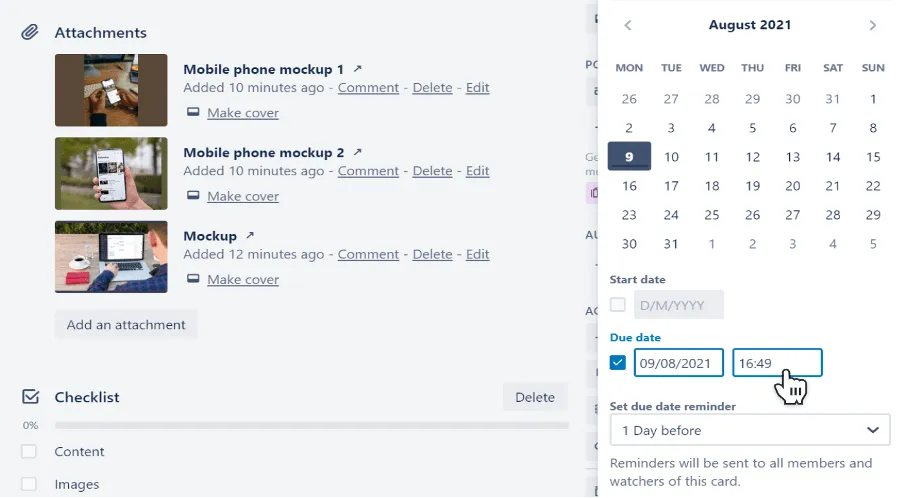
When running a project, deadlines are important. Then Trello lets you add start and end date to cards, what you can see the deadline.
Labels
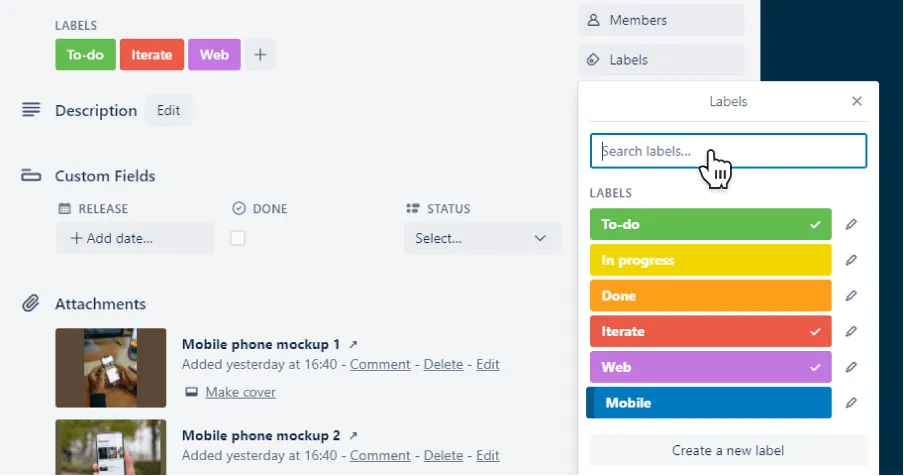
Labels provide an added display. Represented by different colors, it is possible to give them a name and then label cards. Labels are used to add a further context to the card, such as the type of activity, the customer for which a certain job is carried out, the responsible department, the state, etc.
Archive
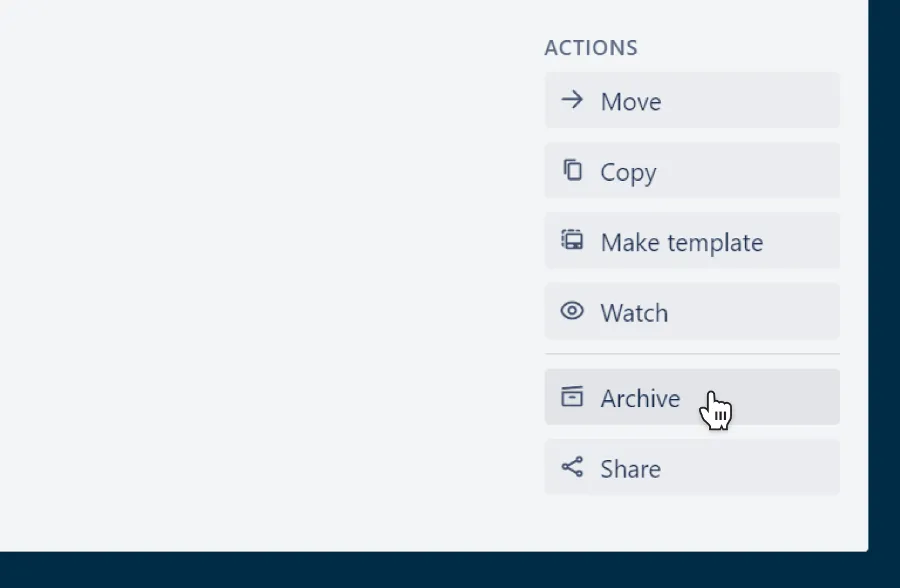
Once the task is finished, you can move it to the Done list or not overcrowd, store it. In this case the card will disappear but it will still be possible to restore it.
Research
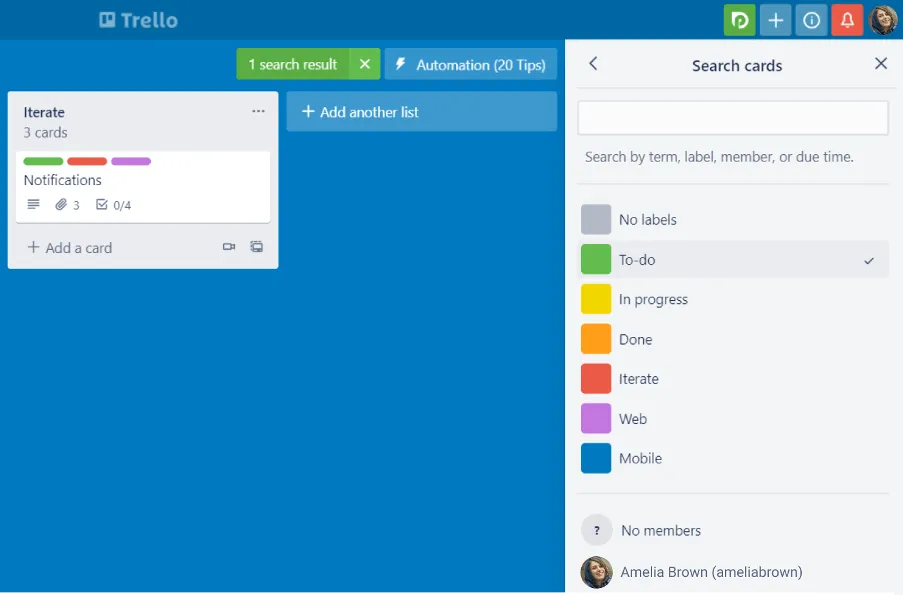
To navigate more easily between the cards, there is a search option. It can filter cards according to different criteria or you can simply start typing the card name to see only the things you want.
Project management
Once you are aware of the basic features, it is time to focus on using Trello for project management. Whether you need to launch a new product, designing a website or organizing a conference, the project always crosses the same DIY: planning, implementation and closing. Here is a practical example:
1. Planning
The planning stage serves as a take-off track for the project. This is the time you have to pay a lot of attention since the planning process is at the center of all the project activities and guides everyone on how to undertake it.
When you start planning you have nothing but empty board in front of you. But before filling the board of activities to carry out, make sure you have collected all the requirements of the interested parties. Only then, you can come to define the scope that is a crucial step because the scope will serve as the basis of the plan.
Now that you have in mind job purpose, you can start building the draft of the plan. Divide the board into lists. When you create the lists you have to ask what are the different stages of the process and then create lists based on the answers. The next lists are the most common workflow backbone: in progress, in pause, ready for launch, etc. you can adapt them to your workflow.
Before the job is turned into Trello cards, it is recommended to create a list with general information to give context to new members who do not know the details of the project. In case cards have a repetitive structure search, it also makes sense to create patterns of activity and keep them in this list, so they will always be at hand.
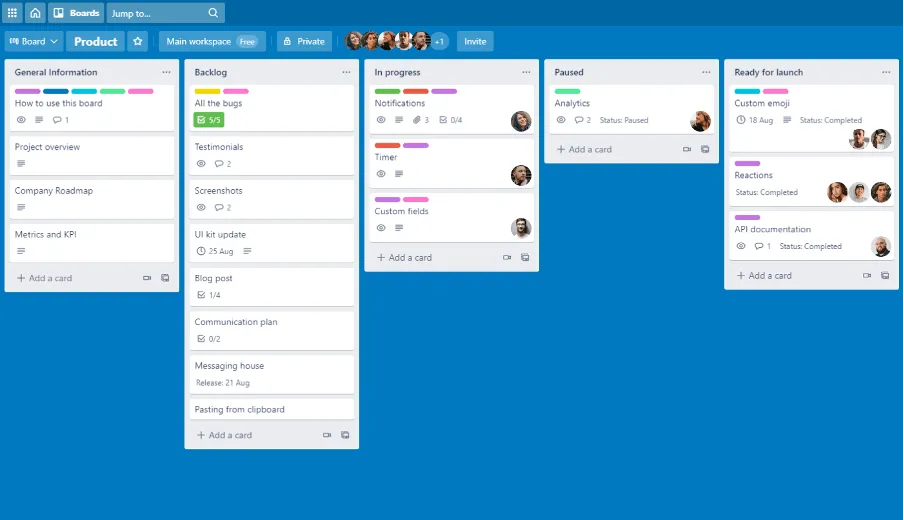
So, it's the right time to place the activities on the cards and assign priority. You should not forget that Trello allows you to work on different levels using checklists within cards.
The management of the priorities available in Trello by default is the ordering of cards, which means you need to move cards one over the other.
Another fundamental thing to do is to infuse cards with context. It should be remembered that you are carrying out this plan not only to know the order of work and understand who is responsible for what, but to make sure that the tasks are clear for all color that will work there. Add more details, provide good descriptions, attach required files and links to make sure the team has absolutely everything you need to do well.
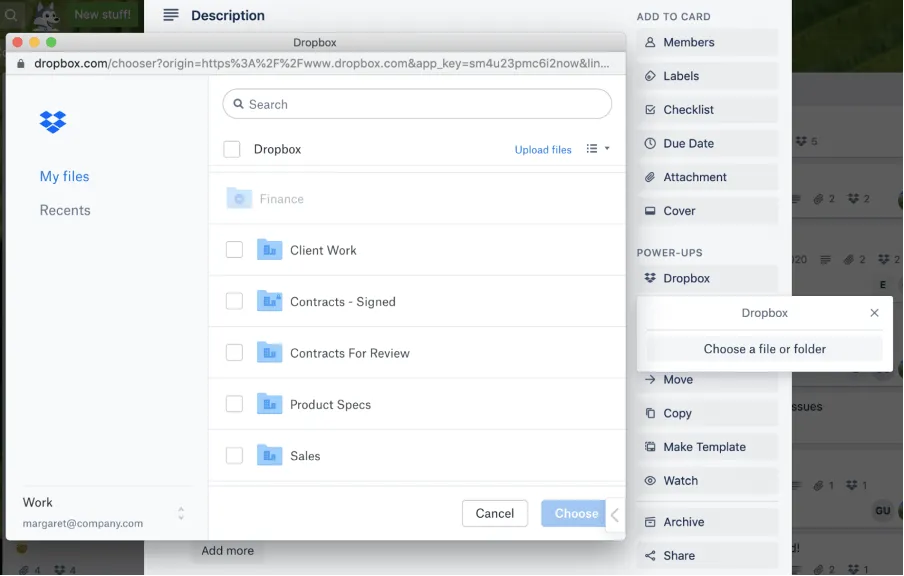
You can use some power-up utilities like Google Drive, Dropbox, etc. To browse the files directly from Trello.
Once you set the plan you are ready to move to the implementation part. Organize an initial meeting, so you have the opportunity to discuss the plan, explain the goals, review the estimates together and answer all the questions the team might have.
2. Implementation
This is the stage where magic begins and all plans come to life. During this phase, efforts must be focused on monitoring the work process and state of activities, budgets and, of course, on maintaining communication with the team and customers.
To keep track of state change there are labels. You can apply certain labels related to different states to cards, so even filter cards for labels to only see activities with certain states.
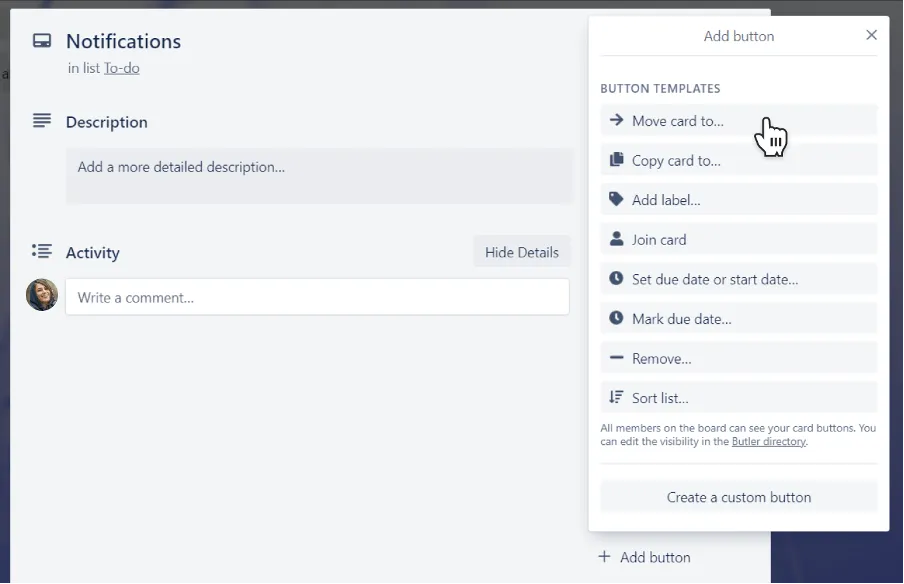
Budgeting is another important aspect, no matter if you work on internal or external projects. To make sure you do not exceed the estimate, just use time monitoring. The good news is that you do not have to switch to another app you can leave everything to Trello. In fact, there are more autonomous time monitoring apps that support integration with Trello.
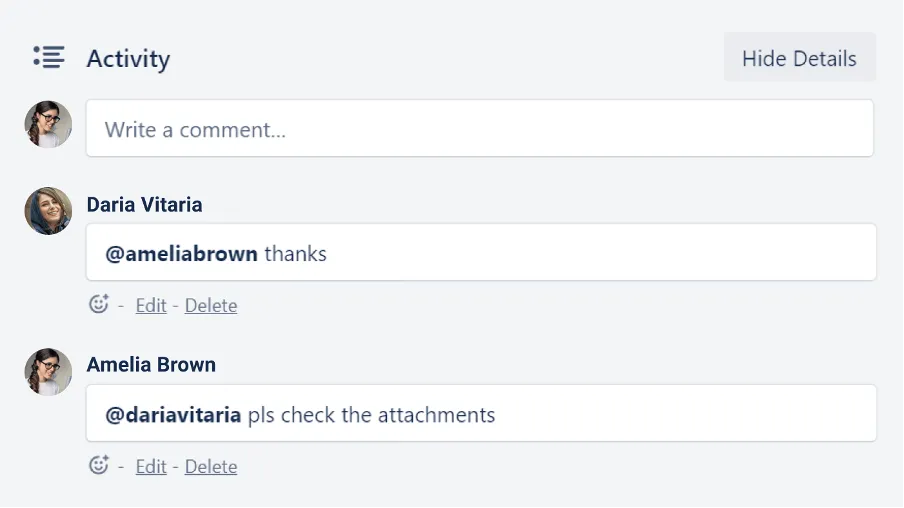
Communication is another great thing. You always have to hold your wrist and be able to launch a saving anchor on the theme. You can maintain communication with the team through card comments, which is fantastic because all discussions happen in relation to activities. In addition to leaving notes, asking questions, sharing feedback, etc., you can mention the team members, so that they receive a notification and can respond without delay.
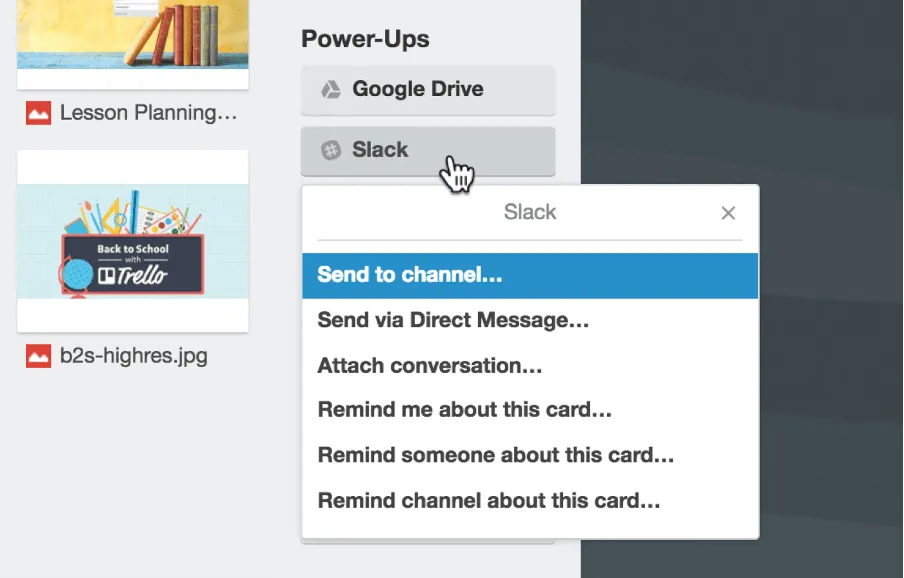
You can integrate almost all popular messaging programs like Slack, Microsoft Teams, etc.
Organizing meetings with my team or with customers is also an inevitable part of working life. Tools like Zoom, etc. could be integrated with Trello to switch to a video chart with one click.
3. Closure
After finishing the job, it is time to assess the behavior of your team and indicate what actions have been done in a great way and what is worth improving.
The best way to analyze the job is the reports, viewing the dashboards.
The Dashboard view will offer a new perspective on your project, simplifying the display of key metrics and evaluating results and performance. Instead of devoting time to digging into data and turning it into complete information, you can immediately start digesting meaningful information.
Templates available
Company Overview
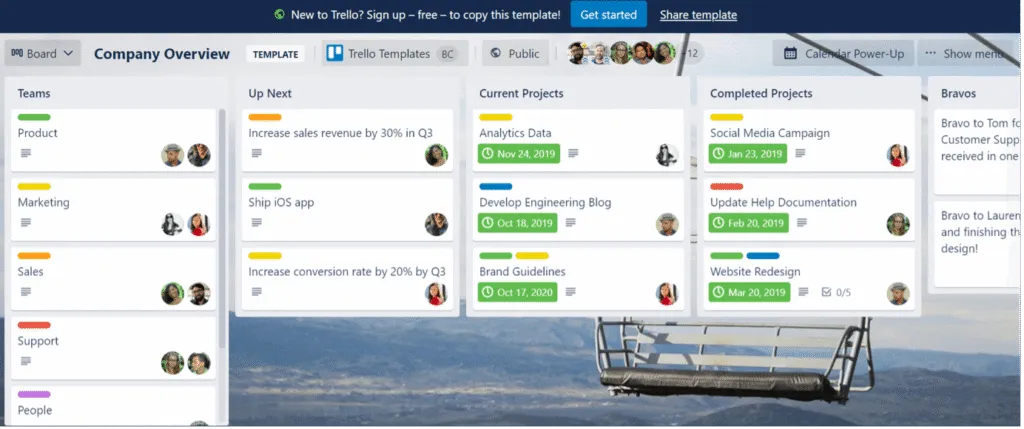
The goal is to help managers and team members get an excellent overview of the things that happen throughout the company, including completed and ongoing projects
Customer Support
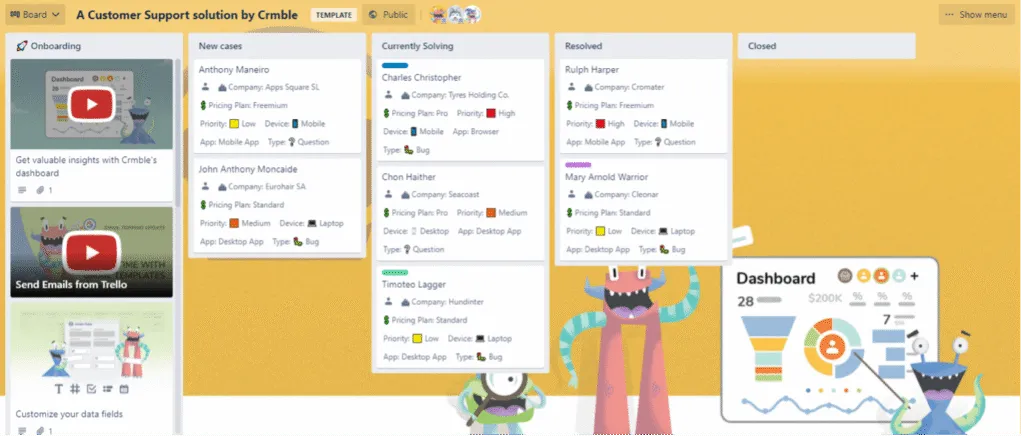
Companies can have a customer support dashboard for their team support. This committee shall keep track of all new cases in progress and resolved. Cards have details such as plan, type, device, priority and user app
New Hire Online
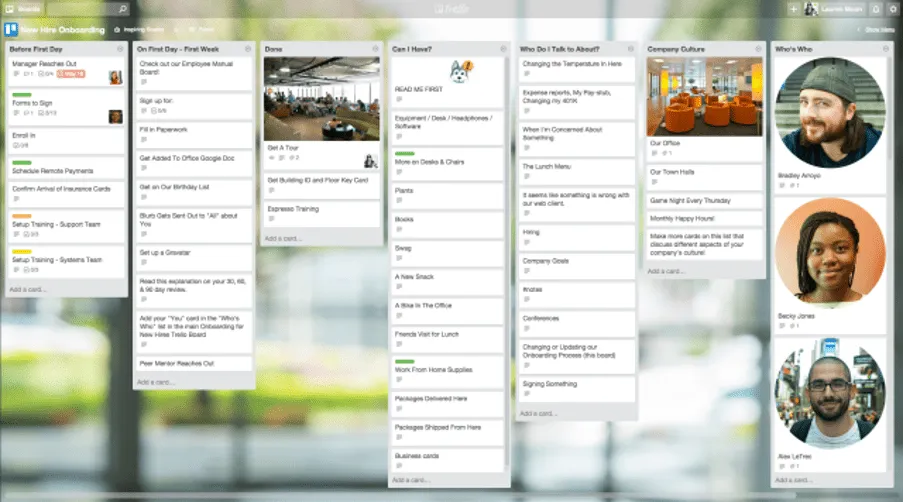
The onboarding of new employees requires hiring managers to have a simple but complete onboarding process. You have to cover every base before they can start working on their first project. The onboarding model will help eliminate the human error by keeping track of everything that hiring managers need to do for each new hire in the company.
The first two lists contain activities that human resources and new employees must complete before and from the first day to the first week. You can create control lists for each activity, such as 401k, paperwork, logistics and much more. You can also add a list there corporate culture. It also contains a list of resources and people, so that employees know who to address in case of problems.
♪
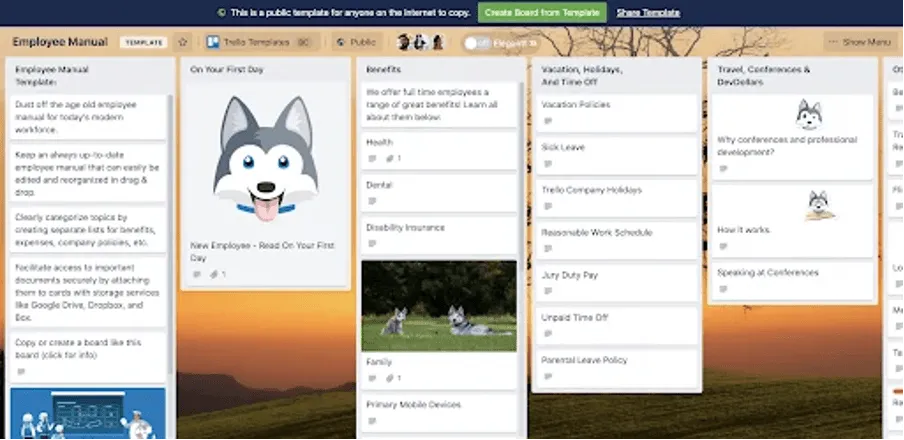
Keeping track of each employee and its resources on the spreadsheets can be a bit discouraging. This adaptable and scalable employee manual model helps keep track of all the advantages, holidays and travel information. You can enrich cards with more details by adding documents from services like DropBox and Google Drive
Product Roadmap
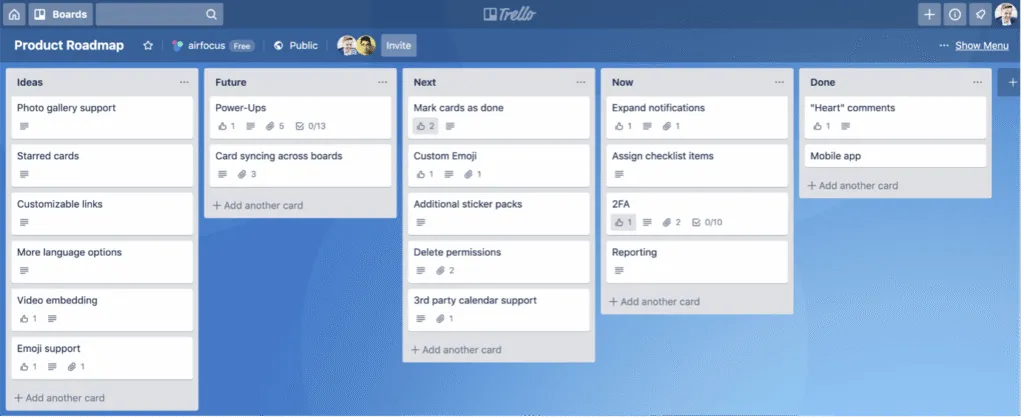
From a startup focused on a single product or a large organization with multiple products, the product Roadmap is an invaluable model. Helps create a consistent roadmap for all products and helps the team collaborate from a central contact point.
Youtube Editorial
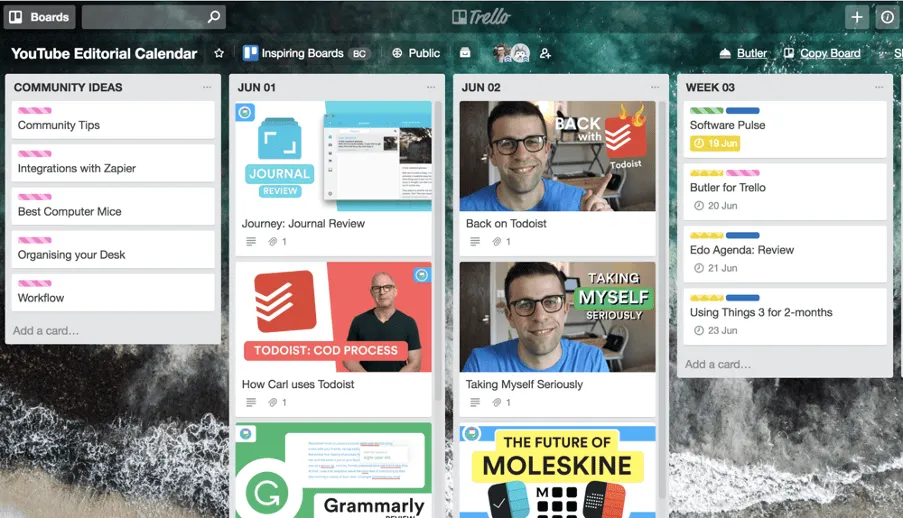
Youtube's editor calendar model is used to track video content. There is a list of “Ideas of the community” to track tips from fans and followers. You can then have a list of weekly or daily videos. There is also an option to save all ready videos that can be posted in the future. Youtube publishing calendar model will help maintain a constant flow of ideas and videos for the YouTube channel. You can also create u workflow for your videos by keeping them, in the lists “ready for publication” or “to edit”
Conclusions
Benefits
- Trello uses real time. Members can work on projects without causing any interruption of updates. Once an update is made to the system, it is automatically displayed without any delay.
- Adding members is easy. A user can add a new member simply by entering the email address of the new user and the game is done.
- Reactive design. Whether you access Trello from your laptop, smartphone or tablet, the software will be displayed seamlessly. This means that if a user logs you from a device other than the one he uses, such as a laptop, he will still be able to use Trello.
- The notification system is exceptional. This is one of the strongest features of Trello because you can see every move made on the software. An e-mail notification is sent for each update, comment done and removed activity, while a push notification is sent to phone users.
- There is no need for notes. Not only is Trello useful, but it is also environmentally friendly because it helps users free themselves from writing notes. They can take these notes on the software and they will never have to worry about forgetting their tasks.
- Easy to use. Anyone can use Trello because it is designed to be simple and easy to use. At a glance, it is very easy to see how the software can be managed that even a beginner can understand.
Disadvantage
- Trello relies on data. As an online software, Trello relies on the availability of data for its operation, which is also the same problem as a similar software. Internet access is what feeds it and allows users to do their own business. So when there is no data, there is no Trello.
- Trello's comment function must be improved. Other software users can write comments and edit them. Trello, on the other hand, allows only to comment but it is not possible to change them. If a comment has already been published and saved, the only thing you can do to correct it is to create a completely new comment.
- Trello has a limited storage space. Trello allows attachments but users of the free version only have a bonus up to 10 MB for loading, which is quite small. However, this can be upgraded to 250 MB for upload if you also update your subscription to Gold.
- It is suitable for smaller projects. People with smaller projects and teams can definitely benefit from Trello. However, it could be a problem if the team grows and the project becomes more complex.
Alternatives
Asana
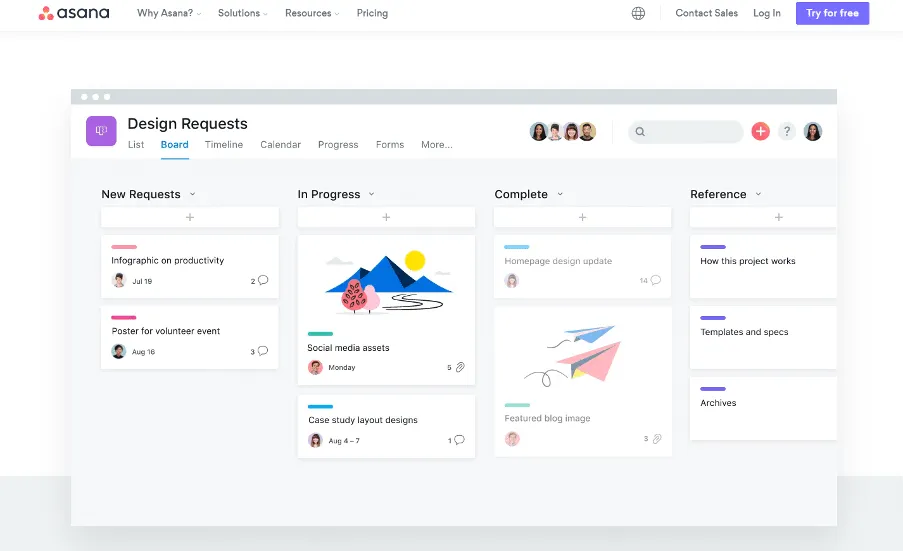
Asana is a leading project management tool and in recent years has passed to a predominantly Kanban-based vision.
Asana has characteristics comparable to Trello when it comes to the Kanban-board approach to managing activities. It also includes more advanced workflow automation features and three different views.
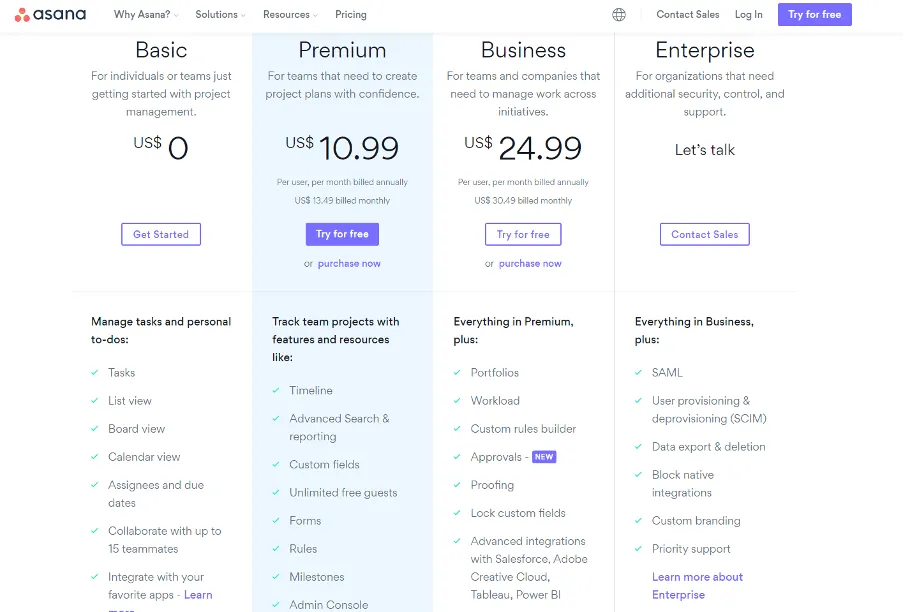
The free plan includes up to 15 users, while their premium plan starts from $10.99 per user per month.
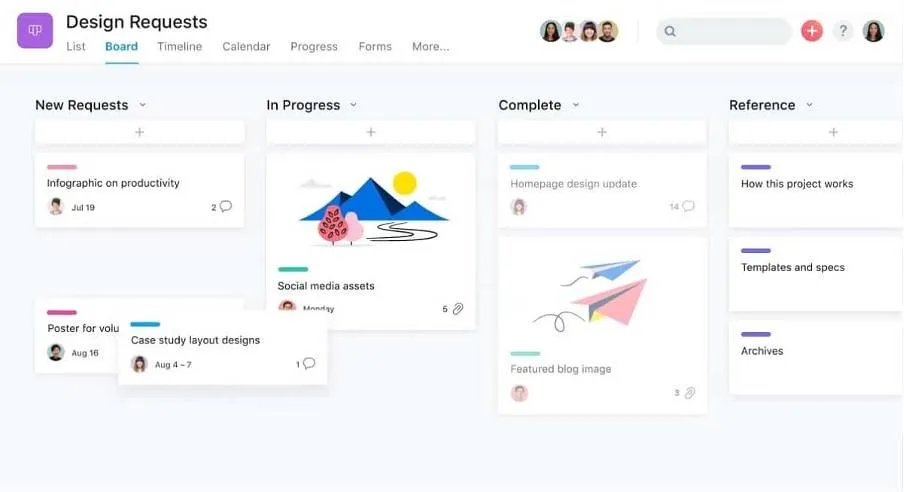
The user experience
The view or tab “Board” offers exactly the same user experience as Trello. You can drag and move activities from one stage to another or click on them to view and edit details.
Overall, it is very easy to start with Asana and start creating and assigning tasks.
Integrations
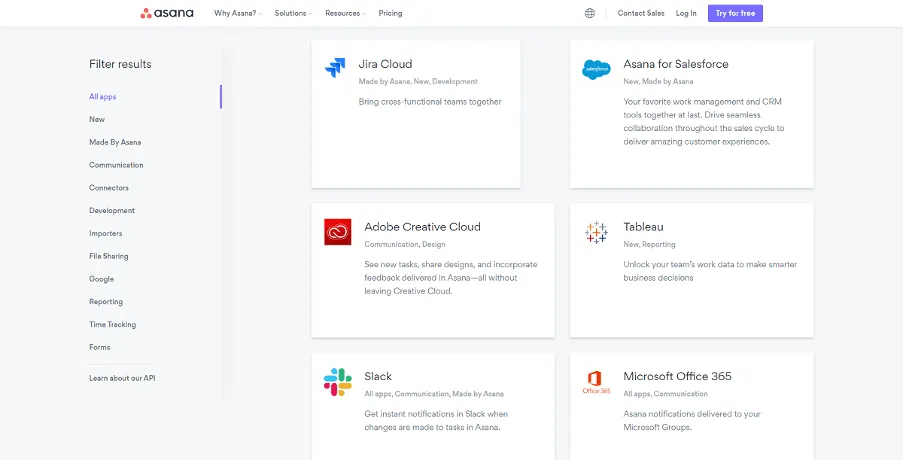
Aansa has 158 native integrations, including major apps such as Slack, Office 365 and Salesforce.
Cases of use for Ansana
- Small teams with complex projects and more business owners
- Large teams with complex workflows
Is Asana better than Trello?
Due to the differences in the concept and in the cases of use, it is difficult to define one or the other the objectively better choice.
But once you understand the differences between them, you can understand which option is best for the company.
Airtalbe
Airtable is a smart solution that companies can use to manage teams and projects. It is used to manage relationships with customers.
Airtable not only has a spreadsheet view, it also has a Kanban view and a Calendar view for managing activities.
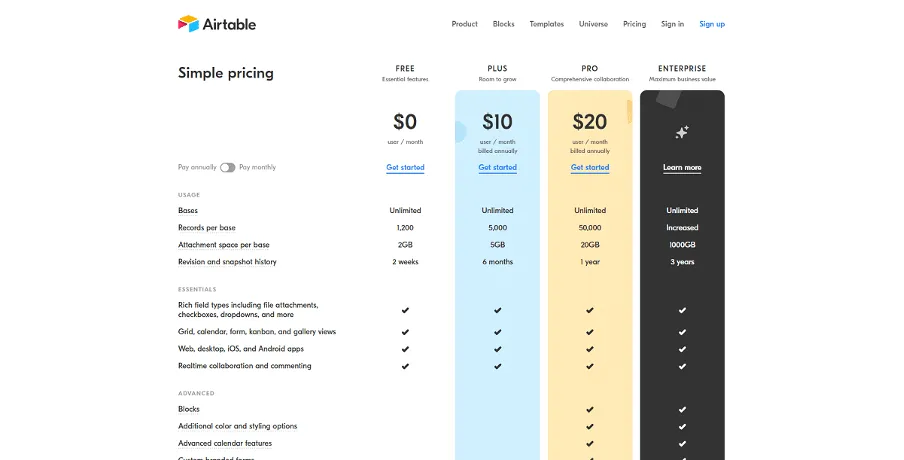
The free plan includes 1200 rows and 5 GB of storage space. Plus starts from $10 per user per month.
The user experience
The default user experience looks more powerful than Excel sheet or Google
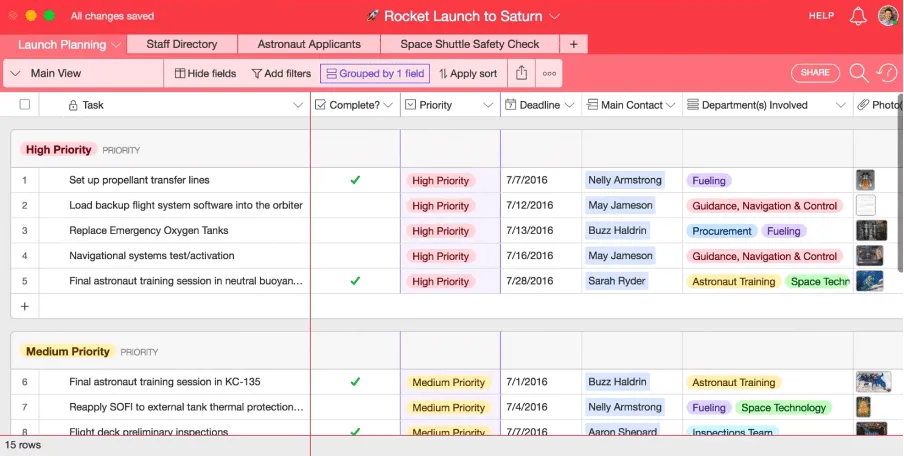
But the Kanban view is intuitive and easy to use for previous users of Trello.
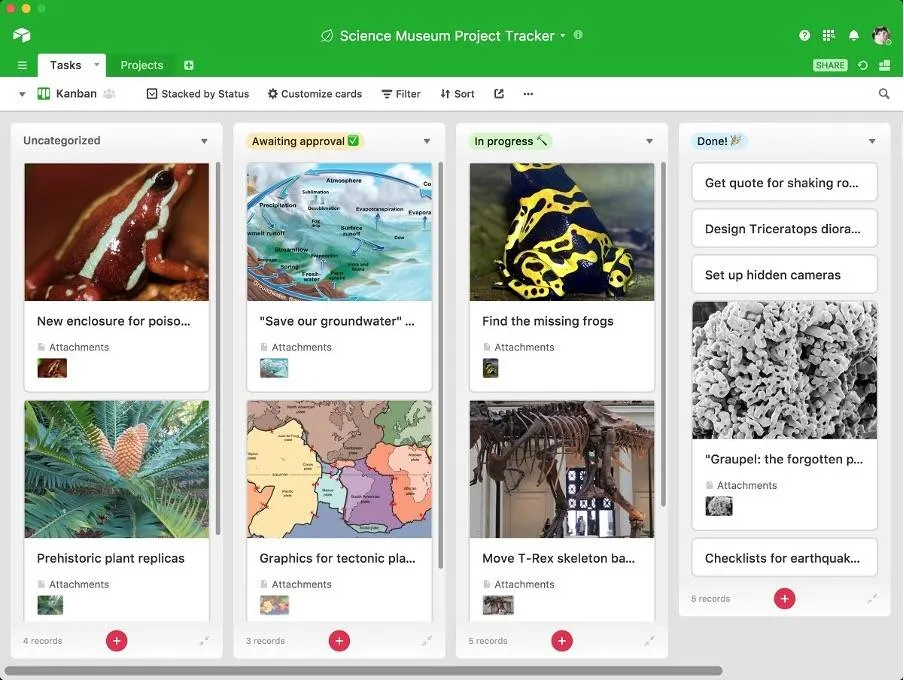
Easily add new projects by clicking the sign plus each column and you can move the tabs according to your needs.
Integrations
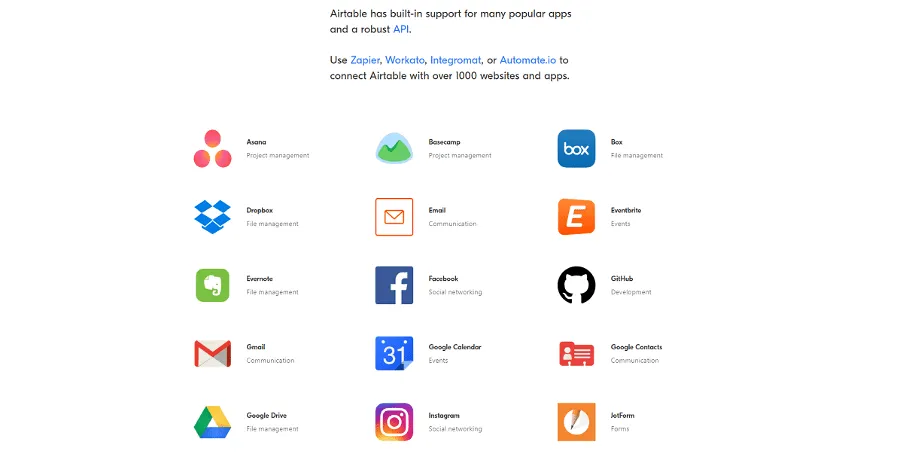
Airtable has 32 native integrations through its API, but it supports over 1000 more through Zapier and other SaaS integration solutions.
Use cases for Airtable
- Companies that need data organization features as well as project management
- Users who prefer to work with spreadsheet


