

Google Chrome offers thousands of extensions, i.e. software programs that add new features or improve browsing experience. Most of them are free and available in the Chrome Web Store. This list features 14 of the best Chrome extensions, selected based on their popularity and general utility. Each of these extensions can improve various aspects of navigation, from safety to productivity, through savings and entertainment.
Bitward
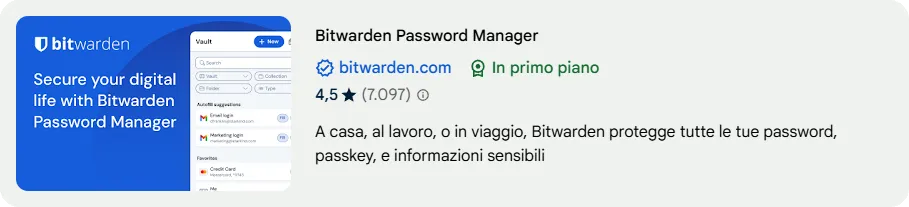
Among the best password managers, Bitwarden stands out for its advanced features and high security level. Although Chrome offers its own credentials management solution, Bitwarden allows you to access passwords quickly through the extension. The free version supports use on unlimited devices, making it a convenient choice for online security. In addition, the premium version includes additional features such as secure sharing of credentials and advanced authentication.
Ghostery

Ghostery is an effective extension for blocking advertising and improving online privacy. Blocks ads, trackers and other invasive elements, offering detailed information about blocked trackers. The intuitive interface allows you to customize settings and manage exceptions with ease. This extension helps speed up loading web pages by reducing the number of unnecessary network requests.
Grammarly
Grammarly is an orthographic and grammatical corrector that highlights errors and suggests improvements in the text. The free version helps maintain accuracy and order in writing, while the Premium version offers advanced features, including tone tips and text clarity. It is particularly useful for those who write professional emails, social media posts or work documents, improving the overall quality of written communication.
Darkness

Dark Reader applies a dark theme to web pages that do not have this option. The extension allows you to adjust brightness, contrast and other parameters, offering a more comfortable visual experience while browsing. This helps reduce visual fatigue, especially in the evening hours or in environments with poor lighting.
♪
Pocket is a useful extension to save articles, videos and other online content. With a simple click, content is stored and made accessible by any device. The organization takes place through advanced tags and research tools, improving the management of saved resources. In addition, Pocket offers a read mode without distractions, eliminating unnecessary elements from saved pages.
Loom

Loom allows you to record the screen and the webcam at the same time, offering ideal features for tutorials, presentations and technical assistance. The extension allows you to customize the recording settings and share the videos generated with direct links or integrations in emails and documents. It is a useful resource for work teams, teachers and content creators.
Momentum

Momentum transforms the page of the new tab into a custom dashboard with motivational quotes, inspirational backgrounds and productivity tools such as business lists and weather forecasts. The interface is highly customizable, allowing you to adapt style and content to your needs. Integrating Momentum into the daily routine can help improve concentration and productivity.
♪

OneTab helps reduce the number of open tabs by organizing them in a compact list with just one click. This improves navigation and reduces RAM memory consumption, making your browser faster and responsive. Users can restore saved cards at any time or share them via a automatically generated link.
StayFocusd

StayFocusd helps limit the time spent on unproductive websites. Users can set custom restrictions and define periods when certain sites need to remain inaccessible, promoting concentration and work efficiency. The “Nuclear Option” feature allows you to completely block access to specific sites for a given period of time.
Rakuten
Rakuten is an extension for savings on online purchases that offers cashback on numerous sites. It works in addition to promotional offers and credit card benefits, making it an interesting option to get refunds on purchases. The extension automatically activates when visiting affiliate stores, simplifying the savings process.
The Camelizer
The Camelizer, developed by CamelCamelCamel, provides product price history on Amazon. The extension allows you to check if an offer is really advantageous, showing the price trend over time and helping to make more informed purchase decisions. It is especially useful for those seeking to save on long-term purchases.
Arcade Classics

Arcade Classics is an extension dedicated to entertainment, offering quick access to classic games such as Tetris, Pac-Man, Pong and Space Invaders. Perfect for short relaxing breaks during the day, it offers a nostalgic experience directly from the browser.
Google Translate
Google Translate extension allows you to quickly translate text into a web page or translate entire pages with just one click. In addition, it allows you to listen to the pronunciation of translated words. It is a great resource for those who surf sites in foreign languages.

Google Keep simplifies the creation of notes and checklists directly from the browser. The saved information is synced with the Google account, ensuring access to different devices. Users can add custom labels and colors to better organize notes.
These extensions improve browsing experience, security, productivity and online savings, making Google Chrome even more versatile and functional. Regardless of personal needs, there is an extension suitable for improving your web experience.


