


After creating your macro in Excel, it is important to save the file in the right format to maintain the macro functionality. Follow these steps to do it properly.
1. Open the rescue window
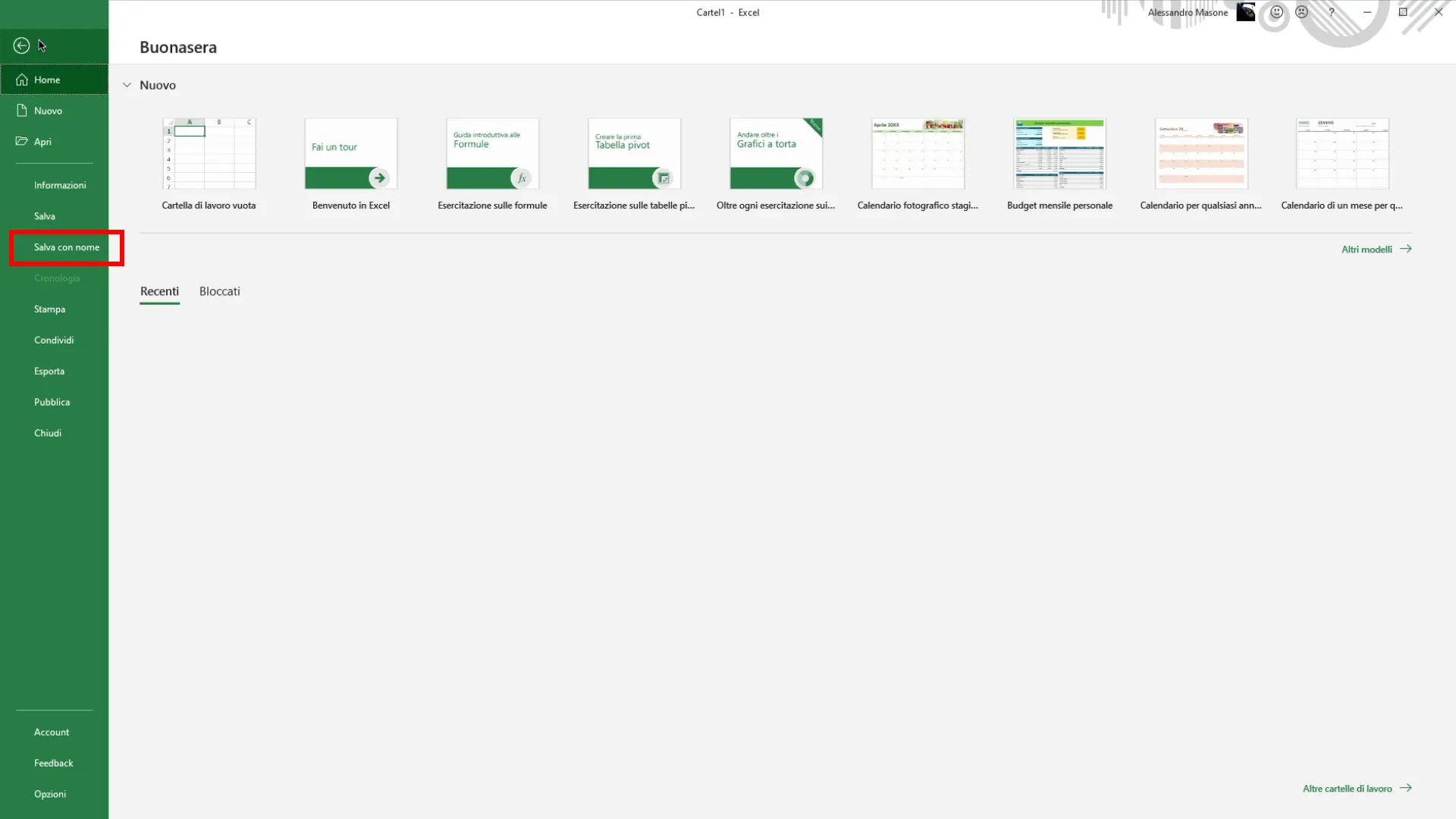
Once you finish work on the macro, go up File in the top menu.

2. Select “Save with name”
In the side section that appears, click on Save by name.
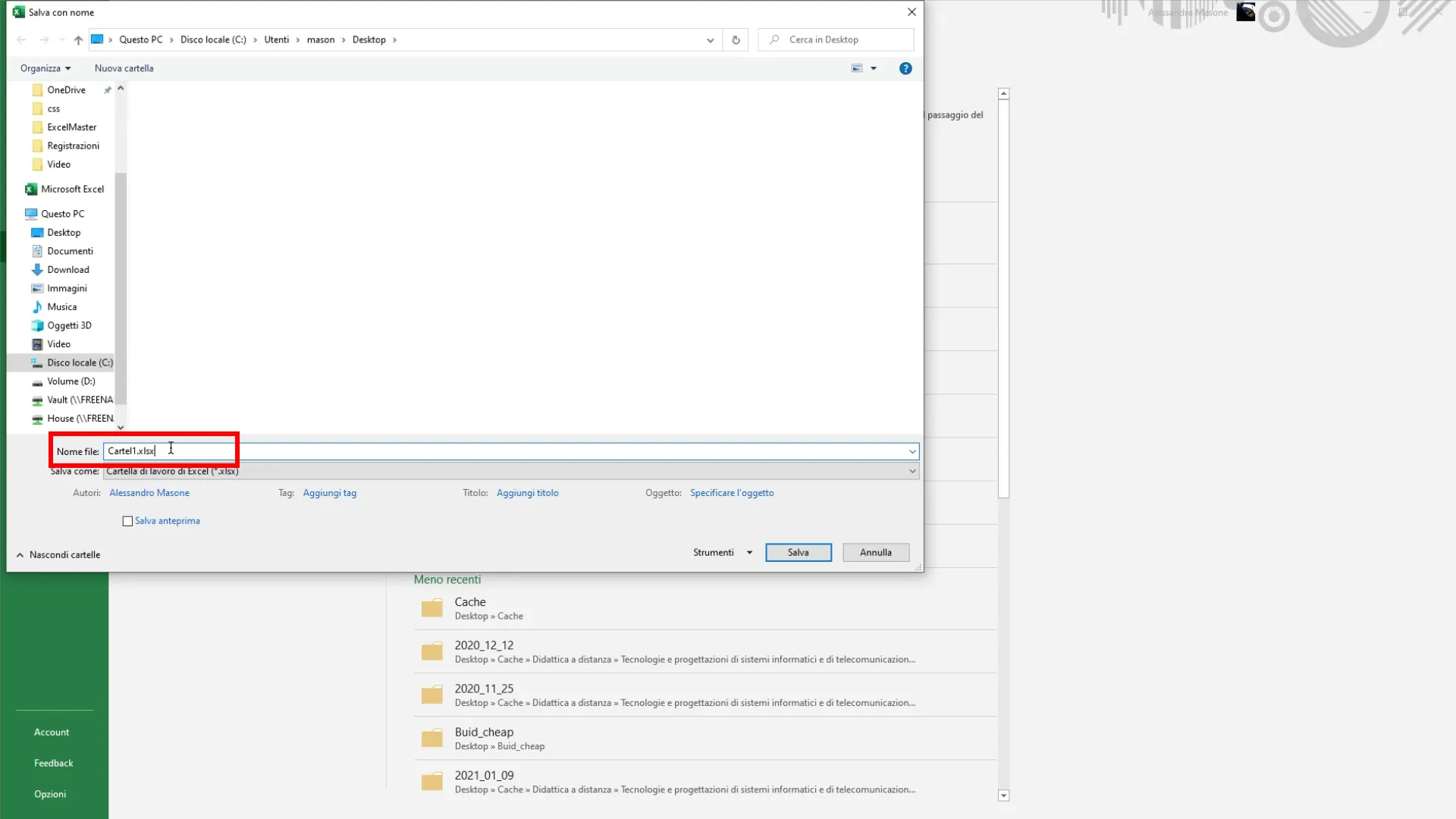
3. Choose the location and file name
Select the folder where you want to save the file, then choose a name for the document. It is essential that the file is saved with an easily recognizable name.
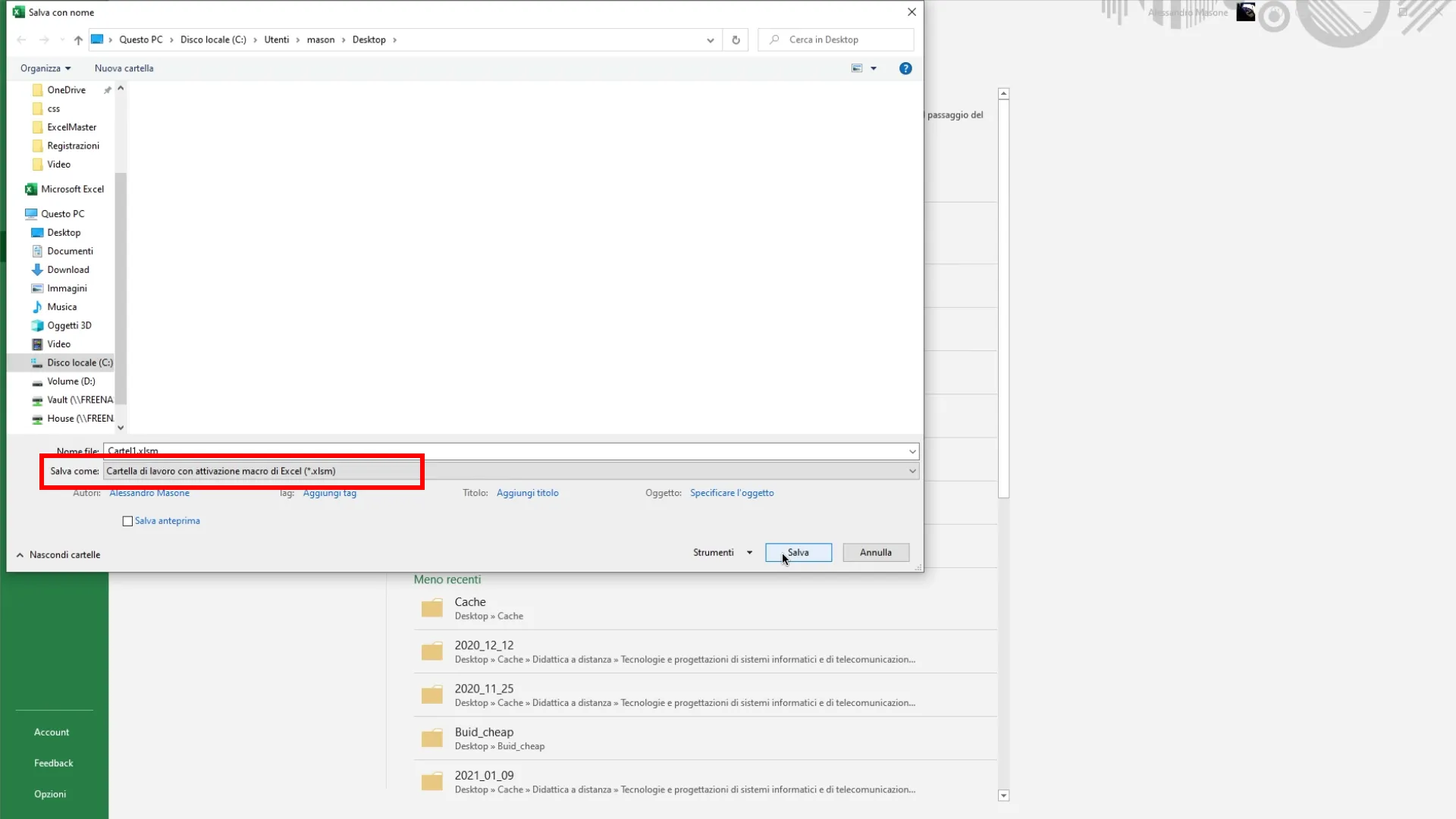
4. Save as a macro file
Below in the window, next to “Type”, select Workbook with Excel macro activation (The format .xlsm). This format allows you to keep all macros active in your file.
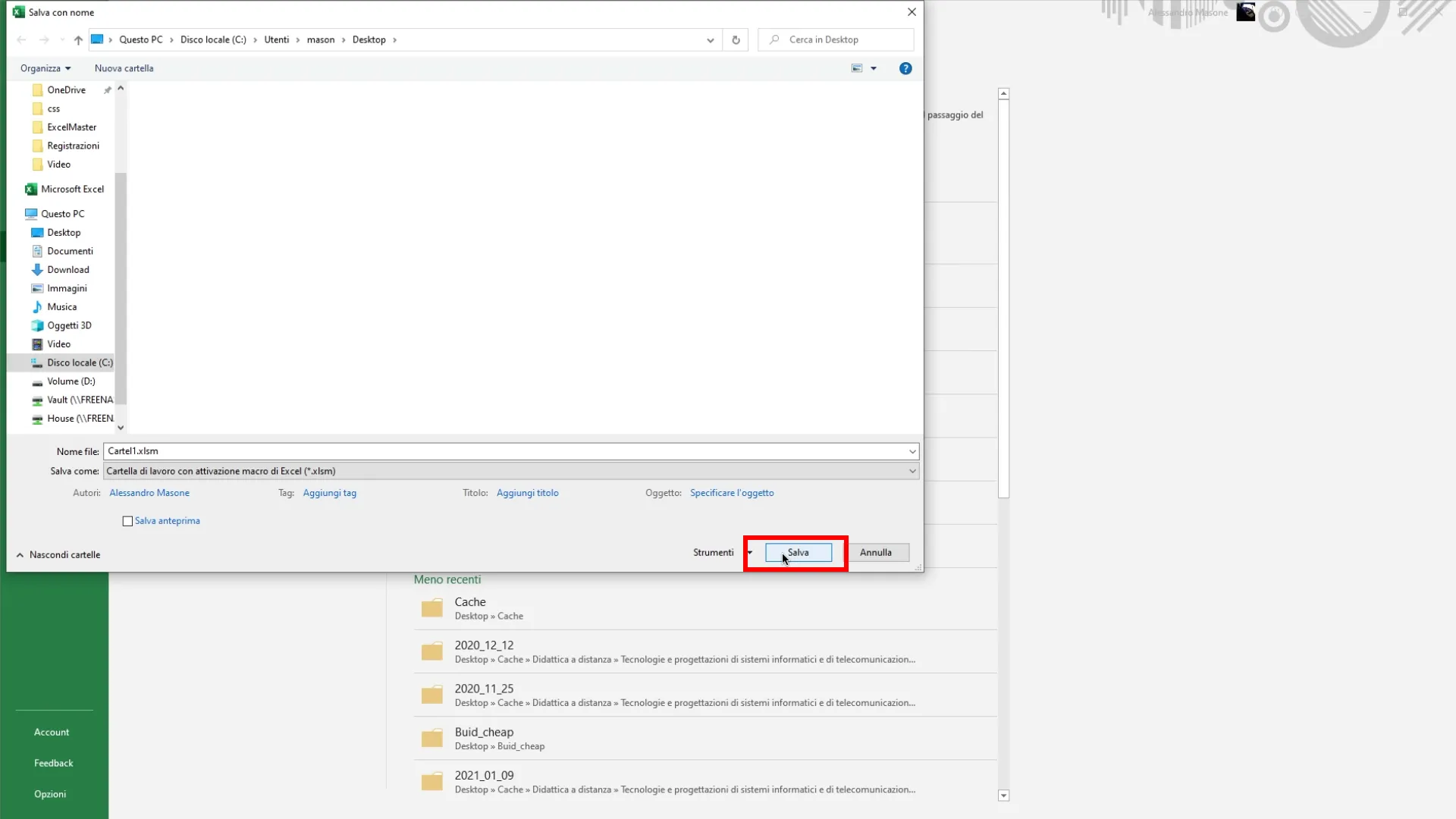
5. Confirm the rescue
Once you choose the format and name, click on Save.
Now your file is successfully saved with activated macros and will not lose the features you created. Whenever you open the file in the future, your macro will be ready for use!


