


The protection of user forms and interactions is a fundamental aspect to ensure the security of a website. In this context, Cloudflare Turntile is a valid alternative to traditional CAPTCHA, offering a more smooth and modern user experience, without compromising the effectiveness of security measures.
In this guide we will see how to implement Cloudflare Turnstile on WordPress using the free plugin Simple Cloudflare Turntile, with particular attention to integration on native modules, comments and eCommerce platforms like WooCommerce.
Installation of the Plugin
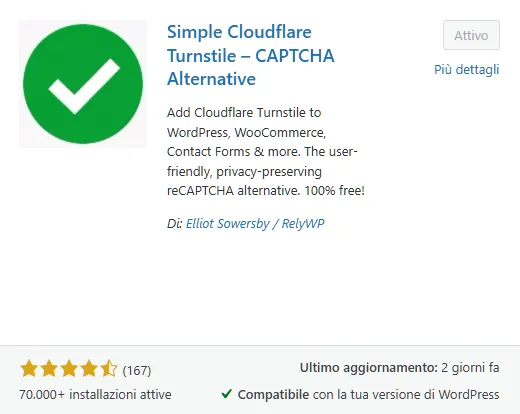
To start, you need to install the plugin Simple Cloudflare Turntile directly from the official WordPress repository or by clicking here. Once activated, the new menu item will appear in the Settings section: “Cloudflare Turnstile”
Configuration of API Keys
The operation of the CAPTCHA system requires the insertion of two keys provided by Cloudflare: Site Key and the Secret Key. These credentials can be generated within your Cloudflare account, in the Turnstile section.
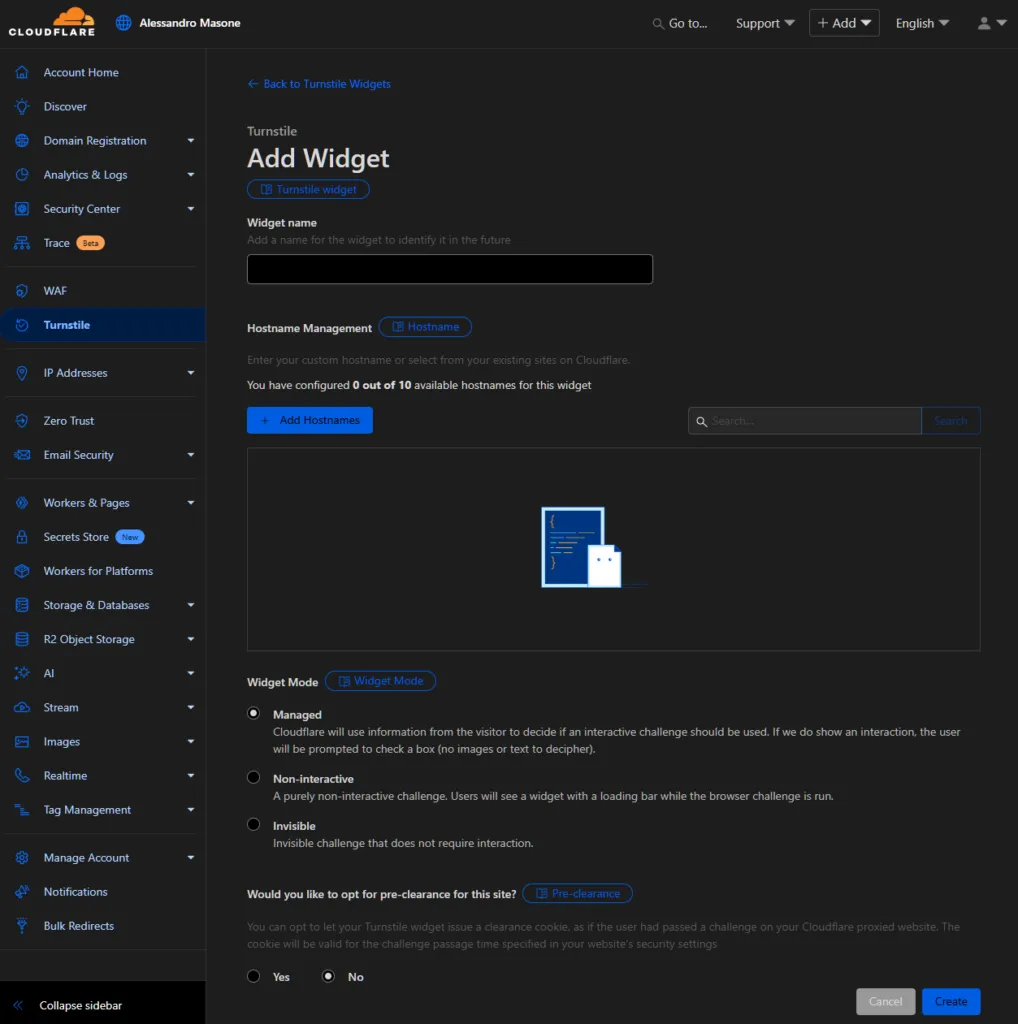
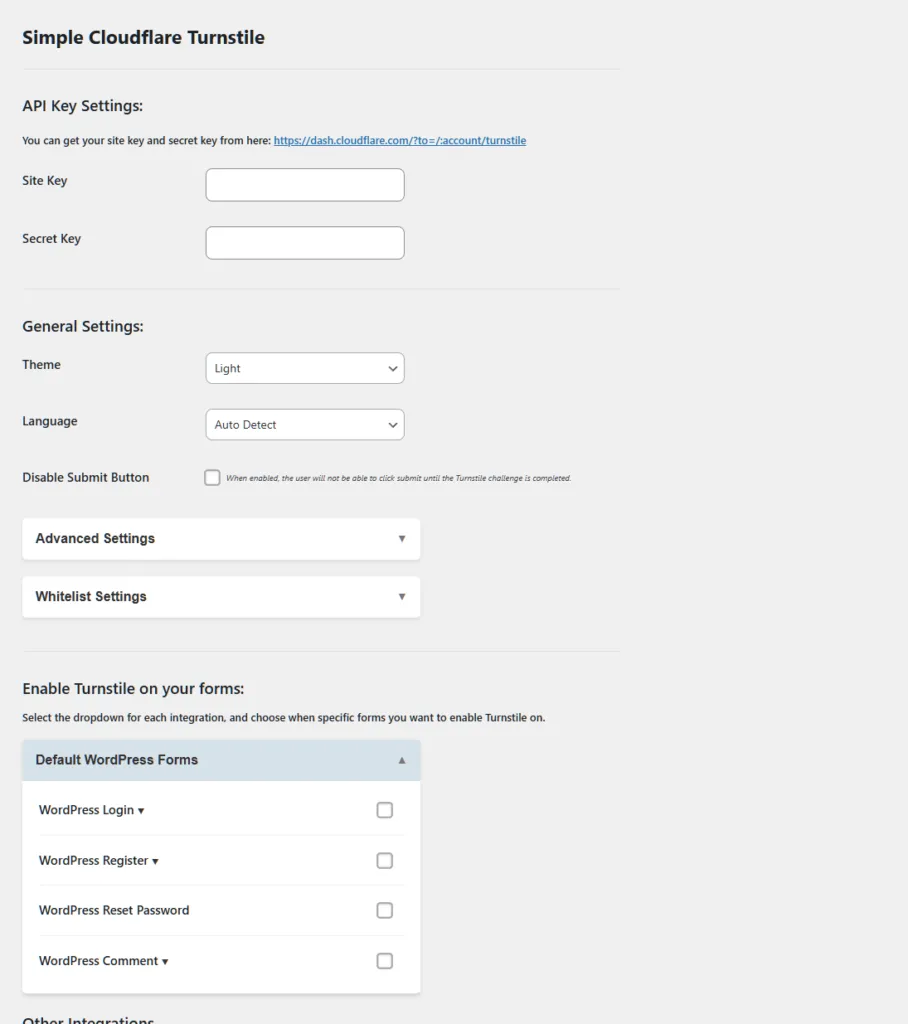
Once obtained, the keys must be inserted within the WordPress dashboard, in the respective fields provided by the plugin.
General Settings and Customization
The plugin interface allows flexible customization of the Turnstile widget:
- The theme: You can choose between clear, dark or automatic mode.
- Language: we recommend the “Auto Detect” option to adapt the CAPTCHA language to that of the user’s browser.
- Display mode: for full protection, the setting is recommended Always., which ensures the presence of the CAPTCHA at each page upload.
It is also possible to define custom error message, useful to make site communication more consistent in case of error in the verification.
Advanced Settings
Among the advanced options, you report the possibility of defer script loading (defer script), a useful choice to optimize website performance. In some cases, however, this option can generate conflicts with other scripts, so it is recommended to test its activation.
Additional features include management of an additional error message in case of failure of the verification, as well as options whitelisting to exclude certain IPs or users authenticated by the obligation to complete the CAPTCHA.
Areas Supported by Plugin
The plugin allows you to selectively activate Turnstile protection on different sections of the site, including:
- WordPress login form
- User registration
- Password Recovery
- Comment form
Implementation Verification
Once you save the settings, it is advisable to test the protected areas to verify their proper functioning. The Turnstile widget should appear in selected points, operating discreetly but effectively in preventing automated access, spam and suspicious transactions.


