

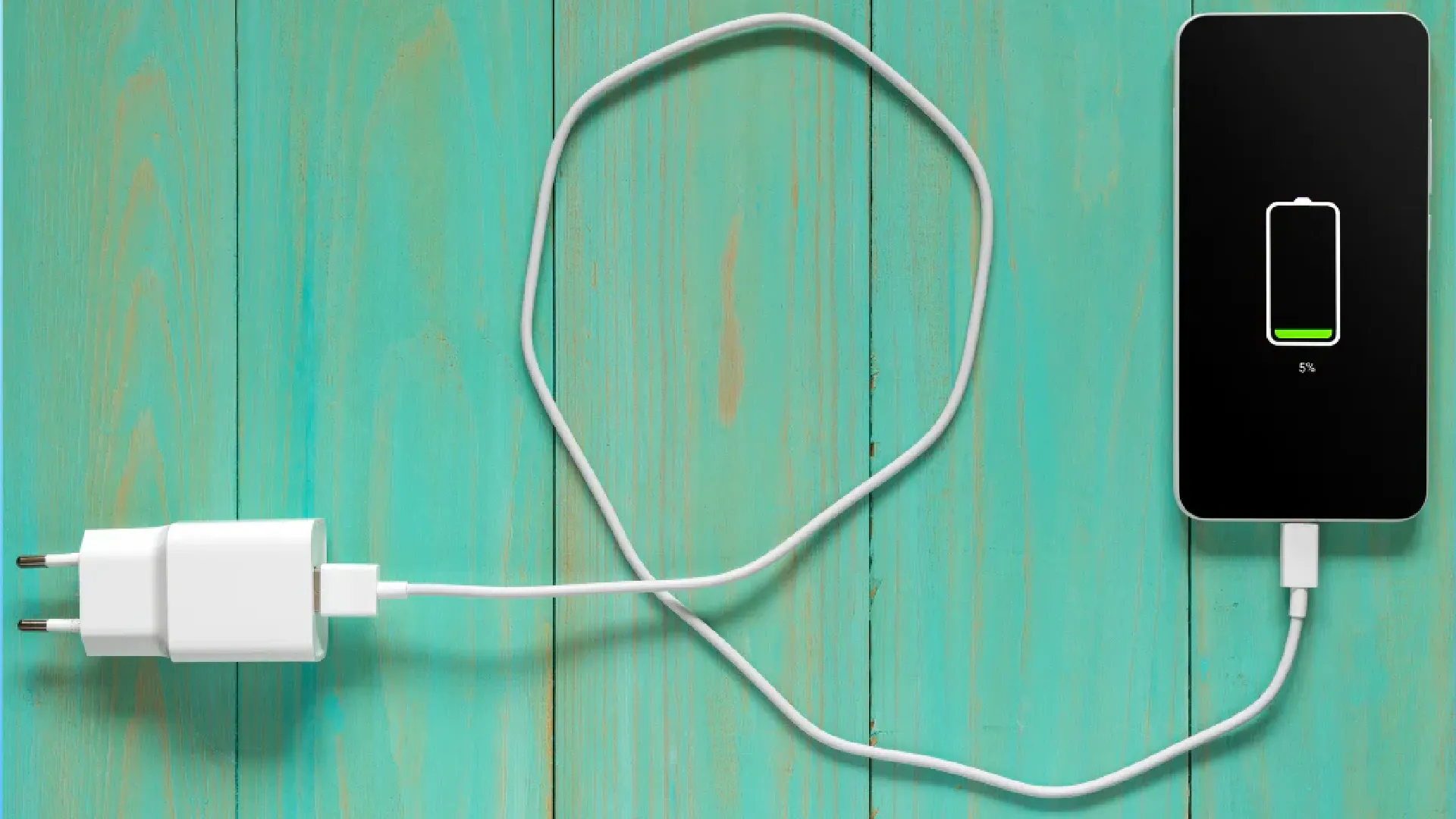
Today we live surrounded by batteries. It is no longer just a matter of smartphones: laptops, tablets, wireless headphones, smartwatch and portable consoles share all the same button heart, usually based on lithium-ion chemistry (Li-Ion) or lithium polymers (Li-Po).
Although technology has made giant strides, the battery remains a “consumable” component. It is destined to degrade over time. However, there is a huge difference between a physiological degradation and an accelerated by our bad habits. We often treat a laptop like a fix or leave a drone in the drawer for months, then find us with unusable devices just when we need them.
To protect your technological investment, you need to understand how “ragion” these energy cells and adopt a 360-degree conservation strategy. That's all you need to know.

Temperature management: hot and cold are different enemies
The number one enemy of any electronic circuit is the heat. When a battery exceeds 30-35°C, parasitic reactions crystallize electrolytes occur inside, permanently reducing the ability to retain energy.
- For Laptops: The most common mistake is to use them on the knees or, worse, in bed on blankets and feathers. This obstructs air vents. If the burner, the heat moves to the battery (which is often positioned right under the wrists). Always use rigid surfaces or raised stands.
- For Wireless charging: It is comfortable, but inefficient. Induction generates much more lost heat than the cable. If you want to maximize your device's life and you're not in a hurry, use the old cable.
And the cold? The low temperatures “addorment” ions, temporarily reducing duration, but usually do not create permanent damage. But there is a critical exception: never recharge a device that has just been returned home from temperatures below zero. Wait for me to return to room temperature. Charging a frozen battery can cause the “metallic lithium plating”, a serious and irreversible damage that can lead to cell failure.
The rule of “do not saturate”: the myth of 100%
Modern batteries work for potential difference. Keeping them 100% is like keeping a spring constantly tensed to the maximum: it eventually loses elasticity.
- Smartphone and Tablet: It is worth the famous “rule of 80-20”. Try to detach the power supply before it reaches 100% and do not fall below 20% (red zone).
- Laptop (The desk paradox): Many use the laptop always connected to the current to maximize performance. This is lethal for the battery, which remains constantly under high voltage and warm. Most manufacturers (Dell, Lenovo, Asus, Apple) today offer settings in the BIOS or via software to limit the maximum charge. Set the charging block to 60% or 80% if you use your PC always at the desk. The battery will thank you for years.
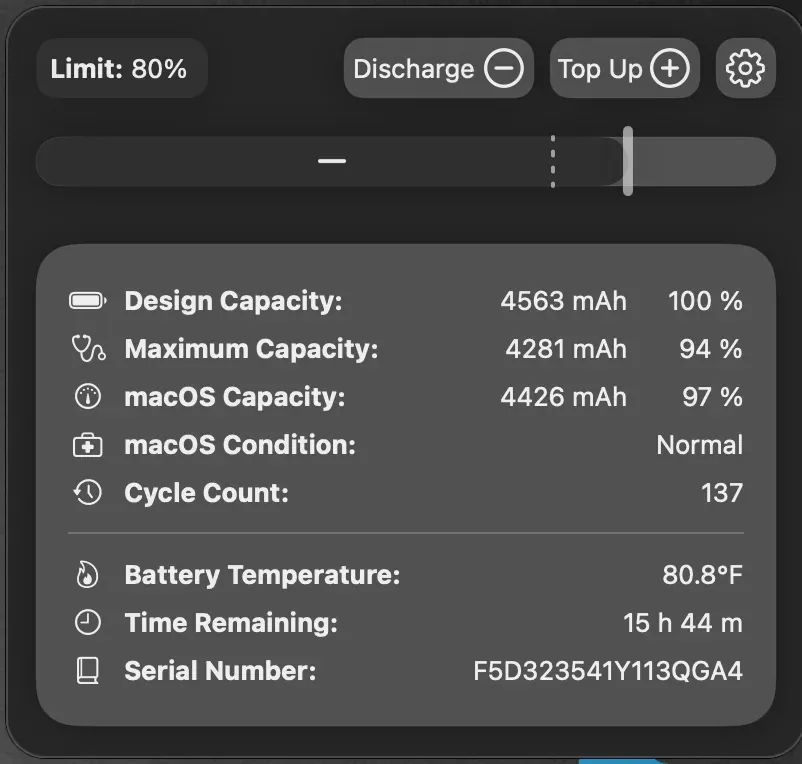
Use the intelligence of the software (Optimized loading)
You don't have to do everything manually. Modern operating systems have integrated smart functions to preserve the battery we often ignore.
- On iPhone: Make sure the “optimised load” is active. The phone learns your habits: if you put it in charge at night, it will load at 80% and will wait to finish the last 20% just before your usual alarm, reducing the time when the battery stays at maximum voltage.
- On Android: Look for the settings of “Adaptive Battery” or “Battery Protection”. Many brands (such as Samsung or Google Pixel) allow to block the maximum charge of 80% or 85% permanently, ideal for those who want to “set and forget it”.
The “deep dump” and the danger of the drawer
Do you have an old tablet, camera or drone that you use twice a year? Watch how you keep them. The batteries have a natural self-load rate.
If you put a device in the drawer with 0% battery, after a few weeks the voltage will descend under the minimum safety threshold (soil cut-off). At that point, the battery protection circuit will “kill” the cell to prevent it becoming chemically unstable. Result: the device will never turn on again.
The tip: If you expect not to use a device for a long time, charge it to 50-60%. It is the most stable chemical state for long-term storage. Remember to check it every 3-4 months for a small picket.
Charging cycles and “micro-brakes”
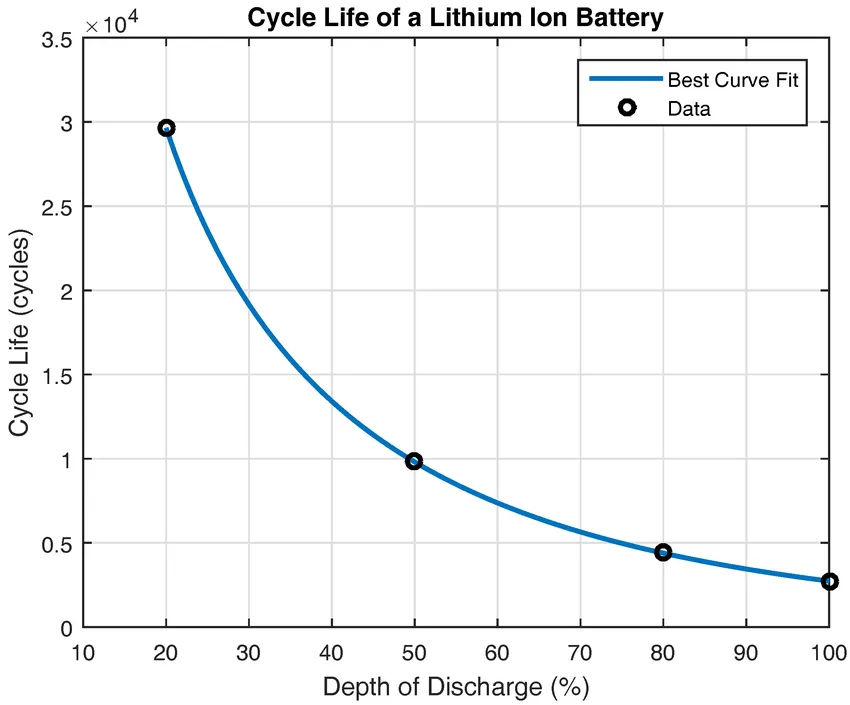
The life of a battery is estimated in cycles (usually from 300 to 1000 complete cycles). A cycle is not “every time you attack the plug”, but the sum of the refills up to 100% of the total capacity.
However, downloading the battery from 100% to 0% (deep cycle) is much more stressful than making small partial rabbins (e.g. from 40% to 70%). Get used to make short and frequent refills during the day rather than a single long night charging. This keeps ions moving without stressing the internal structure.
Feeders: Power is not all
With the advent of the USB-C, we are tempted to use a single charger for everything: from laptop to earphones. Although modern protocols (such as Power Delivery) allow devices to “dialogue” and ask only the energy needed, using ultra-rapid chargers (e.g. 65W, 100W or 120W) on small or old devices inevitably generates thermal stress.
Fast charging should be used when you need speed. If you have all night in front, or if you are charging headphones and smartwatch (which have tiny and delicate batteries), use a slow charger (5W or 10W) or the computer USB port. Less heat means more life.
Mito da sfatare: Close apps in the background
It is a gesture that we almost compulsively do: to close all the windows open to “save energy”. Actually, on modern smartphones, it is counterproductive.
When you forcefully close an app, remove it from RAM. When you reopen it shortly after, the processor must do an extra job to recharge it from scratch, consuming More energy of what you would have saved by leaving it “free” in the background. Let the operating system manage the memory: it is designed to do so efficiently.
Physical maintenance and safety (Inflated Beauty)
Sometimes the problem is not the battery, but the connection. If you notice that the cable “ball” in the door or that the charging goes intermittently, check the charging port. Thickness accumulates lanugine or powder that creates excessive resistance and heat. Gently clean it with a wood or plastic toothpick (but metal!).
A key security notice: If you notice that the back of the smartphone is deformed, that the laptop touchpad has lifted up or that the tablet screen has unfolded from the frame, stop using and loading the device immediately. Probably the battery inflated due to a chemical failure that generated gas. It is a dangerous situation: do not press on the battery and immediately bring the device to a service center. .
Need a calibration?
Often you read online of having to “calibrate” the battery by downloading it and charging it completely. Let us make clear: this does not serve Health battery chemistry (in fact, stress), but it only serves software software to understand where the 0 and 100 real are. Do it only if you notice that your device suddenly turns off when it still scores 10-15%. In all other cases, it ignores this obsolete practice.
Treating the batteries well does not require obsession, but awareness. Avoid extremes (too much load, too much exhaust, too hot) and your electronic devices will remain reliable much longer.


