

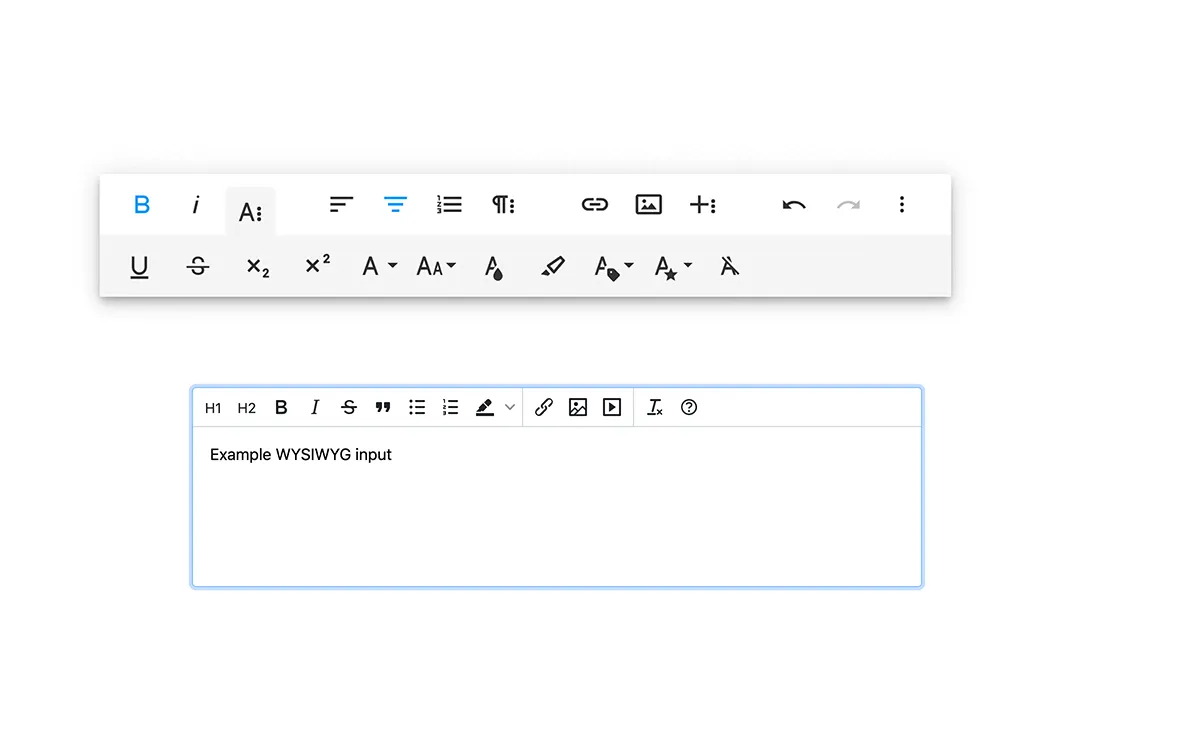
Creating beautiful and functional websites requires a combination of creativity, technical knowledge and tools that improve productivity. An indispensable tool for web development is an HTML editor WYSIWYG (What You See Is What You Get). In this article, we will examine in depth the best free WYSIWYG HTML editors available today.
What is a WYSIWYG editor?
A WYSIWYG editor (What You See Is What You Get) is a type of tool used to create and edit websites. Provides a visual interface for users to design their web page, while the HTML code of the website is automatically generated in the background.
WYSIWYG is a friendly user interface for web design and development that does not require users to have in-depth knowledge of HTML or other programming languages. Instead of manually writing code lines, users can create and design websites visually, similar to how a document would be created using a text processor.
In a WYSIWYG editor, users can format text, add images and multimedia elements, create hyperlinks and adjust the general layout of the page using integrated tools and functions. As changes are made, the HTML editor automatically writes and updates the corresponding HTML code. This allows users to focus more on the design and structure of their website, rather than being blocked in the code syntax.
WYSIWYG editors often include a function to switch from visual design to HTML. This is a useful function for those who are learning web development, as it allows users to understand how their visual design choices translate into HTML code.
These editors can also include other advanced features such as syntax highlighting, automatic completion, real-time previews, error detection and code validation. These features further simplify the web design process and help create clean, efficient and compliant web pages.
The importance of WYSIWYG editors
In the web development world, HTML editors, in particular WYSIWYG (What You See Is What You Get) variants, are of immense importance for several reasons. Below are the key elements that make these tools essential for modern web creation and editing processes.
Simplification of Web Design
WYSIWYG editors are instrumental in simplifying the web design process. They provide an intuitive and user-friendly interface where users can design web pages visually. As you create and organize items on the web page, the corresponding HTML code is automatically generated in the background. This approach significantly lowers the barrier to web development, even allowing non-technical users to create web pages without having to fully understand HTML or other web technologies.
Previews in Real Time
One of the key advantages of WYSIWYG editors is the ability to see changes in real time. As design changes are made, you can immediately see how these will change in the live web environment. This function improves not only the workflow but also helps to avoid possible design errors.
Improvement of efficiency
Building a website from scratch using only the code can be a laborious task, especially for complex sites. WYSIWYG editors greatly improve efficiency by reducing the required amount of code. They offer a range of tools and functions that simplify the web development process, such as drag-and-drop interfaces, ready-to-use models and much more.
Advanced features
In addition to the basic concepts, many WYSIWYG editors provide advanced features that further enhance the web design experience. These can include integrated SEO tools, code validation, responsive design tests, collaboration tools and others. These features not only help create attractive and functional web pages, but also ensure that they are optimized, accessible and comply with standards.
Learning and Experimentation
Finally, WYSIWYG editors also act as excellent teaching tools for those who are new to web development. They provide a protected environment where you can experiment with various design elements and immediately see the resulting HTML code. This immediate feedback can greatly improve the learning process, offering a practical understanding of how HTML structure a web page.
Editor WYSIWYG
CKEditor
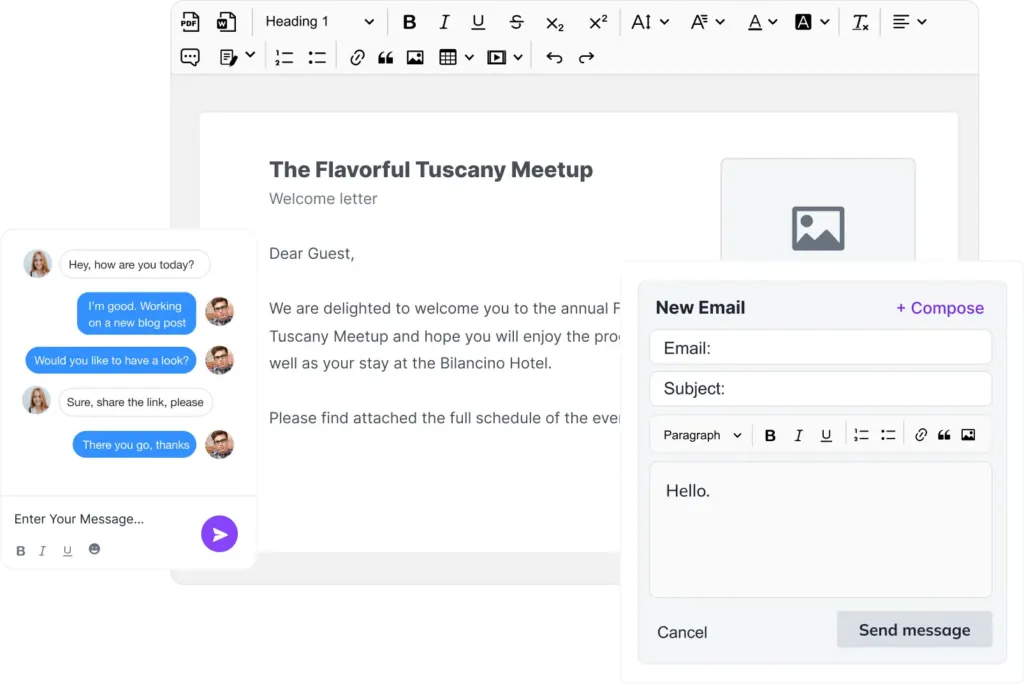
CKEditor is a powerful open-source WYSIWYG editor known for its extensive text editing capabilities and wide range of plugins available. Present in the web industry for over 15 years, it has evolved into one of the most versatile HTML editors currently available, boasting robust features and an easy-to-use user interface. CKEditor supports different types of users, from beginners who experience web design to experienced developers working on complex web applications.
Description
- Edit Advanced Text: CKEditor is known for its wide range of text formatting options, including bold, lanes, underlined, barbed, pedice, apex, font size, font color and highlight color. It also supports the creation of ordered and unordered lists, block quotes and more.
- Media incorporation: CKEditor allows you to easily incorporate images, videos and other media files directly into the web page. It also supports different types of alignment and image resize.
- Manipulation of Tables: With CKEditor, you can add and manipulate tables conveniently, a function often required in web content management. This includes adding rows and columns, adjusting the size and implementing the spacing and filling of the cells.
- Viewing the Code: For those who want to work directly with the HTML code, CKEditor provides a “Source” mode that allows manual editing of HTML. This dualistic feature makes CKEditor versatile for both non-technical users and experienced developers.
- Autosave and Orthographic Correction: CKEditor has a self-saving function that ensures that the work in progress is not lost. It also includes an integrated spell correction function that reduces errors and improves content quality.
- Collaboration in Real Time and Comments (Premium Course): CKEditor offers a collaborative editing function that allows multiple users to work on the same document in real time. In addition, users can add comments to the document, making it a great tool for group projects. Note that these features are part of CKEditor's premium options.
Benefits
- Customization Simple: CKEditor offers many configuration options that allow you to adapt the editor to your specific needs. It also supports the creation and addition of custom plugins, improving its functionality.
- Robust Plugin Ecosystem: CKEditor boasts a solid plugin ecosystem that includes features such as accessibility control, automatic correction, code snippet, emoji, mathematical composition and much more.
- Well Documented and Supported: As a mature product, CKEditor has extensive documentation and a large and active community, simplifying the problem solving process and learning.
Counter
- Advanced Payment Options: Although CKEditor offers a solid set of features in its free version, advanced features such as real-time collaboration and comments require a premium subscription.
- Light Curve of Learning: The many features and customization options of CKEditor could represent a slight learning curve for beginners.
TinyMen
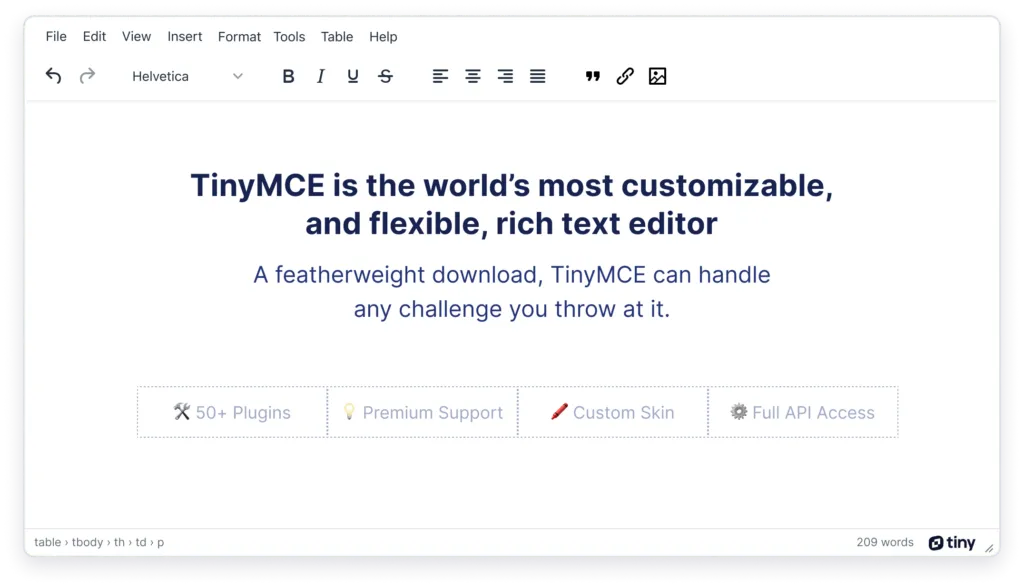
TinyMCE is an extremely versatile open-source editor, appreciated by developers for its flexibility and wide customization options. With its robust API and the support of a large community, TinyMCE ensures that users can always find a solution to their HTML editing needs.
Description
- Edit Advanced Text: TinyMCE comes with a complete set of text editing features, including the ability to change style, size and font color. Create and edit tables and lists with ease.
- PowerPaste: One of the most interesting features of TinyMCE is PowerPaste, a feature that easily manages the copy and paste of contents from Microsoft Word and Excel, thus keeping the original formatting and saving the user the further cleaning of the text.
- Autosave and Orthographic Correction: In addition to the above, TinyMCE offers a self-saving function, ensuring that work is not lost due to sudden shutdown or other accidents. The integrated spell correction function ensures that the content remains without typing and spelling errors.
- Editor of Code: At times when you need to intervene directly on HTML, TinyMCE provides a clean and efficient code editor that allows you to manually manipulate the HTML code of the web page.
- Multimedia Integration: TinyMCE allows you to insert images and multimedia elements, such as audio and video files, in the content in a fluid way.
- Extensibility with Plugin: With its rich collection of plugins, TinyMCE allows you to extend the functionality of the editor. Plugins are available for virtually every need, from image editing to advanced code syntax highlighting.
Benefits
- High Customization: One of the main advantages of TinyMCE is its high degree of customization. You can adjust virtually every aspect of the editor to suit your specific needs and preferences.
- Vast Library of Plugin: The extensive TinyMCE plugin library means that you can always find a tool or function to meet specific needs.
- Robusta API: The solid TinyMCE API makes it a versatile tool that can fit virtually any application or platform.
Disadvantage
- Complex Configuration: While advanced features and flexibility of TinyMCE are its strengths, they can lead to a somewhat complex configuration, especially for beginners. Understanding and fully exploiting the full potential of TinyMCE may require a steep learning curve.
- License Model: Although the core of TinyMCE is open source, some features and premium plugins require a subscription, which may not be suitable for users with budget limits.
Summerno
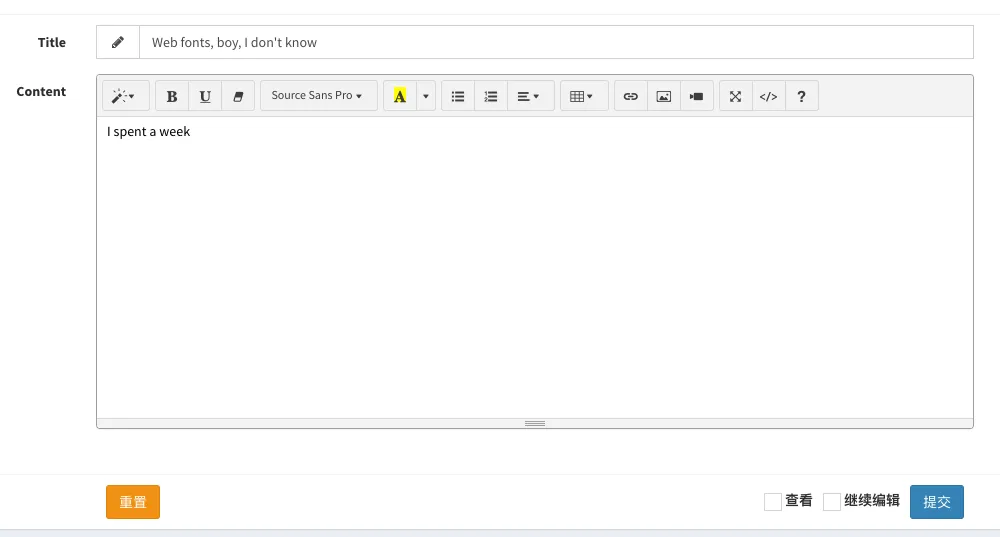
Summernote is an open-source WYSIWYG editor based on JavaScript and built over the jQuery library. It is lightweight, intuitive and rich in functionality, making it a popular choice for developers who need a simple but efficient tool for web development.
Description
- Edit Basic Text: Summernote allows users to perform basic editing tasks of the text, such as making the text bold, italive, underline, set the font size and color. This includes all necessary formatting options for a web page.
- Multimedia Integration: In addition to the text, you can easily insert links, pictures, videos and tables on the web page with a few clicks. This facilitates the creation of engaging and rich web content of multimedia elements.
- Viewing the Code: For more advanced users, Summernote provides an option “Setting the Code”. This allows users to switch from WYSIWYG view to a code editor where they can manually make changes to the HTML code.
- Compatible with Bootstrap: Summernote is built on the Bootstrap framework, making it completely responsive and suitable for mobile devices. It integrates perfectly with Bootstrap-based projects.
- Air mode: Provides an interface without the standard toolbar, with options that appear contextually while selecting the text.
- Styling: Summernote supports the direct application of CSS styles to any selected item.
Benefits
- Simple: Summernote stands out for its simplicity and ease of use. Its friendly user interface and direct controls make it an excellent choice for beginners.
- Lightness: Summernote is a lightweight editor that does not require many resources, making it a good option for developers working on projects where performance is fundamental.
- Compatible with Bootstrap: If you’re already using Bootstrap for your project, Summernote can be a great choice. Its built-in compatibility with Bootstrap ensures effective integration with your project and a good response on all device sizes.
Disadvantage
- Limited Functionality: Compared to other advanced publishers, the Summernote feature set is a little limited. For simple projects, this will not pose a problem, but for complex web development on a large scale, you may find its capabilities slightly restrictive.
- Lack of Updates: Summernote does not receive updates with the same frequency as some other publishers, which means that it may lack the latest features or improvements in web development.
Frog.
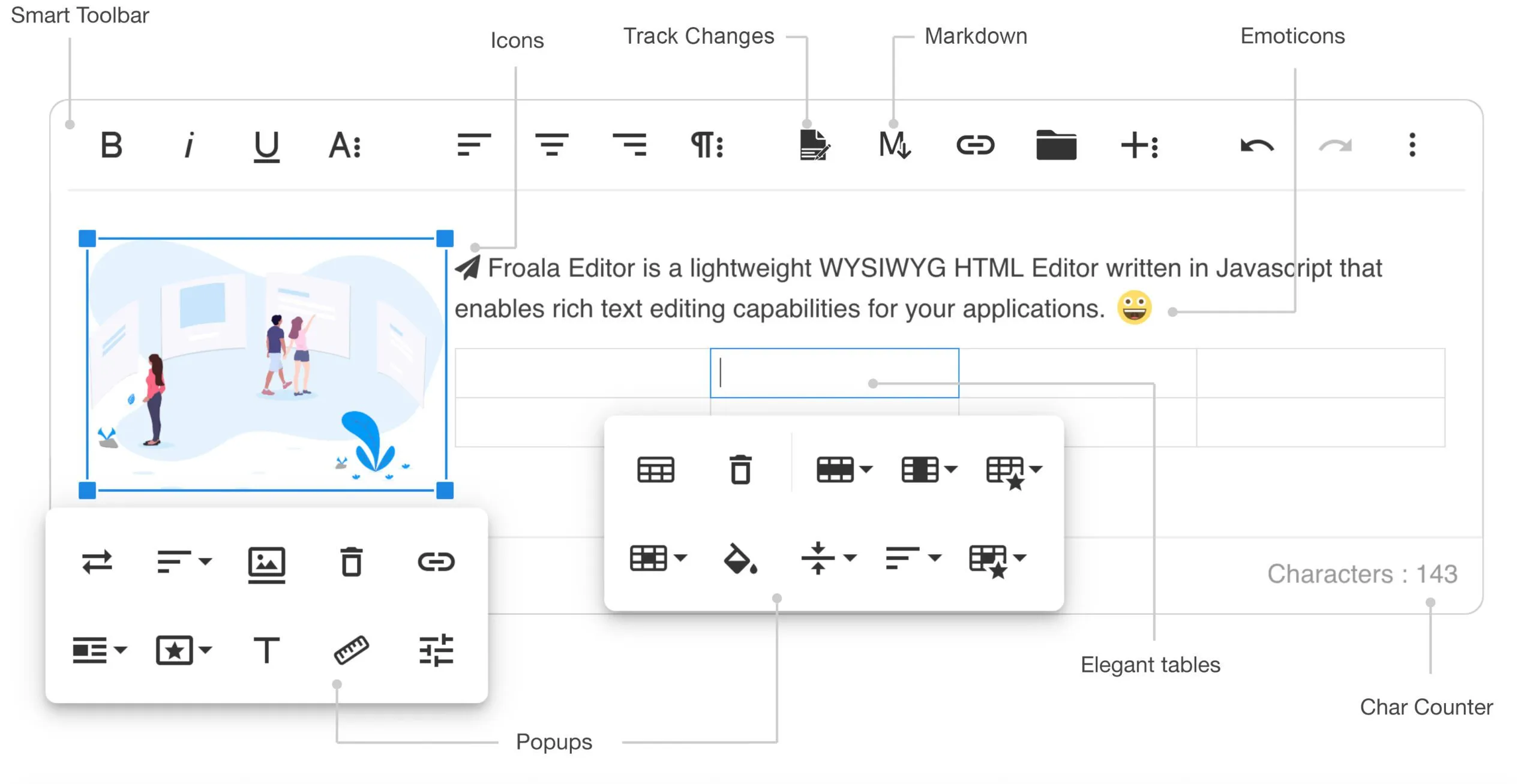
Froala Editor is a popular choice among web developers thanks to its clean and simple interface and robust features. Being a full WYSIWYG editor, it offers a wide range of features suitable for both beginners and experienced developers.
Description
- Edit Advanced Text: Froala Editor supports a wide range of text editing features. You can format the text easily with options such as bold, lavish, underlined and barter. In addition, the editor allows you to change the color of the text and background, align the text, format the paragraphs and create pointed or numbered lists.
- Editor CSS Inline: With the CSS editor inline, Froala allows you to stylize the HTML elements directly within the editor. This feature is particularly useful for developers who need precise control over the appearance of their web content.
- Media incorporation: Froala Editor simplifies the enrichment of web content with various types of media. You can easily incorporate videos from platforms like YouTube and Vimeo. In addition, the editor allows you to insert images, create image galleries and even upload your files.
- Edit Tables and Forms: You can add and edit tables directly in Froala Editor. This feature is great for creating structured data or form layout. Similarly, form elements such as text fields, control boxes and radio buttons can be easily incorporated into HTML pages.
- Displaying the Code: The code display function in Froala Editor allows you to switch from WYSIWYG display to source code display. This is a useful function for developers who need to manually edit the generated HTML code more refinedly.
Benefits
- Ease of Use: The simple and clean interface of Froala Editor makes it easy for beginners to start editing HTML. The commonly used editing functions are intuitively arranged, contributing to a smooth user experience.
- Rich Functionality: Froala Editor is rich in powerful features that meet different web development needs. Whether it's advanced text editing, media incorporation or CSS editing online, Froala has what you need.
- Responsive design: Froala Editor is designed with a responsive design, which means it works smoothly on different devices and screen size. Whether you’re working on a desktop, tablet or mobile device, you can expect a consistent editing experience.
Disadvantage
- Premium functionality: While Froala Editor offers a robust set of features in its free version, some advanced features such as real-time collaboration, spell control and image resize are only available in the premium version.
Jodit
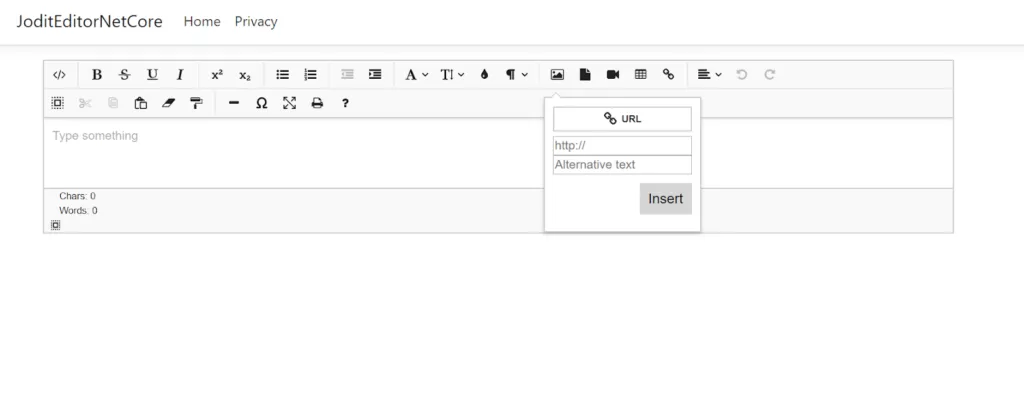
Jodit is a lightweight, fast and user-friendly WYSIWYG editor that offers a perfect balance between simplicity and performance. It is designed to be direct, making it a popular choice among developers that give importance to ease of use without compromising functionality.
Description
- Edit Advanced Text: Jodit provides all the standard text editing features that you expect from a quality WYSIWYG editor, such as bold, lane, underlined and inserting tables.
- Loading and Editing Images: A distinctive feature of Jodit is its integrated uploader and image editor, which allows you to insert images directly into the content and edit them as needed. This includes resize, crop and other basic editing functions.
- Collaboration in Real Time: Jodit also offers collaborative editing in real time, a function that makes it distinguish between many free editors. This allows multiple users to edit the same document simultaneously, a valuable feature for team projects.
- Multilanguage support: Jodit supports a wide range of languages, making it a globally versatile tool.
Benefits
- Ease of Use: Jodit is appreciated for its simple interface, which makes it easy to navigate even for beginners.
- Speed: Jodit is designed for speed. It is light and does not weigh down the development process.
- Multilanguage support: Jodit’s linguistic versatility allows use in many different regions, an added advantage for global projects.
Disadvantage
- Limited Free Features: Although Jodit offers a robust set of features for free, some advanced features may require a commercial license. It is important to examine the list of functions according to your needs to ensure that you meet your needs.


