


An HTML code editor is a tool that facilitates code writing. To create HTML files, you can use simple text editors like Notepad.
However, the use of HTML code editors provides support in code processing, automatically including “close relatives” for tags, providing syntactic highlighting and color formatting. These aids are particularly useful during the editing phase of HTML files. In addition, HTML code editors can improve code typing efficiency.
Codepen

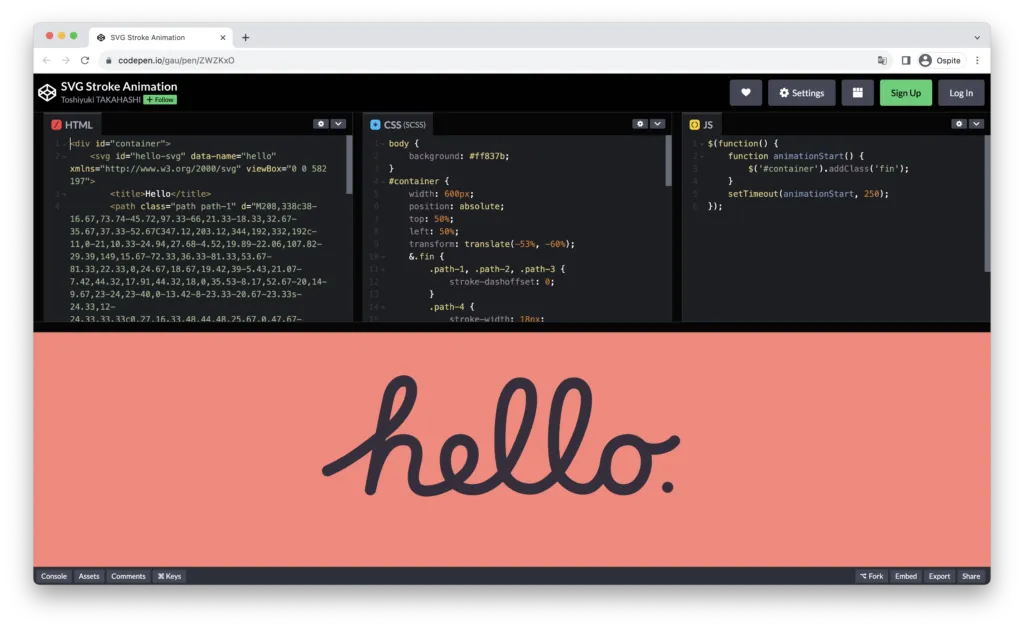
CodePen’s integrated front-end code editor allows users to create and publish HTML, CSS and JavaScript for various projects, offering the possibility to isolate learning and debugging test cases. In the collaborative field, several people can make changes simultaneously to the code and use the integrated chat function to work cooperatively on any project. CodePen’s integrated development environment (IDE) includes features such as drag & drop loading, live previews, automatic completion, website distribution and many other features.
Benefits
- Ease of Use: CodePen is known for its intuitive user interface that makes it suitable for both beginners and experienced developers.
- Active Community: The CodePen community is vibrant and inclusive, offering opportunities to learn and connect with other developers.
- Preview in Real Time: The ability to preview the code in real time is extremely useful for debugging and to immediately see the results of the changes made.
- Integrated tools: CodePen offers a number of integrated tools that simplify the workflow of developers.
Disadvantage
- Free Version Limitations: The free version of CodePen has some restrictions on the paid version, such as a limited number of private projects and limited access to advanced features.
- Project Privacy: If you need to keep your private code safe, you may be worried about unintentional project sharing, especially if you use the free version.
Go to the website codepen.io
CodeSandbox

CodeSandbox is a versatile online code editor, ideal for developers who want to create, test and distribute web applications quickly and efficiently. With CodeSandbox, anyone can make full-stack applications using modern web technologies such as React, Vue, Node and GraphQL in just a few minutes. One of its main qualities is the intuitive user interface with the ability to drag and select, simplifying the creation and configuration of applications even for those who have no prior experience in programming.
This all-in-one platform offers developers a wide range of powerful features, including integrated debugging tools, version control and an embedded terminal. In addition, CodeSandbox provides a library of popular models and components that facilitate the launch of any web project. Another strong point of CodeSandbox is its wide range of integrations, which allow users to easily connect to third-party services such as GitHub and Netlify.
Benefits
- Ease of Use: CodeSandbox offers an intuitive user interface that makes it accessible for beginners as well.
- Preview in Real Time: The ability to instantly display code changes is extremely useful for the development process.
- Efficient Collaboration: Real-time collaboration facilitates communication and troubleshooting between team members.
- Simple publication: The ability to publish and share projects quickly and easily makes it suitable to demonstrate your work to others
Disadvantage
- Limitations of Calculation Power: Very complex web projects may have limitations in terms of computing power compared to a local development environment.
- When a timeout occurs: the page will occasionally be updated to be loaded and is slow.
- Due to timeout problems: you need to update the page after a few minutes; otherwise the data will not be saved.
Go to the website Thisandbox. I will
JSFiddle

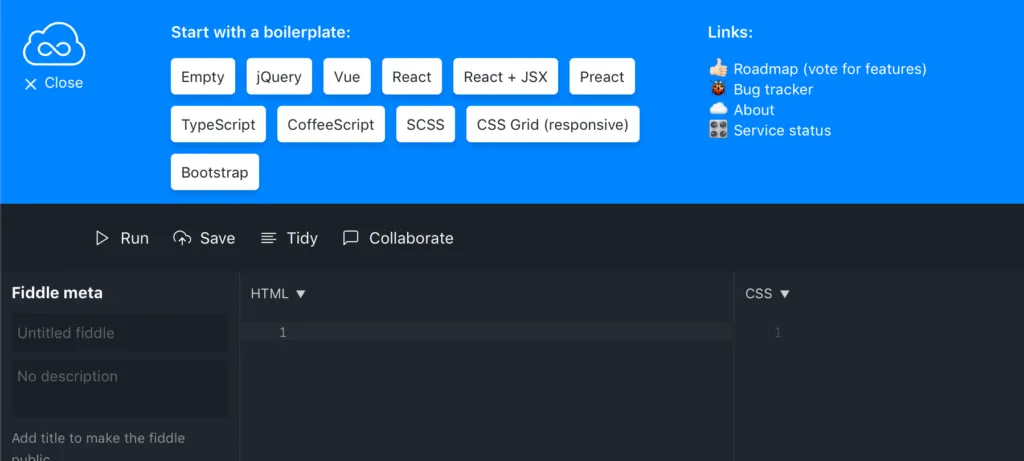
JSFiddle offers an interesting work structure based on panels or boards, with four panels available. These panels allow you to work on different components of a project, facilitating the development of HTML, CSS and JavaScript. In the first panel, you can focus on the structure of the HTML document without having to worry about adding tags like doctype or head, as they are generated automatically. In the second panel, you can manage CSS styles and easily switch from a CSS pre-processor to SCSS for greater flexibility. In the third panel, you can write and test the JavaScript code associated with your project. Once the code is inserted in the relevant panels, simply click “Run” in the top action bar to view the result in the fourth panel.
JSFiddle also offers the ability to customize the editor layout, from classic 2×2 grid display to a tab mode to adapt the development environment to specific needs. In addition, grids are completely resizeable, and the result panel provides information on its width, making it easier to work on multimedia queries. In summary, JSFiddle is a very useful tool for web developers looking for a versatile and customizable online development environment to quickly test and share their code.
Benefits
- Edit Online and Collaboration: Changes the online code with real-time collaboration.
- Simple publication: It facilitates the sharing of projects in public or private ways.
- Easy creation of AJAX Applications Fittizie: It allows you to easily simulate AJAX calls.
- Completely Free: It is a 100% free service.
Disadvantage
- Possible slowness in execution: Some users may notice a possible slowness in updating results.
- La Tracciamento dei Forks: You cannot monitor who duplicated your project.
- Can't hide Panels: It does not offer a direct way to hide unwanted panels.
Go to the website jsfiddle. net
JSBin

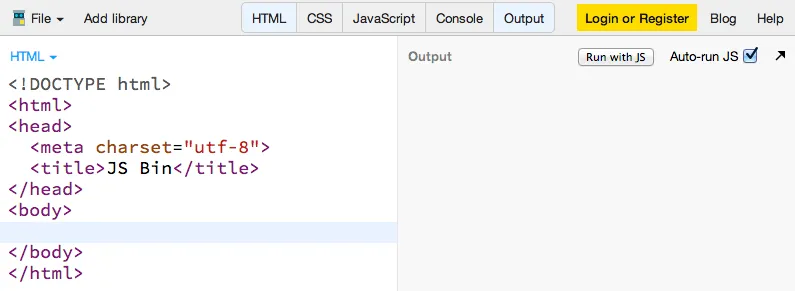
JSBin is an online HTML, CSS and JavaScript text editor that stands out for its wide range of features, making it an essential tool for web developers. With an intuitive interface and powerful tools, JSBin offers a comprehensive development environment to explore, create and share web code efficiently. One of the most appreciated features of JSBin is the “Live Reload”, which allows developers to immediately see how the changes made to the code affect the display of the page, both in the editor and in the full preview. The built-in console simplifies debugging, allowing developers to locate and resolve errors quickly.
Developers can store and manage their “bins” (projects) organizedly and can easily incorporate their projects into any desired configuration. Support for dragging and releasing files, along with Emmet integration (formerly known as Zen Coding), makes code creation more efficient and faster.
For those requiring advanced features, JSBin offers a Pro mode with options such as SSL embeds, private bins and custom URLs.
Benefits
- Live Reload Efficace: JSBin offers a live reload function both in the editor and in the full preview, allowing developers to quickly and in real time view the results of changes made to the code.
- Integrated console: The built-in console simplifies debugging, allowing developers to identify and resolve errors efficiently.
- Support for Different Languages and Pre-Processors: JSBin supports a wide range of languages, including HTML, CSS, JavaScript, Less, Sass and many others, offering significant flexibility in the development process.
- Linting Customizable: The customizable linting support with tools such as JSHint, CoffeeLint, CSSLint and HTMLLint helps ensure code quality.
- Organized Bins Management: Developers can store and manage their projects in an organized way, simplifying bin research and management.
- Ease of incorporation and Customization: JSBin allows you to easily incorporate bins into any desired configuration and customize the editor’s appearance and settings.
- File Drag and Release: File drag and release support makes file loading and updating easier in projects.
Disadvantage
- Pro Mode for Advanced Features: Some advanced features, such as SSL embeds, private bins and custom URLs, are only available in Pro mode, requiring a paid subscription.
- Possible Variability of Performance: The speed of execution and preview display may vary depending on the complexity of the project and traffic on JSBin servers, which may cause delays in previews.
- Limitations in the Free Version: The free version of JSBin has some restrictions, such as the limited number of private bins and access to advanced features.
Go to the website Jsbin. Community
Flemish

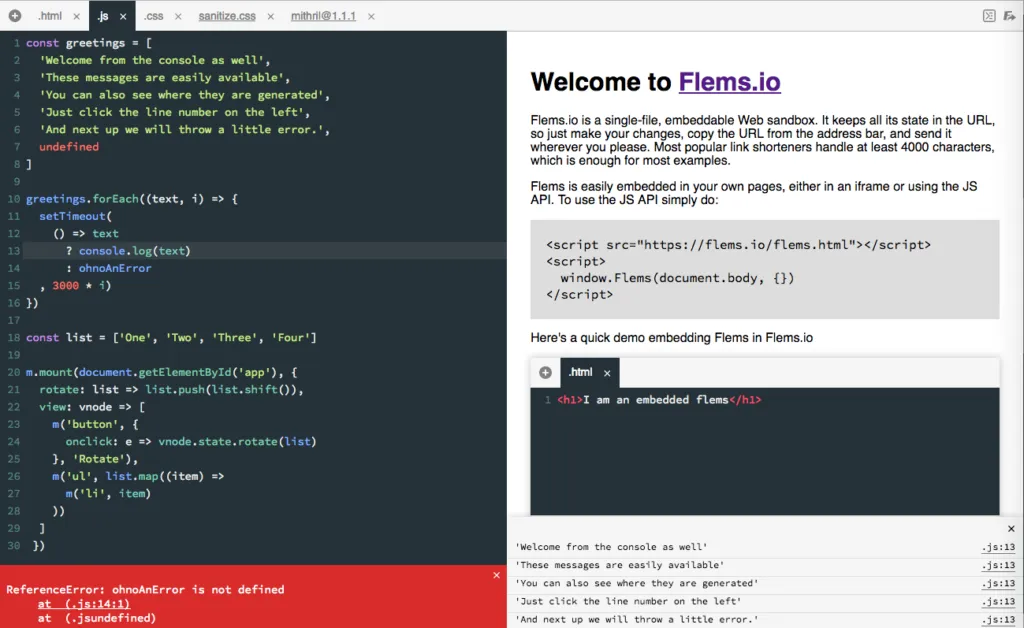
Flems is a web development platform, ideal for prototyping ideas and sharing functional front-end code examples.
Unlike other similar platforms, Flems does not require a connection to the server after loading the page: all the code you write in a Flems project is processed directly in the browser and saved as a compressed string in the URL. The only thing you need is to download any additional dependencies. This means you can work on your project without having to “save” it as the URL in the address bar will always be a shared link that shows exactly what you are seeing.
Each Flems project starts with an HTML, JavaScript and CSS file, but you have the option to add more files. Flems also supports the compilation of TypeScript, LiveScript and Babel (standalone). You can add CSS and JavaScript dependencies by specifying a full URL pointing to the desired file or providing reference to a NPM package (with an optional path). These resources will be taken by unpkg.com. In addition, you can change the execution order of each file or dependence of the same type by passing on it in the sidebar and using the up and down arrows.
Flems.io is based on the open source Flems module, which you can use for autonomous hosting or integration into other projects.
Benefits
- Preview: The real-time preview allows you to immediately display the effect of changes made to the code.
- Editor Multilinguaggio: Flems allows you to work with HTML, CSS and JavaScript in one environment, improving development productivity.
- Easy Sharing: Automatic URL generation simplifies project sharing with other developers or colleagues.
- API integration: The native integration with APIs makes the development of interactive web applications easier and communication with external services.
Disadvantage
- Advanced Features limitations: Flems may be limited to extremely complex projects requiring advanced debugging, package management or integration of more advanced development tools.
- Missing an Integrated File Editor: Unlike some other tools, Flems does not offer an integrated file editor, which means you may need to manually upload your files if you are working on complex projects with many related files.
- No Project Hosting: Flems does not provide hosting services for projects, which means you will have to rely on external solutions to distribute your applications or web projects publicly.
Go to the website flems.io
♪

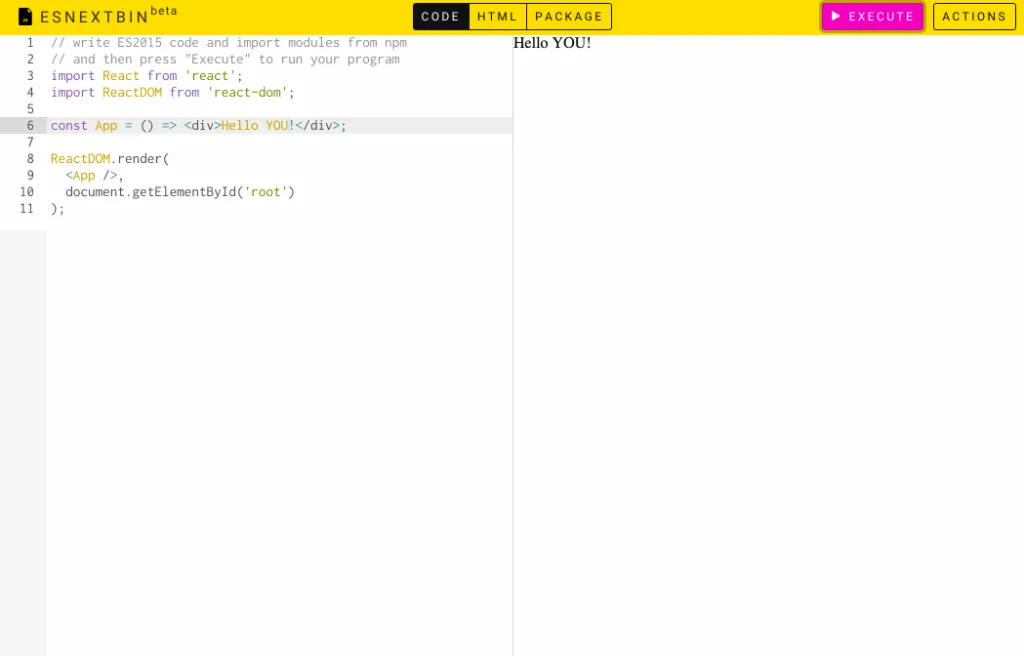
Esnextb is an online HTML text editor designed for web developers who want to write modern JavaScript code based on ES6/ESNext. This editor offers an immediate experience with real-time preview, GitHub Gist support for sharing and customizing the layout. Although it is focused on JavaScript, it may not fully adapt to the development needs of HTML and CSS or require a paid version for some advanced features.
Benefits
- Support for ES6/ESNext: esnextb. in is ideal for those who want to write modern JavaScript code, taking advantage of the latest language features.
- Live Preview: The real-time preview simplifies the debugging process and allows developers to immediately see the effects of changes.
- Integration GitHub Gist: The native integration with GitHub Gist makes it easier to share and collaborate on projects.
- Customization of Layout: Users can adapt the editor to their preferences, creating a tailored development environment.
- Extensibility: Extensions allow developers to add specific features to their development environment.
Disadvantage
- Focalizzato su JavaScript: If you are looking for a complete development environment for HTML and CSS, esnextb.in may not be the ideal choice, since it is mainly focused on JavaScript.
- No Advanced Features: Some advanced features in more complex development environments may be missing.
- Free Version limitations: Some advanced features may only be available in the paid version of esnextb.in, limiting options for free users.
Go to the website esnextb. in


