

If you often have to convert audio files, videos, pictures or documents and are tired of opening heavy editing programs or uploading your data to advertising websites, File Converter That's the solution you were looking for.
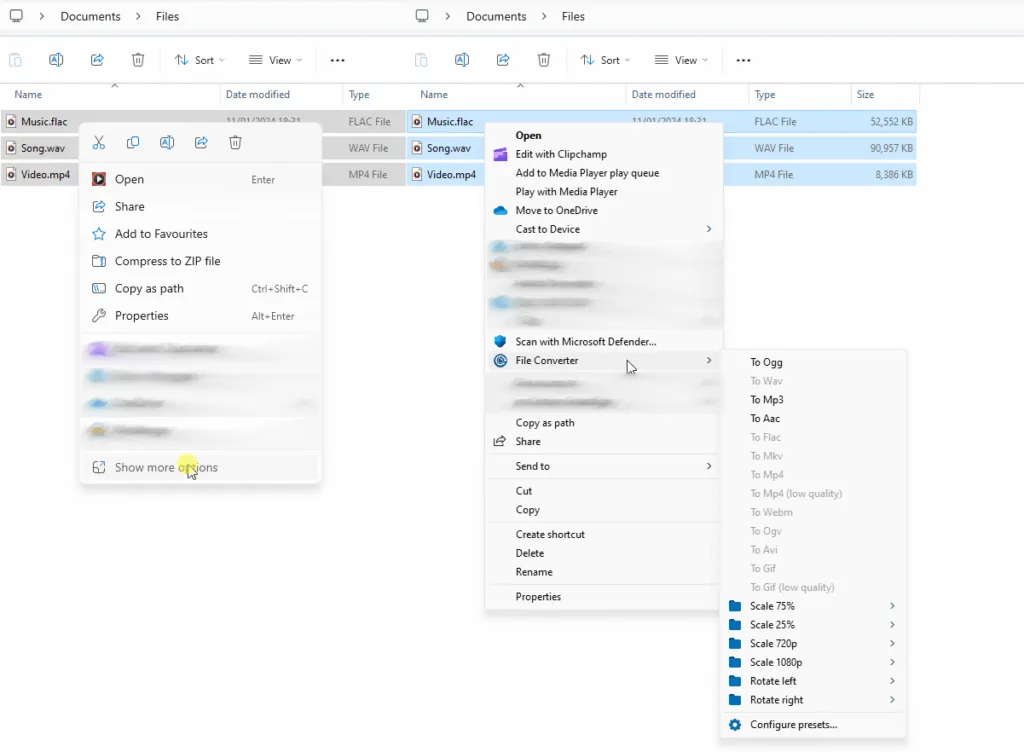
File Converter integration in Windows context menu
What is File Converter?
File Converter is a software open source very particular: it does not appear as a traditional program with its own window, but it integrates directly into the context menu of Windows (the menu that appears when you click the right mouse button).
The project is developed to make file conversion and compression an immediate process. Being open source, it guarantees transparency and security: the code can be freely consulted by anyone on the GitHub platform.
- Official GitHub Repository: https://github.com/Tichau/FileConverter
How it works
Simplicity is the strength of this instrument. Once installed, use is immediate:
- Select one or more files within Explorer.
- Right-click.
- Choose the item “File Converter”.
- Select the desired destination format.
The software will open a small window that will show the progress of conversion and will close automatically once finished.
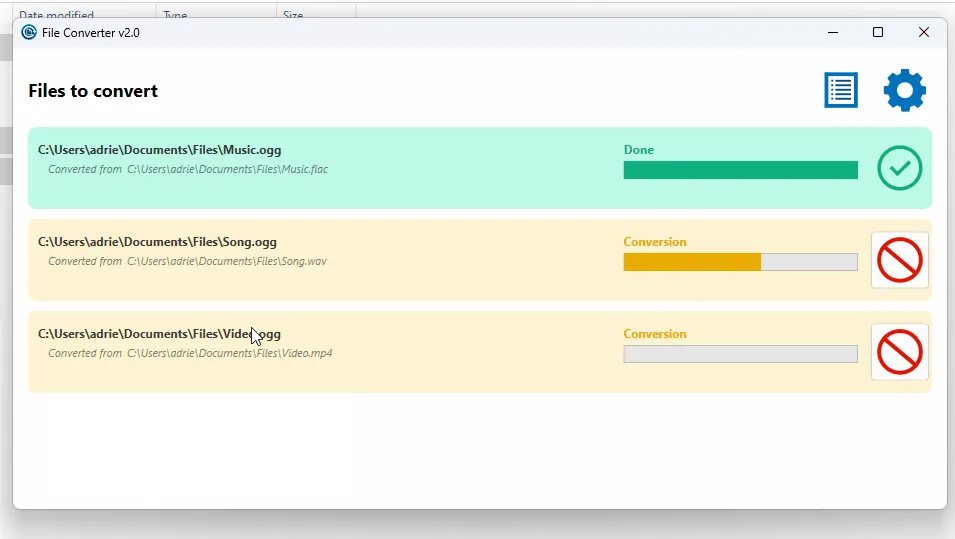
Minimal interface during conversion of a file
Main features
- Open Source and Free: Released under license GPL v3, it is free, free of advertising and does not collect personal data.
- Multiformed Support:
- Audio: mp3, wav, flac, aac, ogg, etc.
- Video: mp4, mkv, avi, webm, gif, etc.
- Images: png, jpg, webp, ico, raw, etc.
- Documents: conversion to PDF (requires Microsoft Office installed).
- Customized: Through the settings you can change the output quality, bitrate and add or remove formats from the menu.
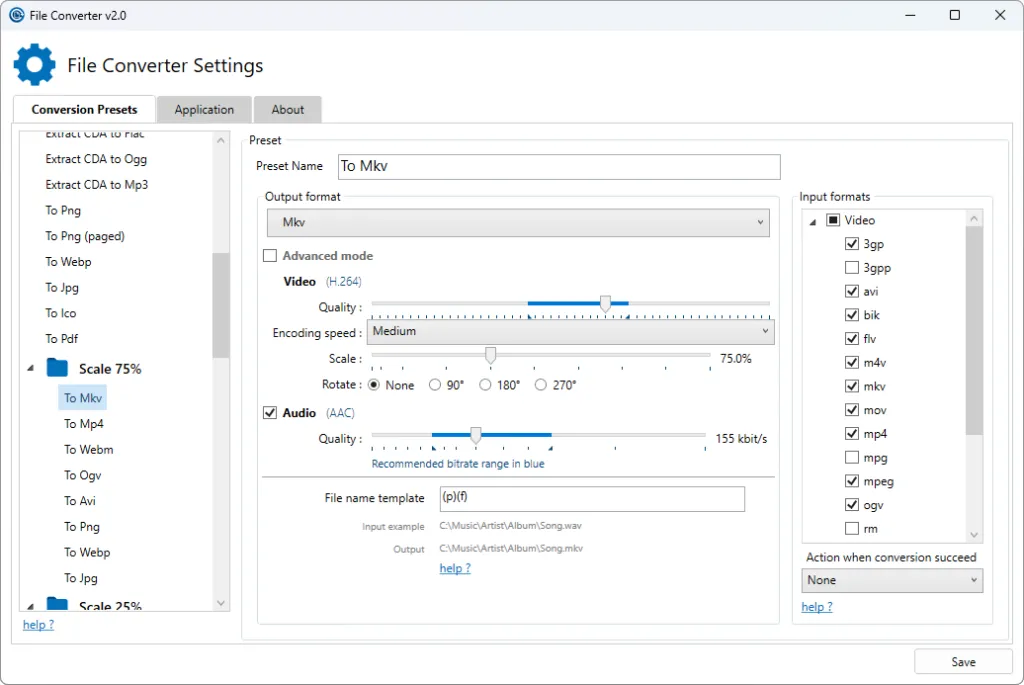
The settings allow you to configure the preferred quality and formats
Why choose it?
In a digital panorama where you often use online converters that place upload limits and privacy risks, having a local, safe and immediate tool installed in your PC is a great advantage. If you are looking for a tool that does one thing, but do it extremely well, File Converter is highly recommended.
You can download the installer from the official website file-converter. I will or contribute to the project directly on GitHub.


