

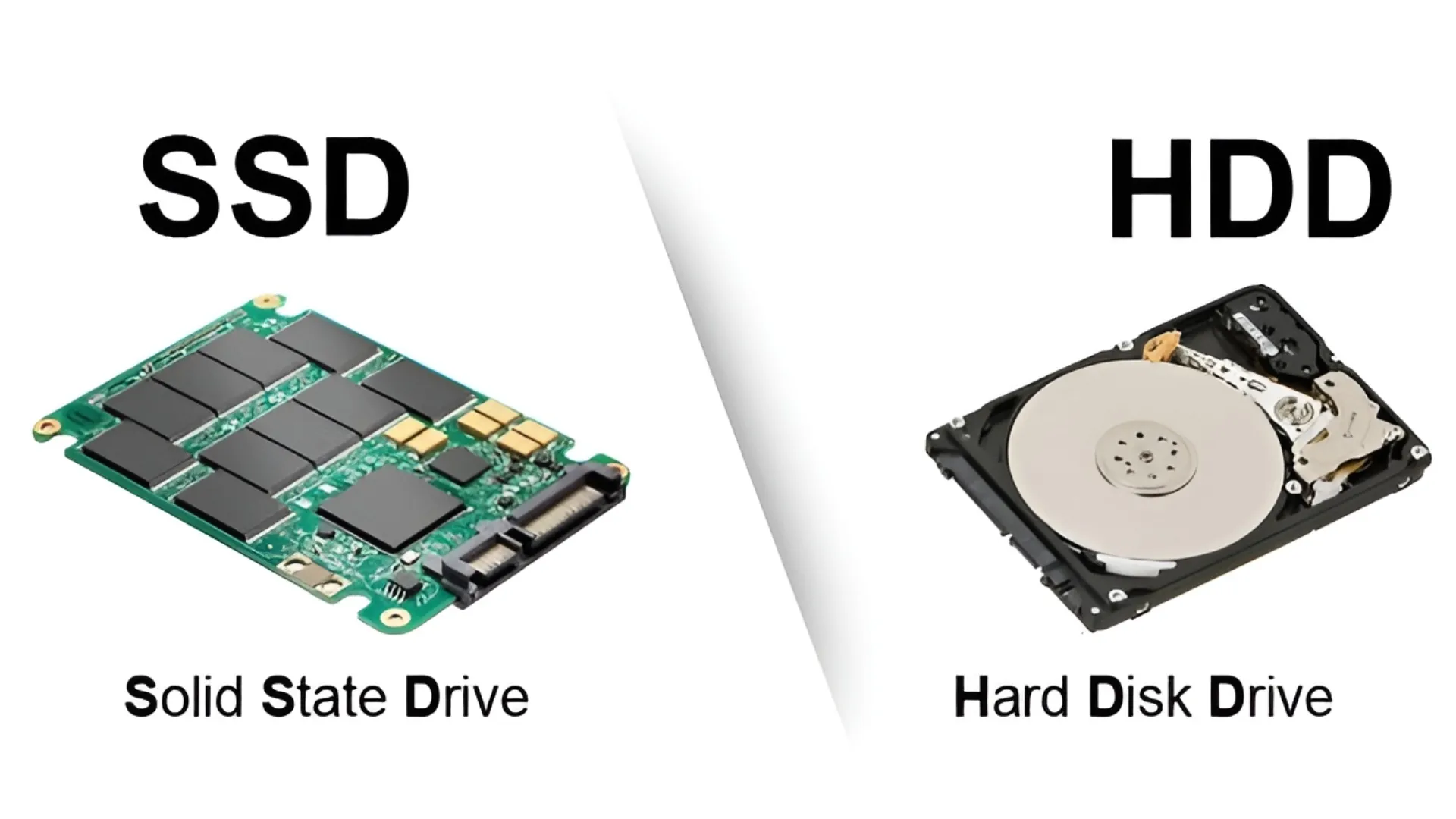
Benchmark software are applications designed to assess the performance and speed of storage devices. In the context of hard drive (HDD) and solid state unit (SSD), these tools allow you to measure specific parameters and compare the results with those of other products available on the market. Upon completion of a benchmark test, a numerical score or a set of values are generated that quantify the performance of the device.
The main benchmark application lies in the verification of improvements or changes in the performance of the device. For example, a user who optimized the settings of an SSD can test before and after such changes to quantify the actual increase in read and write speeds. This approach allows to validate the effectiveness of the implemented optimizations.
Below is a selection of the main free software for benchmarking on hard disk and SSD.
AS SSD Benchmark
AS SSD Benchmark is a lightweight and portable application, characterized by an intuitive user interface. The software allows you to analyze reading and writing performance of hard drives and SSDs. It is compatible with all versions of the Windows operating system and has a size of about 280 KB, not requiring installation.
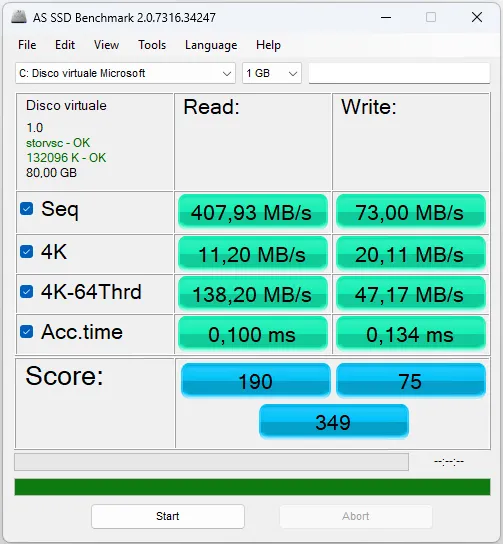
To start the test, simply select the desired device and press the “Start” button. The benchmark tests sequential and random reading and writing using a file of 1 GB. It also includes a specific test to evaluate Access speed to the data. The “Tools” section offers additional testing for copying and compression of files. The score generated at the end of the benchmark can be used to evaluate improvements or compare performance.
Click here to go to the download page.
CrystalDiskMark
CrystalDiskMark is a benchmark software that measures sequential and random read and write speeds of storage units. It is also available in a 64-bit portable version that does not require installation.
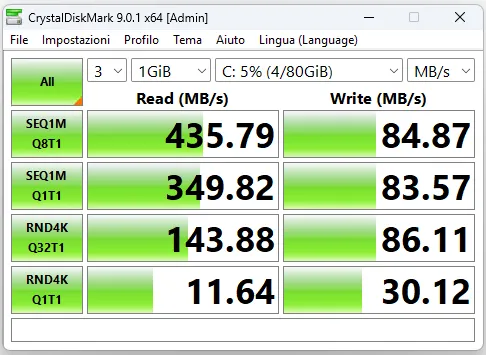
After the archive is extracted, the launch of the “DiskMarkX64” executable allows you to select the HDD or SSD to test and start the benchmark process. During the execution, several writing and reading commands are simulated. At the end, the speed values obtained, which can be used for comparison with other peripherals or for evaluation of performance increments as a result of optimizations.
Click here to go to the download page.
CrystalDisclosure
CrystalDisclosure is a diagnostic software that provides detailed information about the state and features of hard disk and SSD. It is also available in portable version.
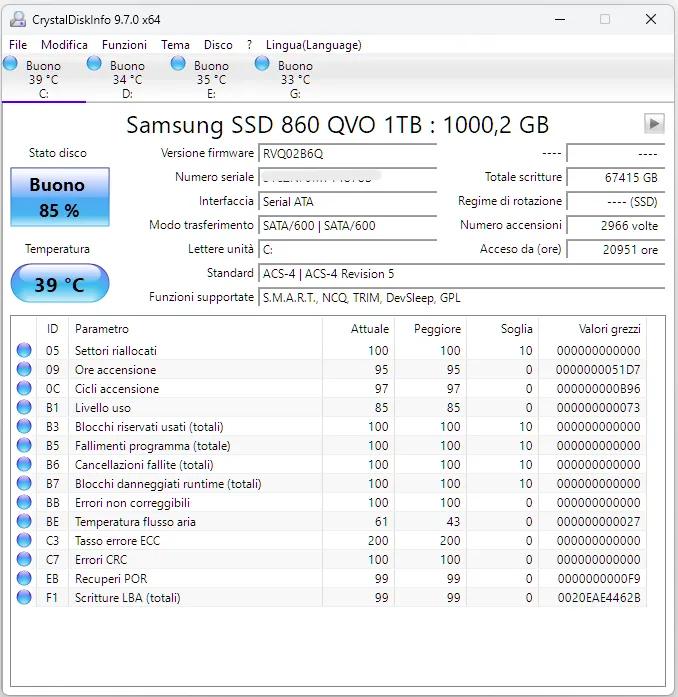
The application displays critical data such as health status of the device, operating temperature, firmware version, serial number, buffer size and cache, rotation speed (for HDD), interface type (e.g. SATA) and number of ignitions and hours of activity. The software also highlights the supported features (e.g. S.M.A.R.T., NCQ, TRIM) and reports any Reallocated or uncorrectable errors, providing a complete overview of the condition of the unit.
Click here to go to the download page.
SSD-Z
SSD-Z is a specific tool for the analysis and benchmark of SSD drives. The program allows you to access advanced information such as the type of controller used, the production process, the interface and the activation status of the TRIM command.
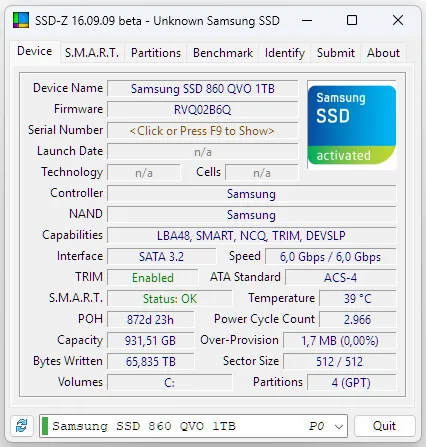
In addition to displaying technical specifications, SSD-Z includes benchmark features for evaluating the transfer speed and the access times of SSD. It also displays the partitions on the unit. Although it can provide basic information for HDDs, its functionality is optimized for SSDs.
Click here to go to the download page.
HD Tune
HD Tune is a benchmark and diagnostic software that supports hard drives, SSDs and USB flash drives. A free version for non-professional use is available.
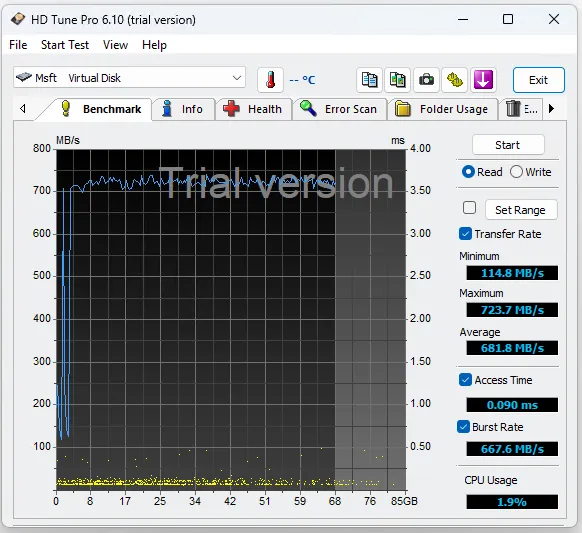
The software allows test writing and reading speed, as well as the access time of various mass memories, allowing comparison of the performances. In addition to performance testing, HD Tune displays the main features of peripherals and provides information on health status devices. Finally, it includes a scanning function for error identification and bad sectors on unity.
Click here to go to the download page.


